For years, Selenium has been the default choice for web UI automation. But modern web apps have changed. Faster release cycles, dynamic frontends, built-in CI/CD, and the need for better debugging have pushed teams to evaluate newer tools like Playwright. The real question is not whether Selenium is “dead.” The real question is where Playwright offers a better fit, and where Selenium still continues to make sense.
Why are teams moving from Selenium to Playwright?
Teams are moving from Selenium to Playwright because Playwright offers built-in auto-waiting, modern debugging tools, easier setup, and strong support for today’s browser-driven workflows. But Selenium still remains useful for teams that need broad ecosystem support and mature enterprise integration.
Key Takeaways
-
Playwright is gaining attention as a modern UI test automation framework.
-
Selenium is not obsolete and still works well in many enterprise environments.
-
Teams consider Playwright for easier debugging, cleaner setup, and modern browser support.
-
Choosing between Selenium and Playwright depends on workflow, scale, and maintenance needs.
-
A smart automation strategy focuses on the right tool for the right use case.
Grip on Selenium
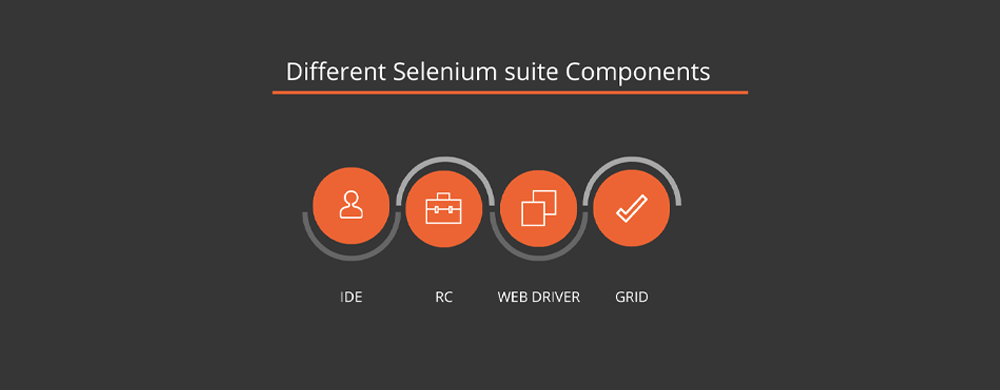
Looking into selenium, what makes it popular? – Selenium is an open-source web browser automation tool probably a widely used one. It has been around for over a decade and has become the de facto standard for browser automation.
Selenium can run its test cases against any web browser and supports multiple programming languages. Its versatile API supports multiple operating systems, Cross-browser testing, and parallel testing. Still, it plays a role very well in the field. Hence, it became an evergreen testing tool.
Starting with Playwright

Now looking into Playwright, a new open-source test automation tool runs against any operating system like Windows, macOS, or Linux. It is a web browser testing framework that supports multiple languages, so there is no need to switch programming languages to work on it.
As Playwright is well documented, we can learn everything about this tool which is an amazing thing. The first release of Playwright was in 2020. Microsoft hired the people who created Puppeteer to create a playwright tool. It provides better cross-browser testing coverage since it supports Chrome, Firefox, and WebKit, while Puppeteer only supports Chrome and Chromium. Hence, this has a long way to go and can be the future…
Selenium vs Playwright: What Really Changed?
Selenium helped define modern UI automation. It still has a strong ecosystem, wide adoption, and long-term community support. But Playwright was built later, with modern browser behavior and developer workflows in mind. That gives it an advantage in areas such as setup simplicity, built-in waits, tracing, and debugging. The difference is not that Selenium became useless. The difference is that Playwright was designed for a newer generation of testing needs.
Let’s Probe Features
Automated Test Creation – Playwright provides an API that enables developers to easily create automated tests for web applications without requiring complex coding. It allows them to quickly define test scenarios and run them in different browsers for cross-browser compatibility.
Automated Visual Verification – It can automatically detect visual differences between browsers and versions, making it easier to identify and fix issues.
Performance Testing – Playwright allows developers to measure web application performance by testing web page responsiveness and comparing the performance of different browsers and versions.
Automated Debugging – Playwright makes debugging easier by providing an API that can be used to set breakpoints, pause and step through code, and view logs.
Cross-Browser Compatibility – It is designed to be cross-browser-compatible, allowing developers to write tests and run them in different browsers without having to rewrite code. This makes it easier to ensure that web applications are compatible with different browsers and versions.
Headless execution – Playwright also supports headless execution, allowing developers to run tests without a visible browser window. This is useful for running tests on server-side applications or when testing performance in an automated way.
Why Playwright?


Playwright provides modern browser architecture and helps in the end-to-end testing process. Some of the features which make the playwright brighter
Speed of Execution – The speed of the execution is going to be super-fast which is 40% faster than selenium.
Less flakiness – Tracing ability and Test retry strategy eliminates 70% of Flakiness
Easy to code – Playwright is extremely easy to learn and aside from that, you can use it without adding complexity to your test code.
Inbuild waits – As the flakiness is less there are no artificial time outs, hence it is 60% better than other open-source frameworks.
Developer Tools and videos – It is useful for a better understanding of execution.
API integration – Single framework and One API to automate multiple operating systems.


When Playwright Is the Better Fit
Playwright is often the better fit when teams are starting fresh, need strong debugging support, want built-in auto-waiting, or prefer a modern framework that works well with fast-moving frontend applications. It is especially attractive for teams that want cleaner setup and better developer ergonomics in end-to-end browser testing.
When Selenium Still Makes Sense
Selenium still makes sense when teams already have a mature framework, strong internal expertise, large regression suites, or enterprise integrations built around Selenium infrastructure. For some organizations, the migration cost may be higher than the short-term gain. Selenium is still a valid choice when stability, ecosystem familiarity, and long-term framework investment matter more than switching for novelty.
The Transition from Selenium to Playwright
The migration process from Selenium to Playwright is very straightforward.
As technology advances, new tools are being developed to simplify and automate testing user interfaces (UI). Selenium, one of the most popular tools for UI automation, has been around for a while but is now it moving to Playwright, as a modern alternative. Selenium has served its purpose, but Playwright is ushering in a new era of automated UI testing with its advanced features and capabilities.
Playwright also has powerful features such as automatic screenshots and detailed reports, making it easier to debug tests. It has a simple API that is easy to learn, making it accessible to developers of all levels. It will be easier to learn playwright if you know selenium well.
Conclusion
Playwright clearly represents a strong shift in modern UI test automation, especially for teams that want better debugging, simpler setup, and a framework built around current browser behavior. But the smarter conclusion is not “goodbye Selenium.” It is that Playwright is often the better fit for many new automation journeys, while Selenium still remains relevant in mature and large-scale environments. For professionals evaluating this shift, choosing the right Playwright course online can also help build practical skills faster and make adoption more confident. Teams should choose based on product needs, maintenance cost, team skill, and long-term fit, not hype alone.
Get updated on the playwright with us…
Is Playwright replacing Selenium?
Playwright is growing quickly, but Selenium is not obsolete. Playwright is often preferred for modern browser automation workflows, while Selenium still remains useful for mature frameworks and enterprise ecosystems.
Why are teams moving from Selenium to Playwright?
Teams are exploring Playwright because it offers modern debugging, built-in waiting behavior, strong browser support, and a cleaner developer experience for end-to-end UI automation.
What makes Playwright different from Selenium?
Playwright is positioned as a newer framework built around modern browser automation needs, while Selenium remains the long-standing standard with wide adoption and ecosystem support.
When should teams choose Playwright?
Playwright is often a strong fit for teams starting fresh, testing fast-moving frontend apps, or looking for easier debugging and cleaner setup.
When does Selenium still make sense?
Selenium still makes sense when teams already have a mature framework, long-term internal expertise, and enterprise processes built around Selenium-based automation.
Is moving from Selenium to Playwright easy?
The article describes the transition as straightforward and says Selenium knowledge can make Playwright easier to learn, but it does not provide a detailed migration checklist.
We Also Provide Training In:
- Advanced Selenium Training
- Playwright Training
- Gen AI Training
- AWS Training
- REST API Training
- Full Stack Training
- Appium Training
- DevOps Training
- JMeter Performance Training
Author’s Bio:


As CEO of TestLeaf, I’m dedicated to transforming software testing by empowering individuals with real-world skills and advanced technology. With 24+ years in software engineering, I lead our mission to shape local talent into global software professionals. Join us in redefining the future of test engineering and making a lasting impact in the tech world.
Babu Manickam
CEO – Testleaf