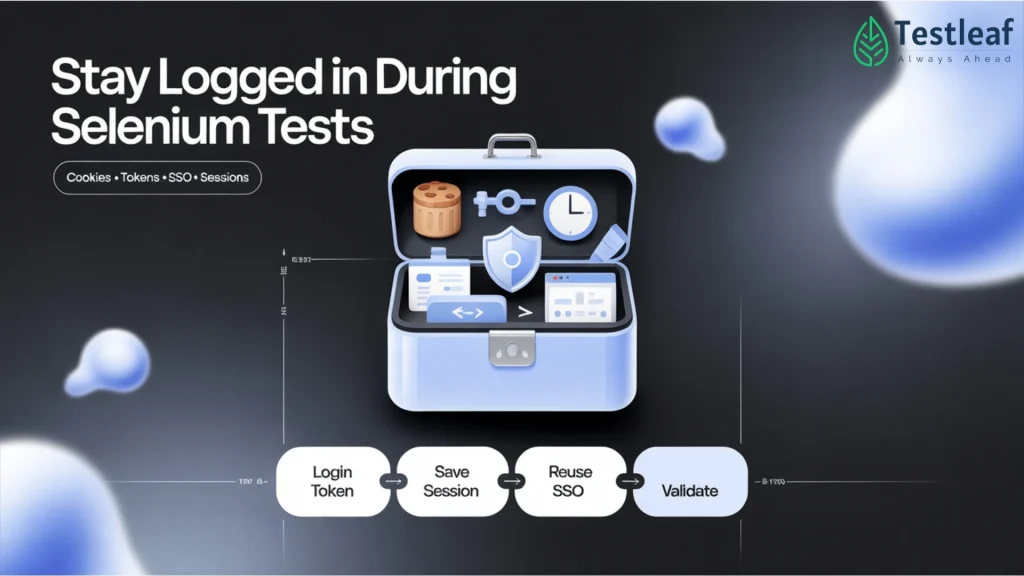
Modern applications rarely have a simple “username + password on one page” anymore.
You see:
- SSO (Single Sign-On) with redirects to Google / Azure AD / Okta
- OTP (one-time passwords) via SMS or email
- Security rules that expire sessions quickly
For real users this is great for security.
For Selenium tests… it can be a nightmare.
If you try to run the full login + SSO + OTP flow in every test, your suite becomes:
- Slow
- Flaky
- Hard to run in CI/CD
The good news: you don’t need to automate every tiny step of authentication every single time. You can handle login smartly once, then reuse sessions.
Let’s break it down.
Explore More: selenium interview questions
1. Problem: Logging in on every test
A typical anti-pattern in many Selenium suites:
@Test
public void testCreateOrder() {
// 1. Go to login page
// 2. Enter username/password
// 3. Complete SSO redirect
// 4. Handle OTP
// 5. Finally land on dashboard
// 6. Start actual test steps…
}
Now imagine 200 tests doing the same login again and again.
- Time wasted = huge
- More moving parts = more flakiness
- SSO/OTP providers may even rate limit or block you
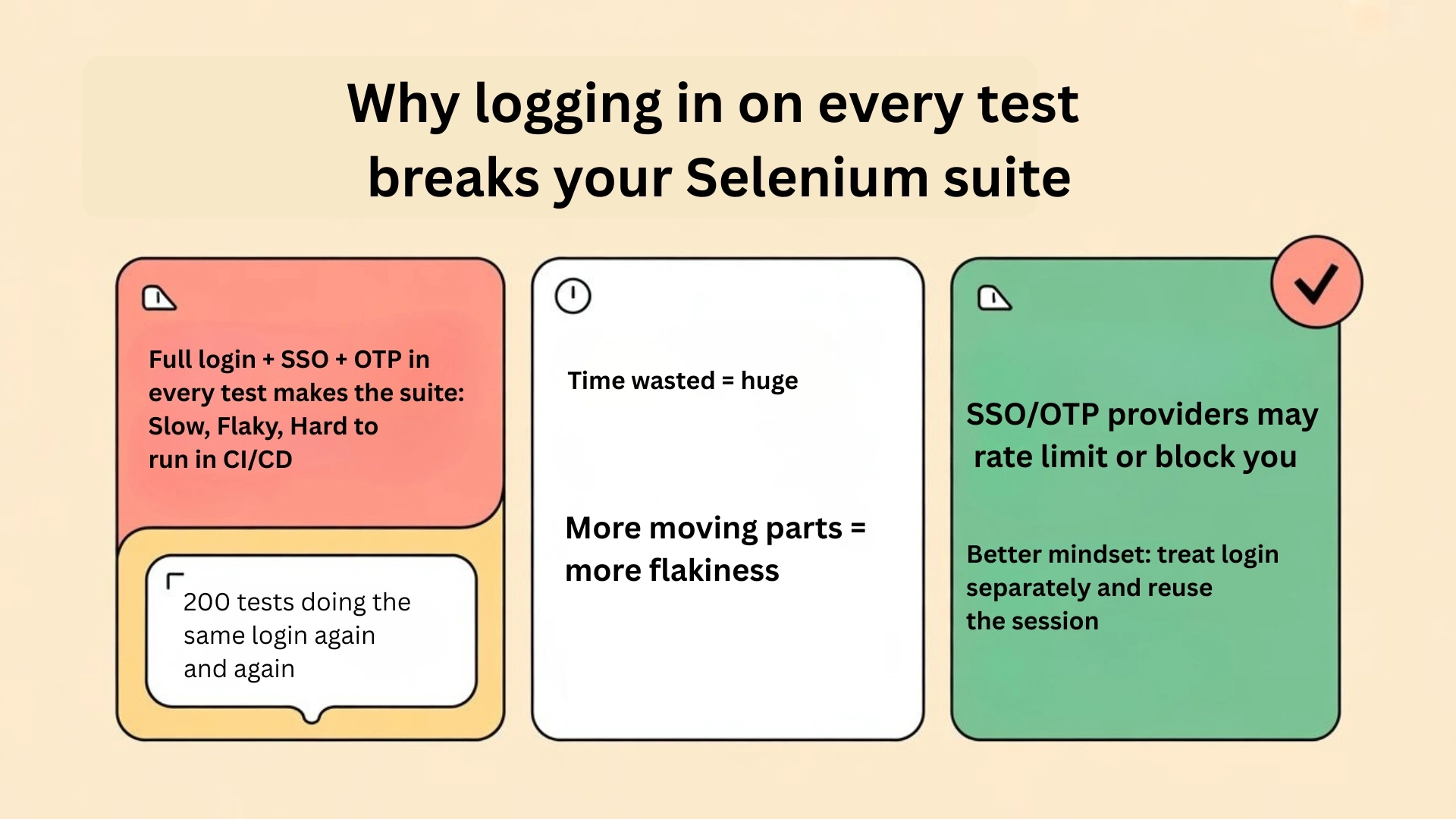

Instead, treat login as a separate concern and reuse the session wherever possible.
2. Handling SSO with Selenium – don’t over-test it
SSO usually means:
- Your app redirects to an Identity Provider (IdP) like Google, Azure AD, Okta.
- User signs in there.
- IdP redirects back with an authenticated session.
Do you need to test every SSO screen in Selenium?
In most cases – no.
Better pattern:
- Test SSO once in a dedicated flow (or even manually / with API tests).
- For the majority of UI tests, start from an already logged-in state.
Options:
- Test environment “backdoor” login
- Developers expose a special URL only in lower environments like:
/test-login?user=qa.admin - This directly creates the right session without redirecting through SSO.
- Your Selenium tests hit this URL at the start.
- Developers expose a special URL only in lower environments like:
- Pre-generated SSO tokens for test users
- CI pipeline retrieves tokens via API.
- Your app accepts that token and starts a session.
- Selenium just rides on that session.
In other words: keep SSO complexity out of most UI tests.
Other Helpful Articles: playwright interview questions
3. OTP flows – don’t scrape real SMS
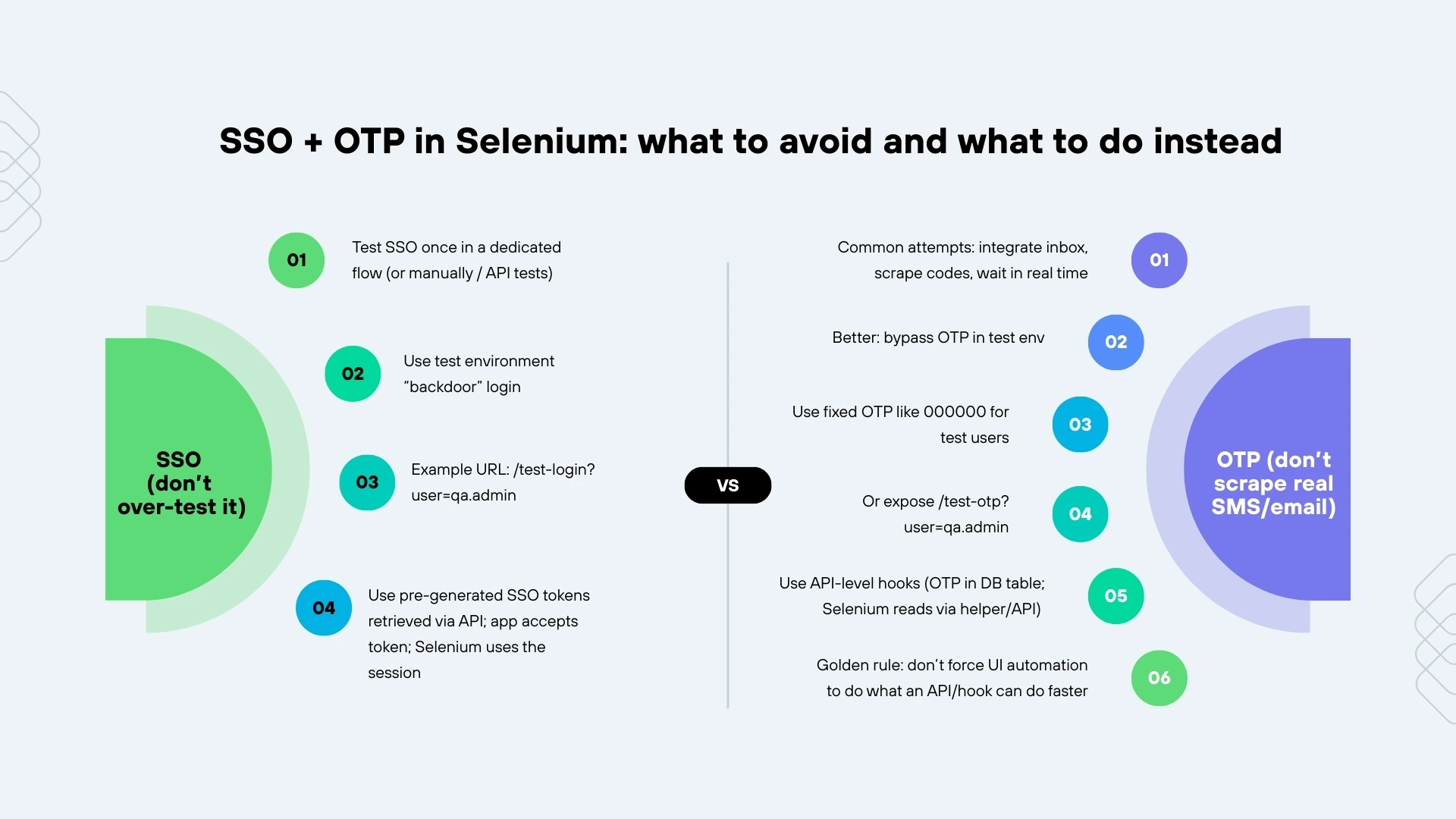
For OTP, many teams try to:
- Integrate with real SMS/email inboxes
- Scrape codes
- Wait for messages in real time
This is often slow and flaky.
Better ideas:
- Bypass OTP in test environments
- Accept a fixed OTP like 000000 for certain test users.
- Or expose /test-otp?user=qa.admin that returns the current OTP.
- Use API-level hooks
- Store the OTP in a database table that you can query.
- Selenium calls an internal helper/API to read it, instead of polling an inbox UI.
Golden rule: Never force UI automation to do what an API or internal hook can do faster and more reliably.
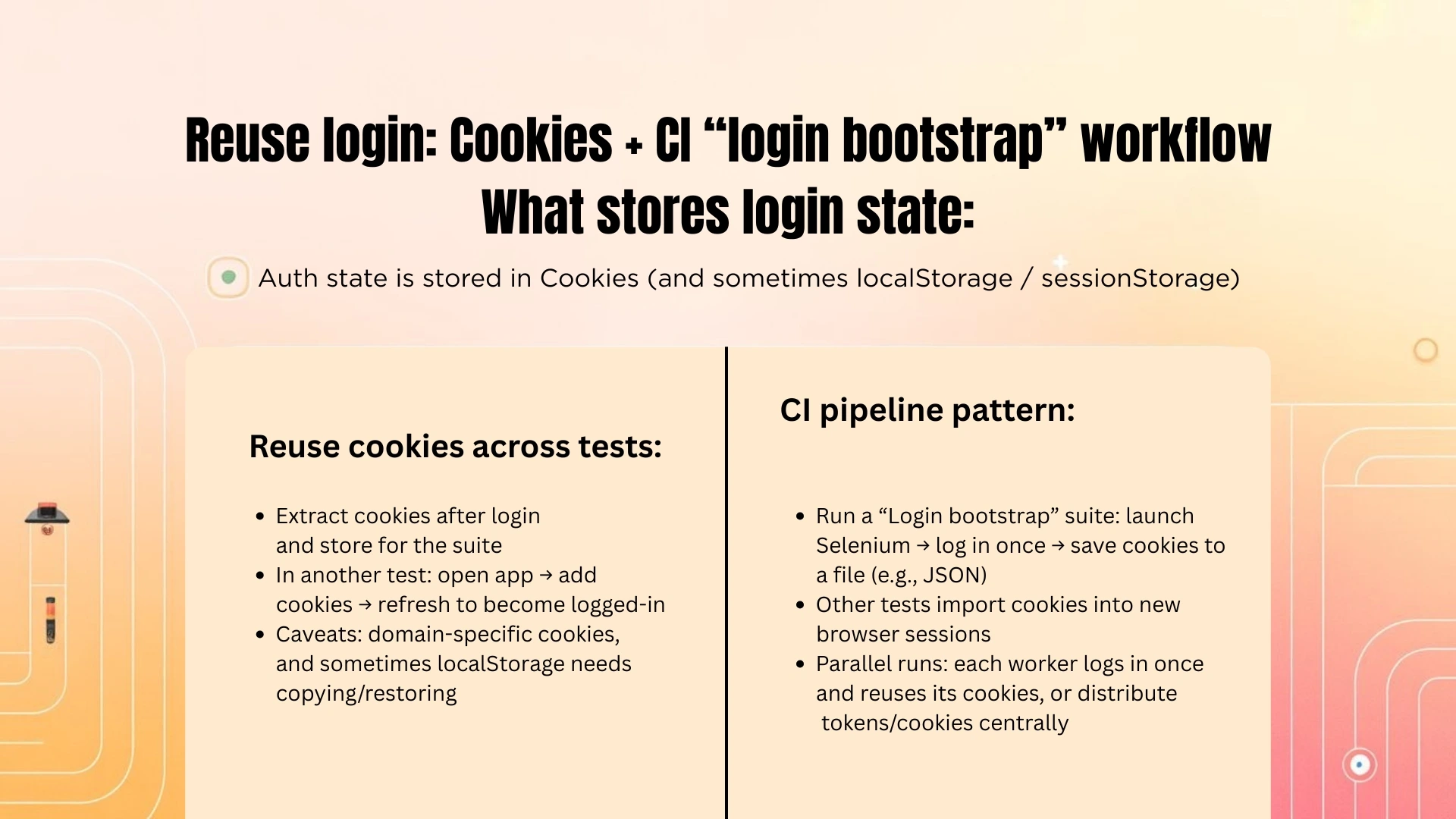
4. Cookies & preserving sessions across tests
Once you manage to log in successfully, the browser holds your authenticated state in:
- Cookies
- Possibly localStorage / sessionStorage
In Selenium, you can extract cookies and apply them later in another test or browser instance.
Example (Java):

// After login

Set<Cookie> cookies = driver.manage().getCookies();

// Store them somewhere static/global for this suite

SessionStore.authCookies = cookies;

Later, in another test:

driver.get("https://your-app.com/");

for (Cookie cookie : SessionStore.authCookies) {

    driver.manage().addCookie(cookie);

}

driver.navigate().refresh(); // Apply cookies and become logged-in
This way:
- You log in once (maybe in a @BeforeSuite or a special “bootstrap” test).
- Remaining tests reuse cookies instead of doing login again and again.
Caveats:
- Cookies may be domain-specific (watch for different subdomains).
- Some systems store important data in localStorage; for that you might need JavaScript execution to copy/restore values.


5. Preserving sessions in CI pipelines
In CI (Jenkins, GitHub Actions, GitLab, etc.), you usually:
- Start a fresh browser per test run (or per worker).
- Want to avoid hitting SSO/OTP repeatedly.
Patterns that work:
- “Login bootstrap” test
- First, run a small test suite whose only job is to:
- Launch Selenium
- Log in once
- Save cookies to a file (e.g., JSON)
- Then other tests read that file and import cookies into new browser sessions.
- First, run a small test suite whose only job is to:
- Shared Docker image or browser profile
- For long-lived agents, you can re-use a browser profile with saved sessions.
- More brittle, but sometimes used in practice.
- Parallel runs
- For parallel testing, either:
- Each worker performs its own login once then reuses its own cookies, or
- A central login process generates tokens/cookies which are distributed to workers.
- For parallel testing, either:
The key idea is always the same:
“Login is expensive. Do it rarely. Reuse the session as much as possible.”
Recommended for You: Automation testing interview questions
6. Security considerations
Even in test environments:
- Protect any files that store cookies or tokens.
- Avoid using production accounts for automation.
- Make sure test-only “backdoor” endpoints are disabled in production.
Conclusion
SSO, OTP, and session expiry are part of modern secure applications—but they don’t have to make your Selenium tests painful. By:
- Avoiding full SSO/OTP UI flows in every test
- Using test-only login shortcuts
- Saving and reusing cookies or session info
- Designing your CI to treat login as a shared, reusable step
…you turn authentication from a bottleneck into a one-time setup.
Selenium then focuses on what matters: testing the real user journeys, not wrestling with login pages all day.
If you’re planning to join Selenium training in chennai, make sure the course teaches real CI-friendly practices—like reusing sessions/cookies and avoiding full SSO/OTP UI login in every test.
FAQs
1) Why is logging in on every test a bad idea in Selenium?
Because repeating full login + SSO + OTP in every test makes your suite slow, flaky, and hard to run in CI/CD. It also adds unnecessary moving parts and wastes time when many tests repeat the same login steps.
2) What’s the biggest anti-pattern with SSO/OTP suites?
Running the complete authentication flow inside every test—imagine “200 tests doing the same login again and again.” This increases flakiness and can even trigger rate limits from SSO/OTP providers.
3) Should I automate SSO screens in every Selenium test?
Usually, no. A better approach is to test SSO once in a dedicated flow (or manually / via API tests), and keep most UI tests starting from an already logged-in state.
4) What should I do instead of over-testing SSO in UI?
Use a test-environment shortcut like a backdoor login (example: /test-login?user=qa.admin) to create the session directly, or use pre-generated SSO tokens retrieved via API so Selenium “rides” on the session.
5) What should I avoid with OTP automation?
Don’t scrape real SMS/email by integrating inboxes, scraping codes, or waiting in real time—this is often slow and flaky.
6) What’s the best alternative to OTP scraping in Selenium?
Bypass OTP in test environments: use a fixed OTP like 000000 for test users, expose a test endpoint like /test-otp?user=qa.admin, or use API-level hooks (OTP stored in DB; Selenium reads via helper/API).
We Also Provide Training In:
- Advanced Selenium Training
- Playwright Training
- Gen AI Training
- AWS Training
- REST API Training
- Full Stack Training
- Appium Training
- DevOps Training
- JMeter Performance Training
Author’s Bio:


Content Writer at Testleaf, specializing in SEO-driven content for test automation, software development, and cybersecurity. I turn complex technical topics into clear, engaging stories that educate, inspire, and drive digital transformation.
Ezhirkadhir Raja
Content Writer – Testleaf