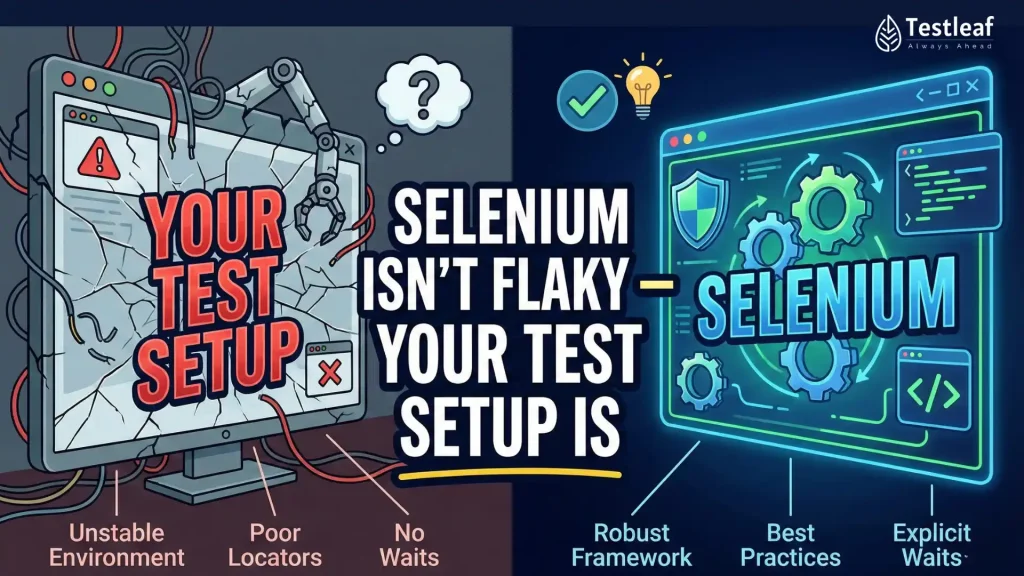
Most Selenium suites don’t fail because Selenium is “old” or because UI automation is “inherently unreliable.”
They fail because teams use the UI for the one thing it’s worst at: building test state.
If your test starts like this…
Open browser → login → create customer → create order → navigate five screens → finally validate the real behavior
…then you’re not writing end-to-end tests. You’re writing setup scripts that occasionally validate something.
The fix isn’t a new tool. The fix is a mindset shift:
Use the UI to validate user behavior. Use APIs (and controlled network hooks) to create and shape the world the UI should behave in.
Selenium API Hooks via Proxies …
Selenium feels “flaky” when tests use the UI to create state—logging in, creating records, and navigating multiple screens before the real assertion. Make the suite deterministic by seeding data through APIs, shaping network behavior with proxy hooks, and keeping Selenium steps focused only on user-critical behavior and outcomes.
Key Takeaways
- UI is for validating behavior, not building test state.
- Use data seeding + proxy hooks + Selenium as a 3-layer reliability model.
- Add boundaries + a checklist so the approach scales without creating “mocked fantasy tests.”
Why this matters beyond “saving a few minutes”
When test failures are noisy, teams stop trusting CI. And when teams stop trusting CI, one of two things happens:
- People rerun pipelines until they turn green
- People ignore failures because “it’s probably flaky”
That’s not just QA pain — it’s delivery risk.
Modern engineering performance research (DORA) measures both speed and stability using metrics like lead time, deployment frequency, recovery time, and change failure rate — and repeatedly shows that speed and stability aren’t tradeoffs for most teams.
In other words: reliable tests aren’t a “nice to have.” They’re a core delivery capability.
Other Helpful Articles: manual testing interview questions
Flakiness is not rare — it’s a known industry tax
A useful reality check: flakiness exists even in world-class engineering orgs.
Google’s testing team reported a sustained rate of flaky results across their overall test corpus and highlighted the downstream cost: engineers spend time determining whether failures are real, and teams develop a dangerous habit of ignoring alarms.
Academic research also synthesizes industry + research evidence showing flaky tests create CI “noise,” increase reruns, and reduce confidence in automation.
And the cost isn’t theoretical. A 2025 paper notes industry reports such as Microsoft Dynamics experiencing multi-million-dollar annual costs tied to flaky tests (as cited in the paper), plus observations about failed builds due to flakiness.
So when we talk about fixing test architecture, we’re not polishing tests — we’re reducing an expensive, recurring tax.


The evergreen principle: UI is the worst place to create data
Here’s the idea I want you to steal and repeat inside your team:
If your test spends most of its time creating preconditions through the UI, you’re automating setup — not validating product behavior.
The UI is slow, fragile, and constantly changing. It’s the part of the system designed for humans, not for deterministic setup.
That’s where two patterns become game-changers:
- Data seeding (create state through APIs / supported backend flows)
- API hooks via proxies (observe, assert, and simulate network behavior between browser and server)
Selenium API Hooks via Proxies …
Used together, these patterns turn Selenium from a “click robot” into a reliability tool.
The 3-layer strategy that makes UI automation feel like engineering
Think of stable UI automation
Selenium API Hooks via Proxies …
Layer 1 — Create the world (Data seeding)
You create customers, orders, entitlements, plans, feature flags, or whatever your test needs using API calls (or other supported interfaces).
You start each test in a known state — quickly.
Layer 2 — Control the weather (Proxy hooks)
A proxy sits between the browser and the backend and lets you:
- observe requests (what API calls actually happened?)
- assert payloads (did the UI send the right contract data?)
- simulate failures (500s, timeouts, degraded responses)
- manipulate responses (force rare UI states safely)
Layer 3 — Validate the behavior (Selenium)
Now the UI steps are only what matters:
- the user journey
- the decision points
- the final outcome and visible contracts
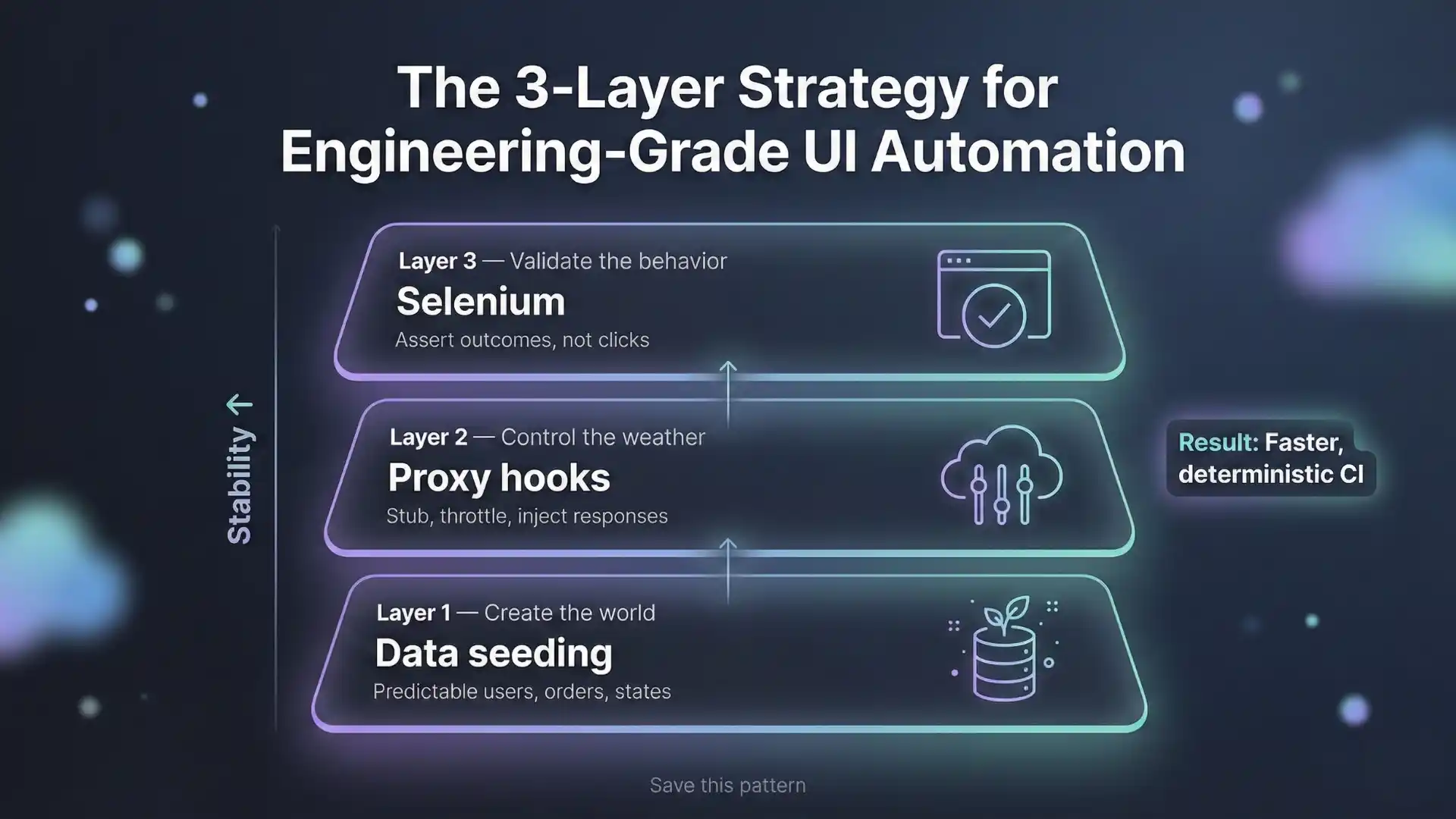

That’s the architecture your blog is pointing toward — and it’s the architecture teams eventually converge on when they scale automation seriously.
Selenium API Hooks via Proxies …
The real magic: testing scenarios you can’t reliably reproduce in UI-only tests
Here’s where proxy hooks make your article “share-worthy.”
UI-only tests struggle to validate:
- “What happens
Selenium API Hooks via Proxies …
es out?”
- “What if the cart service returns 500?”
- “What if the profile API returns partial data?”
- “Can the UI recover gracefully under slow network?”
With proxy hooks, you can simulate these states intentionally, without waiting for a real outage.
And outages do happen.
Uptime Institute’s outage research shows outages remain common and costly, with many respondents reporting significant financial impact for serious incidents, and strong evidence that better processes and configuration can prevent many outages.
Your tests can (and should) validate how the UI behaves when the world isn’t perfect — because production definitely isn’t.
Explore More: Automation testing interview questions
A practical mini case study pattern (use this in your post)
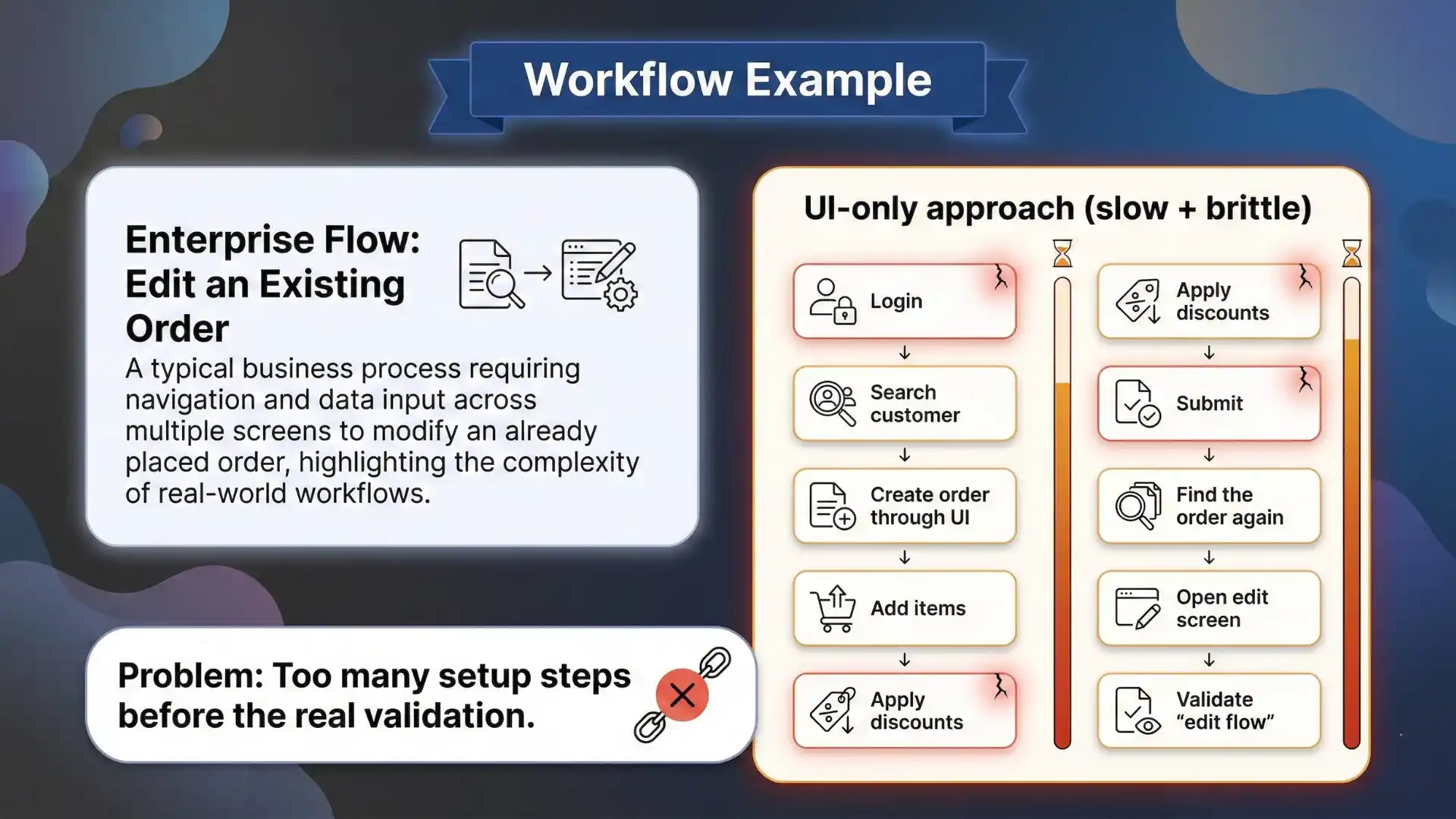
Let’s take a typical enterprise workflow: “Edit an existing order.”
UI-only approach (slow + brittle):
- login
- search customer
- create order through UI
- add items
- apply discounts
- submit
- find that order again
- open edit screen
- finally validate “edit flow”
Engineered approach (fast + reliable):
- seed customer + order via API
- open the edit page directly (deep link or navigation shortcut)
- use proxy hook to:
- assert the “update order” payload, or
- simulate a 500 to validate error handling
- validate the edit behavior via UI
Same end-to-end value. Less noise. More coverage.
This is how you cut runtime and increase confidence at the same time, which is exactly the “speed + stability” story DORA talks about.
The part most articles miss: boundaries (when NOT to do this)
Thought leadership isn’t just “do this.” It’s also “don’t be reckless.”
Don’t mock everything
If you mock every response, you’ll test a fantasy system.
Use proxy hooks selectively:
- contract-critical endpoints (identity, pricing, payment, entitlement)
- failure-mode validation
- rare UI states that are hard to reproduce safely
Don’t seed data in ways the product can’t support
Prefer supported APIs or test utilities. Direct DB inserts can be fast — but they carry schema drift risk and can bypass business rules.
Don’t create hidden coupling
If your data seeding helpers aren’t standardized, every engineer creates their own mini-framework and you end up with a maintenance mess.
At Testleaf, we call this the difference between automation scripts and automation systems: systems have patterns, boundaries, and consistent utilities.
You Might Also Like: playwright interview questions
A “save this” checklist (for teams adopting this approach)
If you’re starting this quarter, don’t try to rewrite the world. Do this in small, measurable steps:
- Build a single seeding helper for 2–3 core entities
- Add one proxy-hook capability:
- request capture + assertion, or
- failure simulation (timeout/500)
- Refactor just three slow UI tests:
- remove UI setup steps
- seed state
- keep only UI steps that validate behavior
- Track outcomes:
- suite runtime
- rerun rate / flaky rate
- time-to-debug a failure
If your results are good, scale the pattern.
If they’re not, you’ll learn exactly where your biggest instability is coming from.
Closing: what this means for modern Selenium engineers
In 2026, being “good at Selenium” isn’t about writing more locators.
It’s about designing tests that teams can trust:
- deterministic setup
- observable behavior
- controlled failure simulation
- minimal UI steps with maximum meaning
That’s why “API hooks via proxies + data seeding” is bigger than a trick — it’s a mature automation mindset.
Selenium API Hooks via Proxies …
If your CI feels slow or flaky, don’t abandon UI automation.
Upgrade the architecture around it.
These patterns work whether your CI runs on Jenkins, GitHub Actions, Azure DevOps, or local runners.
If you want to implement this 3-layer approach (data seeding + proxy hooks + focused UI validation) with real project practice, our selenium training in chennai is built for that.
You’ll learn to reduce flakiness, speed up CI, and debug failures with evidence—not guesswork.
FAQs
1. Why are Selenium tests flaky in CI but stable locally?
Because CI amplifies timing, data, and environment differences—especially when tests rely on UI-based setup instead of deterministic state.
2. What is data seeding in Selenium automation?
Creating required test entities (users, orders, flags) through APIs or supported backend utilities so each test starts in a known state fast.
3. How do proxy hooks help UI automation?
They let you observe and assert API calls, simulate failures (timeouts/500s), and force rare states without waiting for real outages.
4. What should Selenium validate if setup is done via API?
Only the meaningful UI journey: decision points and outcomes—so your steps prove behavior instead of creating preconditions.
5. What should Selenium validate if setup is done via API?
Only the meaningful UI journey: decision points and outcomes—so your steps prove behavior instead of creating preconditions.
6. Isn’t mocking risky for end-to-end tests?
Yes—don’t mock everything. Use hooks selectively for contract-critical endpoints and failure-mode validation.
7. How do I measure if flakiness is actually improving?
Track suite runtime, rerun/flaky rate, and time-to-debug failures before and after refactoring a few slow tests first.
We Also Provide Training In:
- Advanced Selenium Training
- Playwright Training
- Gen AI Training
- AWS Training
- REST API Training
- Full Stack Training
- Appium Training
- DevOps Training
- JMeter Performance Training
Author’s Bio:


Content Writer at Testleaf, specializing in SEO-driven content for test automation, software development, and cybersecurity. I turn complex technical topics into clear, engaging stories that educate, inspire, and drive digital transformation.
Ezhirkadhir Raja
Content Writer – Testleaf