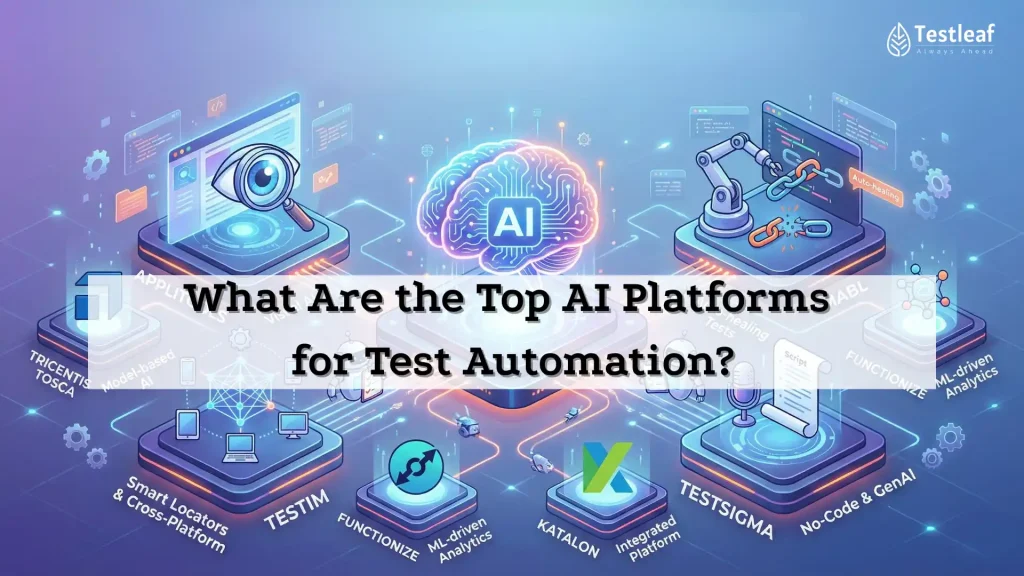
AI in test automation is at an awkward stage: everyone claims “AI-powered,” but most teams still fight the same three enemies:
- Flaky failures that waste hours
- Slow triage (“is this a product bug or a test issue?”)
- Coverage blind spots (we test a lot… but not necessarily what matters)
This article is not a directory list. It’s a decision guide: what “AI testing platform” actually means, how the landscape breaks down, which platforms lead each capability area, and how to choose without locking yourself into regret six months later.
Why AI platforms exist in the first place (the data we can’t ignore)
Flaky tests aren’t a meme—there’s research behind the pain.
- Large-scale industry studies report that flakiness is real at scale, with Google and Microsoft cited frequently in the literature. One paper notes Google reported ~1.5% of test runs flaky and ~16% of individual tests failing independently of code changes, and prior Microsoft work observed ~4.6% flaky tests in studied projects.
- A widely cited survey study notes many developers deal with flaky tests frequently (monthly/weekly/daily).
Now layer on AI: the 2025 Stack Overflow survey reports 84% of respondents are using or planning to use AI tools in development workflows.
So the question isn’t “Will AI touch testing?” It’s: Which platforms genuinely reduce uncertainty in delivery?
Other Useful Guides: playwright interview questions
First: what is an “AI testing platform” (and what it’s not)?
Most “Top AI tools” articles mix apples and oranges: frameworks, cloud device labs, record/replay tools, and analytics dashboards in one list. That confuses buyers and frustrates engineers.
A useful definition:
An AI testing platform is a system that applies ML/GenAI to improve one or more of these outcomes:
test creation, test stability, failure intelligence, execution optimization, or visual validation—and integrates into real CI/CD workflows.
That leads to a practical map.
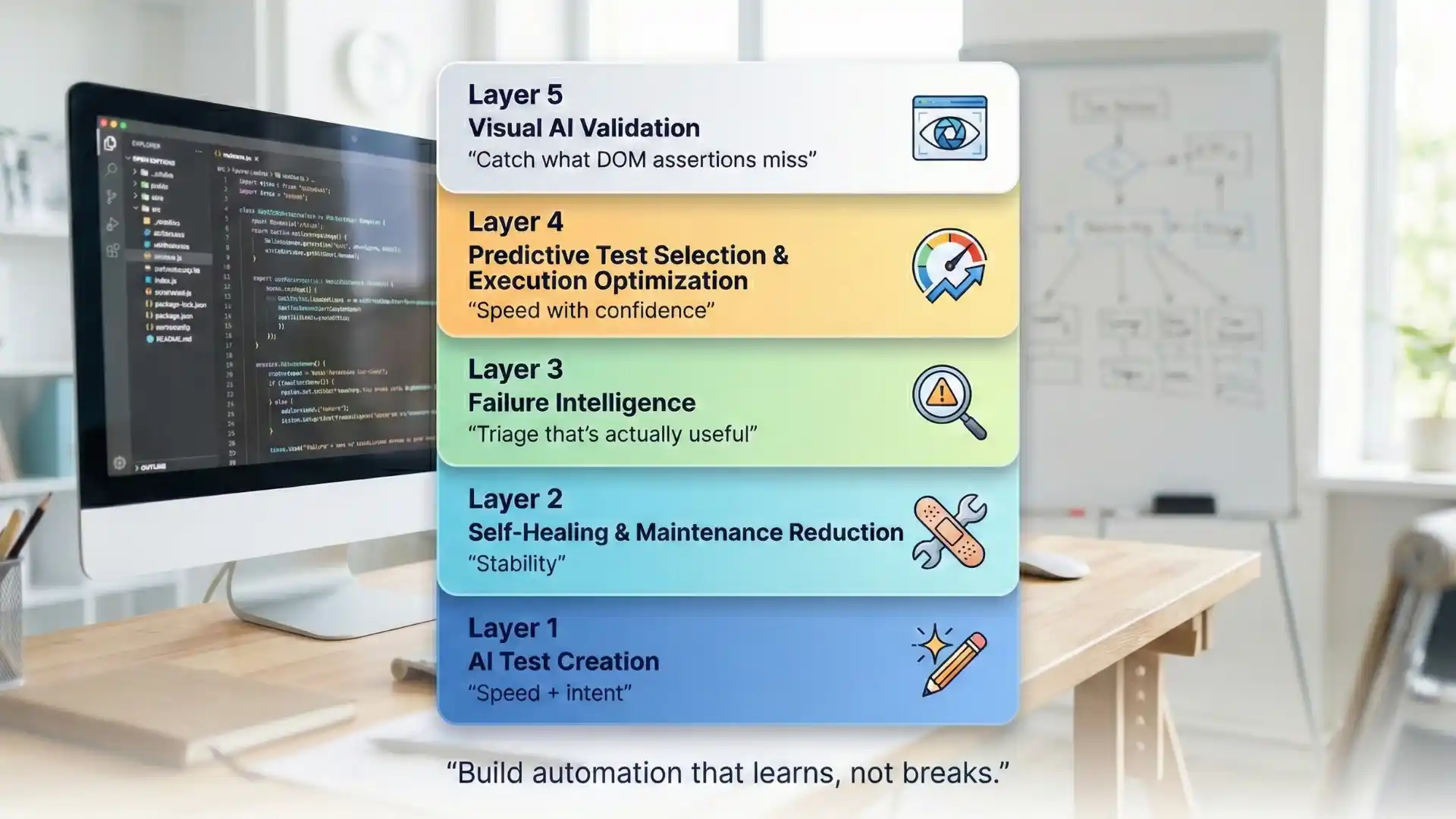
The 5-layer AI stack for test automation (the only model you need)
Think in layers. Most organizations don’t need “one magical tool.” They need the right layer(s) added to their existing Selenium/Playwright stack.
Layer 1: AI test creation (speed + intent)
Goal: create tests/test plans faster (often from natural language, models, or workflows)
Examples
- Rainforest QA positions itself as an AI-powered no-code QA platform designed to create/manage tests with AI assistance.
- Keysight Eggplant highlights AI-driven model-based test generation.
Best for: teams heavy on manual testing, or teams needing fast coverage expansion.
Watch-outs: if your app has complex auth/data setup, AI-generated tests still need engineering guardrails.
Layer 2: Self-healing & maintenance reduction (stability)
Goal: reduce broken tests when UI changes, and keep suites stable
Examples
- Testim describes AI-powered “Smart Locators” that self-heal as apps change.
- mabl markets GenAI-powered auto-healing to reduce maintenance toil.
- Katalon Studio documents self-healing mechanisms for broken object locators.
Best for: UI-heavy products where locator churn is a constant tax.
Watch-outs: “self-healing” can hide real regressions if teams don’t review what changed and why.


Layer 3: Failure intelligence (triage that’s actually useful)
Goal: stop reading 500 lines of logs; cluster failures; identify patterns; reduce reruns
Examples
- ReportPortal provides AI-driven failure reason detection and supports tracking flaky patterns in dashboards/widgets.
Best for: teams running frequent regressions where triage time is the bottleneck.
Watch-outs: failure clustering only becomes valuable when you standardize test naming, tagging, and logging.
Layer 4: Predictive test selection & execution optimization (speed with confidence)
Goal: run fewer tests per change while keeping risk controlled
Examples
- Launchable Predictive Test Selection uses machine learning to select the right tests for a specific code change, enabling smaller subsets earlier in the pipeline.
Best for: suites that take hours, where the team needs faster feedback without turning off quality.
Watch-outs: you still need full runs (nightly/periodic) to keep the model honest and avoid coverage drift.
Layer 5: Visual AI validation (catch what DOM assertions miss)
Goal: validate UI changes as humans perceive them—at automation speed
Examples
- Applitools positions “Visual AI” as a way to detect meaningful visual changes while handling dynamic content better than pixel diffs.
Best for: design systems, UI-heavy apps, and workflows where “looks right” is a requirement.
Watch-outs: visual testing needs baselines, approval flows, and discipline—otherwise it becomes noise.

Also, Know More About: Automation testing interview questions
AI-assisted vs “autonomous” testing: the difference that matters
A helpful framing (popularized in vendor discussions) is:
- AI-assisted: helps humans author, stabilize, and triage faster
- Autonomous/agentic: tries to build/run/maintain tests with minimal human input
Here’s the reality: autonomy improves quickly in controlled flows, but the hard parts remain:
- authentication + permissions
- data setup/cleanup
- nondeterministic environments
- multi-system workflows
- governance and audit requirements
So when evaluating “agentic testing,” ask: What does it do when it’s wrong? (Because it will be.)
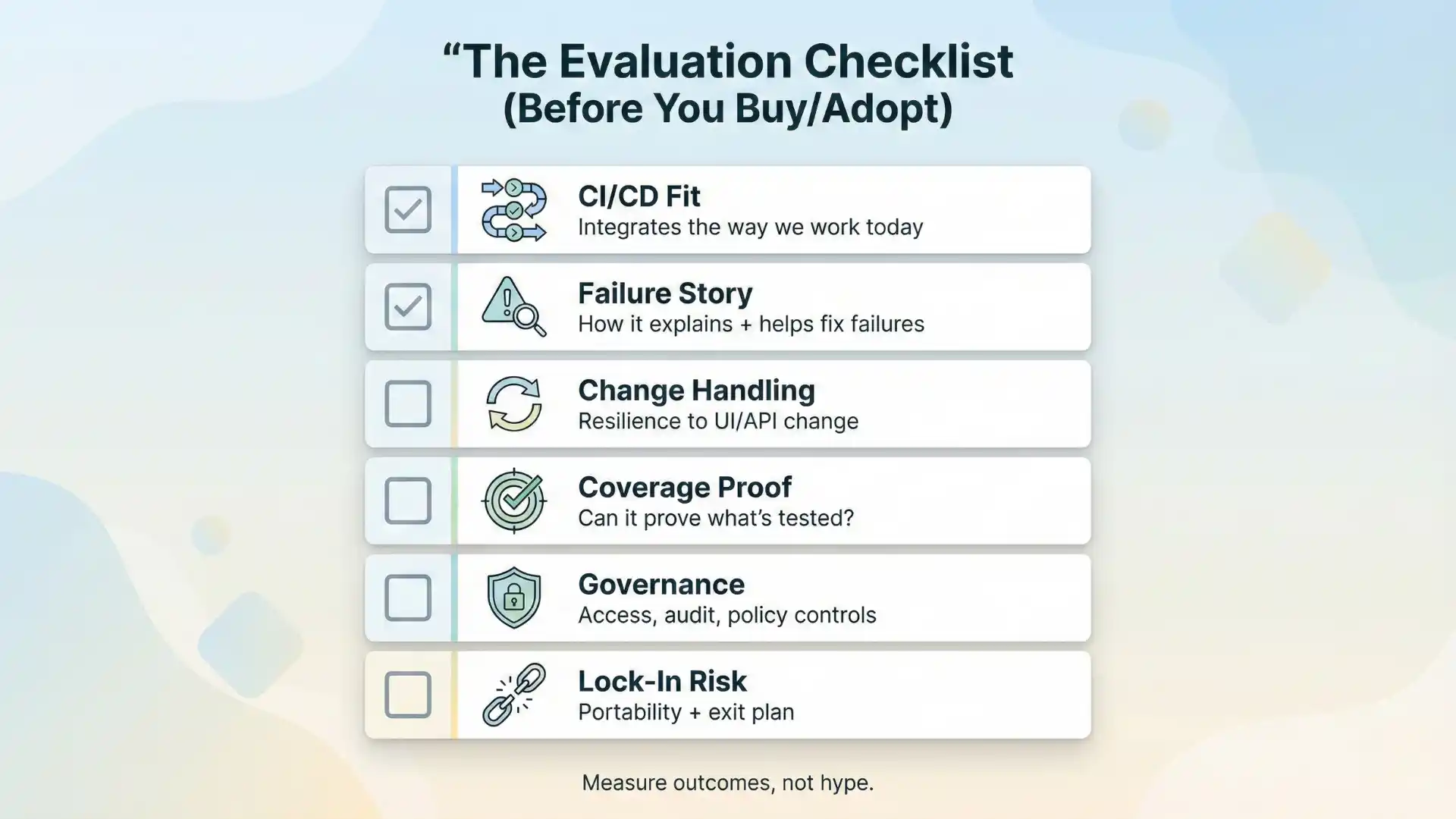
The evaluation checklist (steal this for your demos)
When you’re comparing platforms, don’t start with “features.” Start with questions that reveal operational truth:
- Does it integrate into my CI/CD the way we work today?
- What is the platform’s failure story? (logs, video, repro steps, clustering)
- How does it handle change? (self-heal vs alert vs approve workflow)
- Can it prove coverage? (what’s tested, what isn’t, and why)
- Governance: SSO, RBAC, audit logs, data retention, on-prem options if needed
- Lock-in risk: can you export tests/results meaningfully?
A useful caution: Gartner has warned that a meaningful portion of GenAI projects can be abandoned after PoC due to issues like data quality, risk controls, and unclear value. That applies to testing too—especially if the platform can’t show measurable ROI beyond demos.
Continue Reading: manual testing interview questions
A simple “pick-by-scenario” guide
If your team is Selenium/Playwright-heavy (engineers own automation)
Start with Layer 3 + Layer 4, then add Layer 5 if UI risk is high:
- ReportPortal for failure intelligence
- Launchable for predictive selection
- Applitools for visual validation
If you’re manual-heavy and need faster coverage now
Start with Layer 1 + Layer 2:
- Rainforest QA (AI + no-code workflows)
- Consider Eggplant where model-based approaches fit
If you’re enterprise/regulatory-heavy
Bias toward platforms that are strong on governance + stability:
- Tricentis Vision AI (Tosca) highlights AI-driven automation independent of underlying UI tech (including remote/Citrix scenarios).
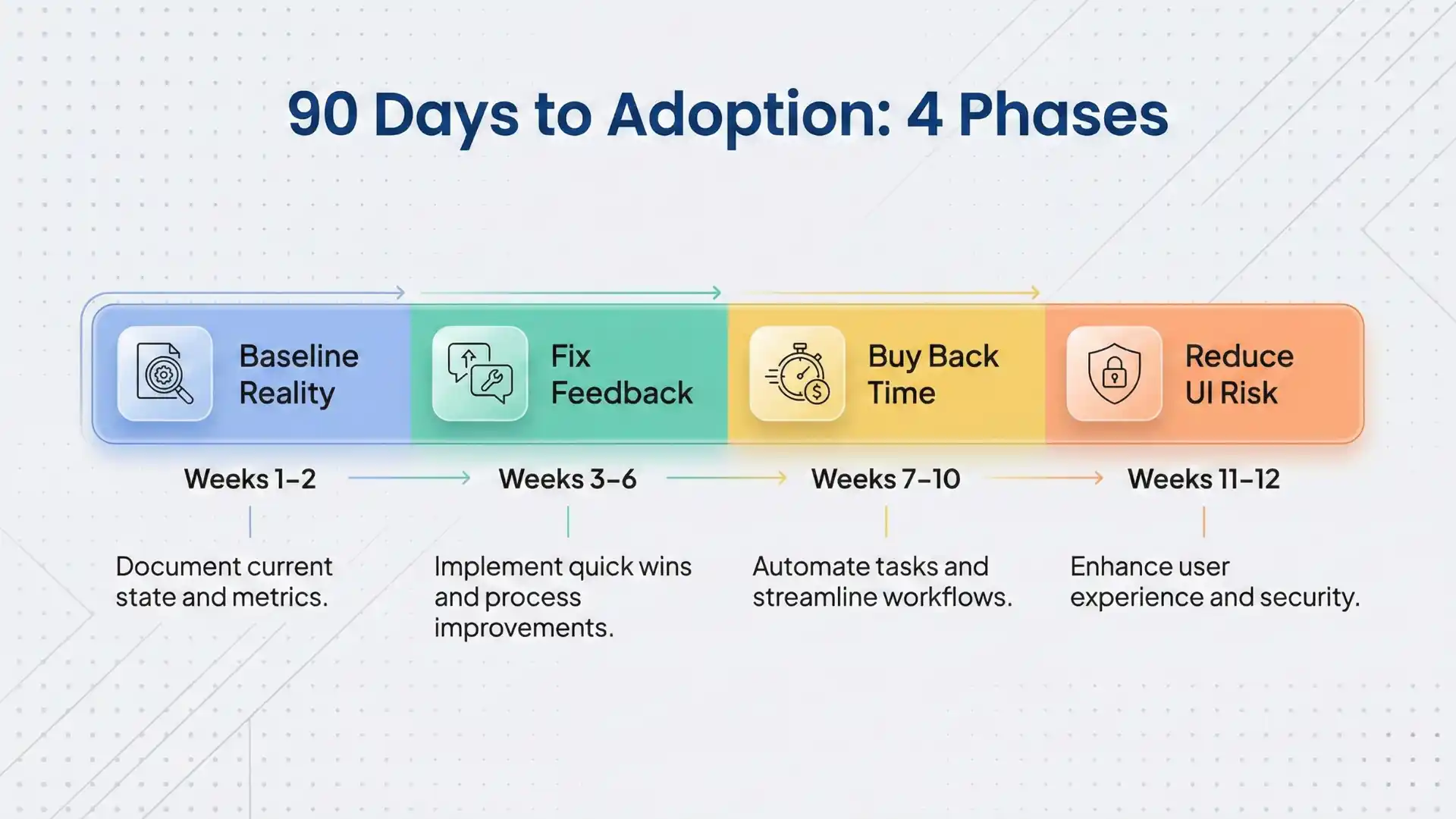
The 90-day adoption roadmap (so AI doesn’t become a shelfware experiment)
Weeks 1–2: Baseline reality
- Flake rate (per suite)
- Average triage time per failure
- Rerun rate
- “Unknown failure” rate (no clear owner)
Weeks 3–6: Fix feedback
- Add failure intelligence (Layer 3)
- Standardize tagging (feature, owner, environment)
- Define “quality gates” (what blocks a release vs what alerts)
Weeks 7–10: Buy back time
- Add predictive selection where suites are long (Layer 4)
- Keep nightly full runs to prevent blind spots
Weeks 11–12: Reduce UI risk
- Add visual validation to the flows that cause the most production defects (Layer 5)
Red flags (the fastest way to avoid disappointment)
- “AI” that is basically record/replay with a new label
- No clear explanation of how healing/decisions happen
- No CI-friendly artifacts (logs/video/repro)
- No governance story (SSO/RBAC/audit)
- A demo that works only on a perfect, static sample app
Where Testleaf fits (trust-first)
At Testleaf, we see a repeat pattern: teams buy an AI platform expecting it to “fix automation,” when what they really need is automation fundamentals + the right AI layer.
AI platforms are most effective when your team already has:
- solid test design (what to automate vs not)
- stable selectors and synchronization discipline
- CI/CD hygiene (retries, isolation, environments)
- good observability (logs, traces, artifacts)
That’s why our approach is “foundation → acceleration”: build strong Selenium/Playwright skills, then layer GenAI responsibly for triage, coverage planning, and reliability—so AI builds trust for humans and becomes interpretable for systems.
Final takeaway
The “top AI platforms for test automation” aren’t a single list. They’re a stack. Pick the layer that removes your biggest source of uncertainty:
- maintenance? → self-healing
- slow feedback? → predictive selection
- noisy failures? → failure intelligence
- UI risk? → visual AI
- coverage gaps? → AI-assisted planning/creation
FAQs
1) What is an AI testing platform?
An AI testing platform applies ML/GenAI to improve outcomes like test creation, stability, failure intelligence, execution optimization, or visual validation—and it fits into real CI/CD workflows.
2) Do I need one “all-in-one” AI tool?
Not necessarily. Think in layers: most teams win faster by adding the right capability layer(s) to their existing Selenium/Playwright stack, instead of betting everything on one tool.
3) What are the 5 layers of the AI stack for test automation?
Layer 1: AI test creation, Layer 2: self-healing/maintenance reduction, Layer 3: failure intelligence, Layer 4: predictive selection/execution optimization, Layer 5: visual AI validation.
4) How do I evaluate an AI platform quickly during demos?
Use an operational checklist: CI/CD fit, failure story (artifacts + clustering), change handling, coverage proof, governance, and lock-in/export risk.
5) What’s the difference between AI-assisted and agentic testing?
AI-assisted helps humans author, stabilize, and triage faster; agentic/autonomous attempts to build/run/maintain with minimal human input. For agentic claims, always ask what it does when it’s wrong.
6) What’s a realistic 90-day adoption plan?
Weeks 1–2 baseline (flake rate, triage time), Weeks 3–6 fix feedback (failure intelligence + tagging), Weeks 7–10 buy back time (predictive selection + keep full runs), Weeks 11–12 reduce UI risk (visual validation).
7) What are red flags that scream “AI hype”?
“AI” that’s just rebranded record/replay, unclear healing/decision logic, weak CI artifacts, no governance story, or a demo that only works on a perfect sample app.
We Also Provide Training In:
- Advanced Selenium Training
- Playwright Training
- Gen AI Training
- AWS Training
- REST API Training
- Full Stack Training
- Appium Training
- DevOps Training
- JMeter Performance Training
Author’s Bio:


Content Writer at Testleaf, specializing in SEO-driven content for test automation, software development, and cybersecurity. I turn complex technical topics into clear, engaging stories that educate, inspire, and drive digital transformation.
Ezhirkadhir Raja
Content Writer – Testleaf