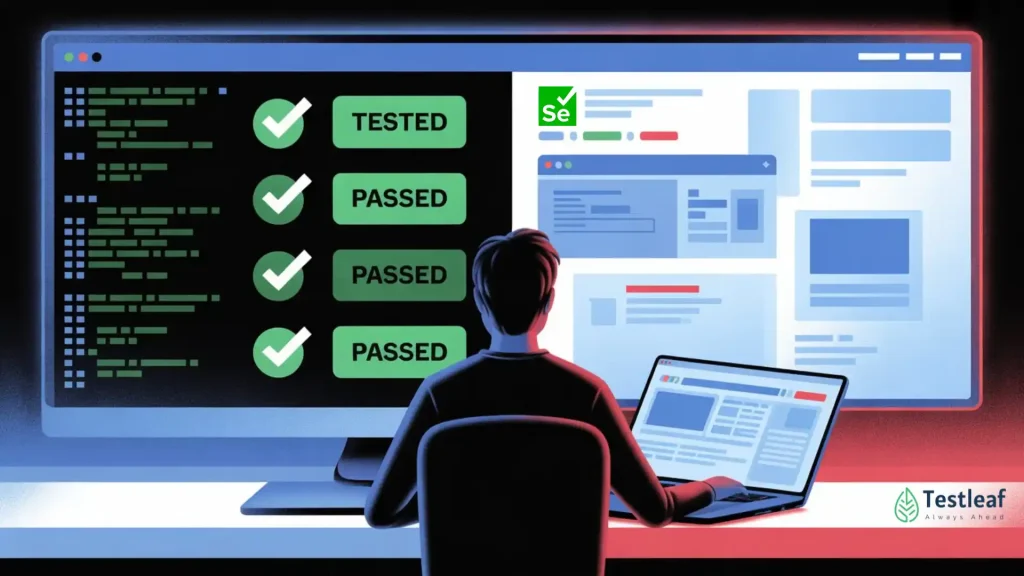
Most Selenium teams feel confident when the build turns green.
The login worked.
The checkout submitted.
The dashboard loaded.
The assertions passed.
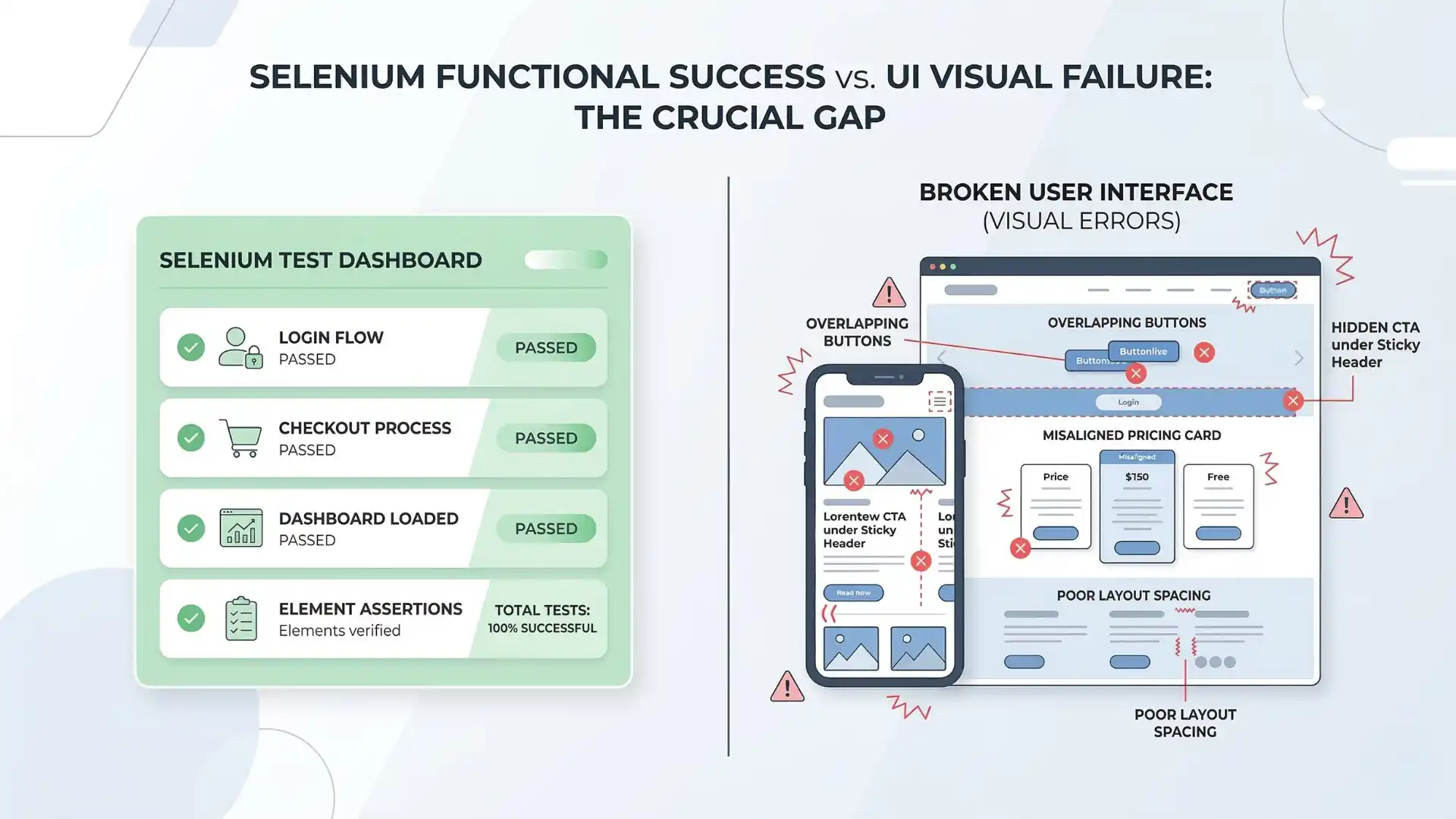
And still, users can land on a broken screen.
A button overlaps another on mobile. A sticky header hides the main call to action. A pricing card drops out of alignment. A form field exists in the DOM, but the page layout makes it hard to use. These are not unusual defects. They are the kind of issues that slip through when functional automation becomes the only definition of quality.
That is why visual regression testing and responsive checks matter more than ever.
This is not a passing trend in tooling. It reflects a bigger change in how strong QA teams define release confidence.
Key takeaways
-
Selenium can confirm flows without confirming visual usability.
-
Responsive and layout issues often slip past functional checks.
-
Visual regression testing helps detect user-facing UI breakage.
-
Mobile-first quality matters because mobile traffic dominates many markets.
-
Real release confidence needs both functional and visual validation.
Why do Selenium tests pass while the UI still breaks?
Selenium tests can pass while the UI still breaks because functional automation verifies behavior, not always visual usability. A workflow may complete successfully even when layouts overlap, buttons are hidden, or responsive design fails on real screens.
Recommended for You: playwright interview questions
The real problem is false confidence
Traditional Selenium automation answers an important question: does the workflow behave correctly?
Modern product quality demands a second question: does the interface remain usable, readable, and stable across real screen sizes?
That second question is where many teams still struggle.
Functional automation is powerful at catching broken flows, failed validations, and backend-connected issues. Selenium remains a strong choice for end-to-end testing from a user point of view. But user experience is not only about whether the flow completes. It is also about whether the interface remains clear and usable.
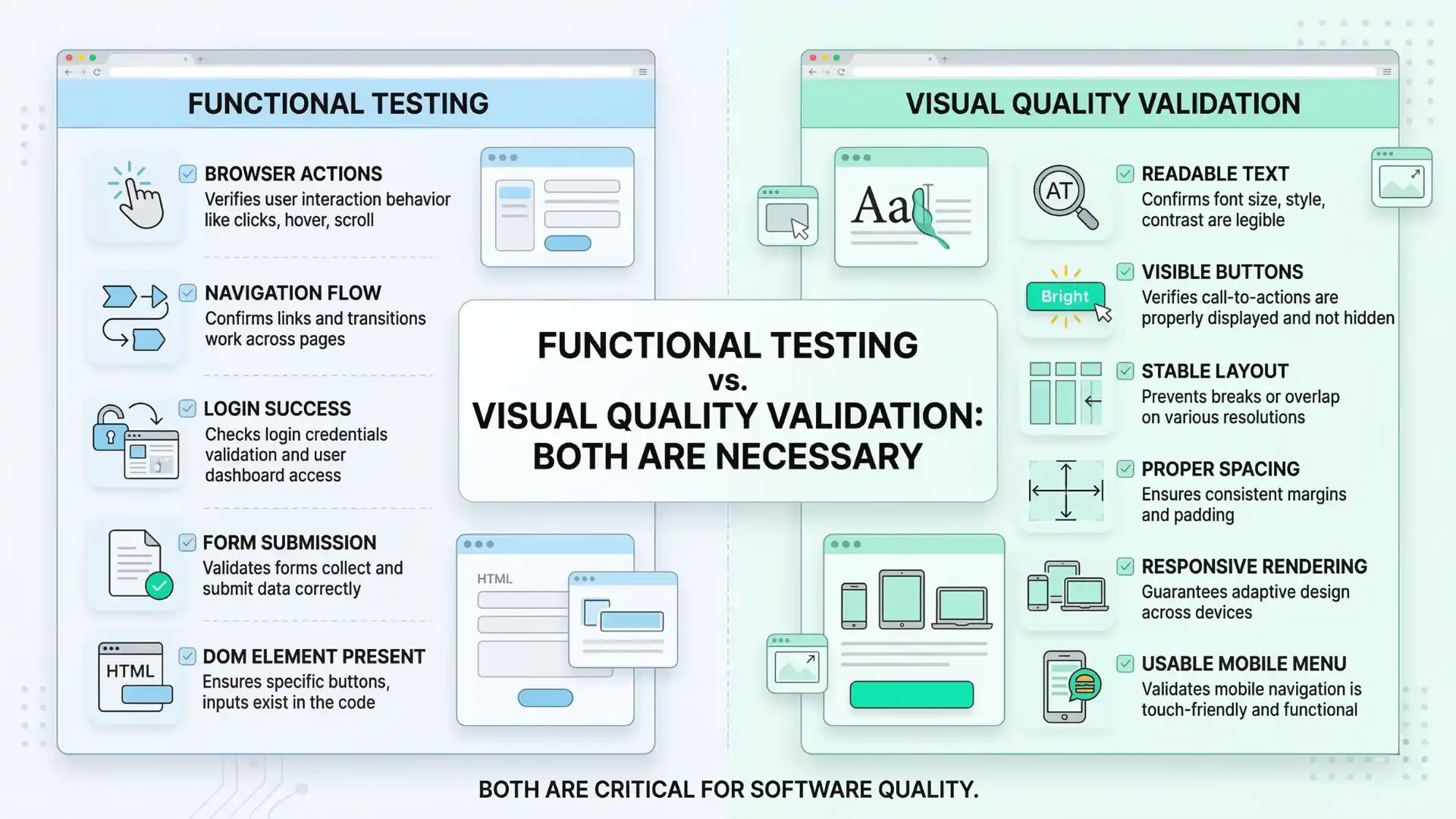
A test that confirms an element is present does not prove the element is visible without overlap. It does not prove the text is readable. It does not prove the mobile menu works correctly. It does not prove the page still looks right after a CSS update or a component-library change.
That is the blind spot many teams discover too late.
Why this matters even more now
Responsive quality is no longer a nice extra. It is directly connected to how people actually use the web.
StatCounter’s February 2026 data shows that mobile accounts for 51.41% of global web traffic, compared with 46.96% for desktop. In India, mobile is even more dominant at 67.98%, while desktop accounts for 32.02%. This makes responsive issues far more than edge cases. For many businesses, they affect the majority of users.
At the same time, software delivery has become faster, interfaces change more often, and shared components influence multiple screens at once. Thoughtworks’ Looking Glass 2026 describes the rise of predictive quality engineering, where teams focus more on identifying meaningful risks early instead of waiting for visible failures after release.
Visual regression and responsive checking sit naturally inside that shift.
The question is no longer just whether Selenium can click the button.
The more important question is whether the release can be trusted visually across the screens that real users depend on.
Where functional success stops
Selenium remains central to modern test automation. It gets the browser into the correct state, signs users in, navigates to the right page, and verifies key workflows. It is still the backbone of many automation strategies because it helps confirm whether critical business paths are working.
But a working path is not always a usable experience.
A page may load successfully while a hero banner pushes key content below the fold. A test may confirm the presence of a form while a responsive issue hides the submit button on mobile. A product card may render correctly on desktop while collapsing badly on a smaller screen. A green build can still hide a broken interface.
That is what makes visual quality different. It deals with how the product appears and behaves from the user’s point of view after layout, styling, spacing, rendering, and screen constraints all come into play.
Why Selenium still matters in visual quality
Visual regression testing does not replace Selenium. It extends the confidence Selenium already provides.
Selenium handles the navigation, user actions, and state preparation needed to place the application in the correct test condition. From there, visual checks help determine whether the page still looks stable and usable. Selenium’s own documentation supports browser window resizing, which makes viewport-based validation practical in real automation suites.
That is why visual quality is not a separate conversation from Selenium automation. It is a natural next layer.
Selenium confirms that the workflow can proceed.
Visual validation confirms that the interface still supports the user while that workflow happens.
Both are necessary because business logic can succeed while presentation quality quietly fails.
Other Useful Guides: Automation testing interview questions
The difference between noisy testing and meaningful testing
One reason some teams avoid visual testing is fear of noise. They worry that screenshot comparisons will fail too often and create more frustration than value.
That concern is understandable. Poorly implemented visual testing can become distracting.
But useful visual testing is not about reacting to every tiny rendering difference. It is about detecting meaningful layout drift. It is about identifying changes that affect usability, structure, clarity, or trust.
A mature approach pays attention to what makes a screen stable and what makes it unpredictable. Rotating banners, timestamps, ads, delayed loading regions, and animation-heavy areas can create noise if treated carelessly. That does not mean visual checks are unreliable. It means the testing strategy must reflect the nature of the interface being observed.
When handled well, visual validation becomes less about pixel perfection and more about protecting the product from obvious user-facing regressions.
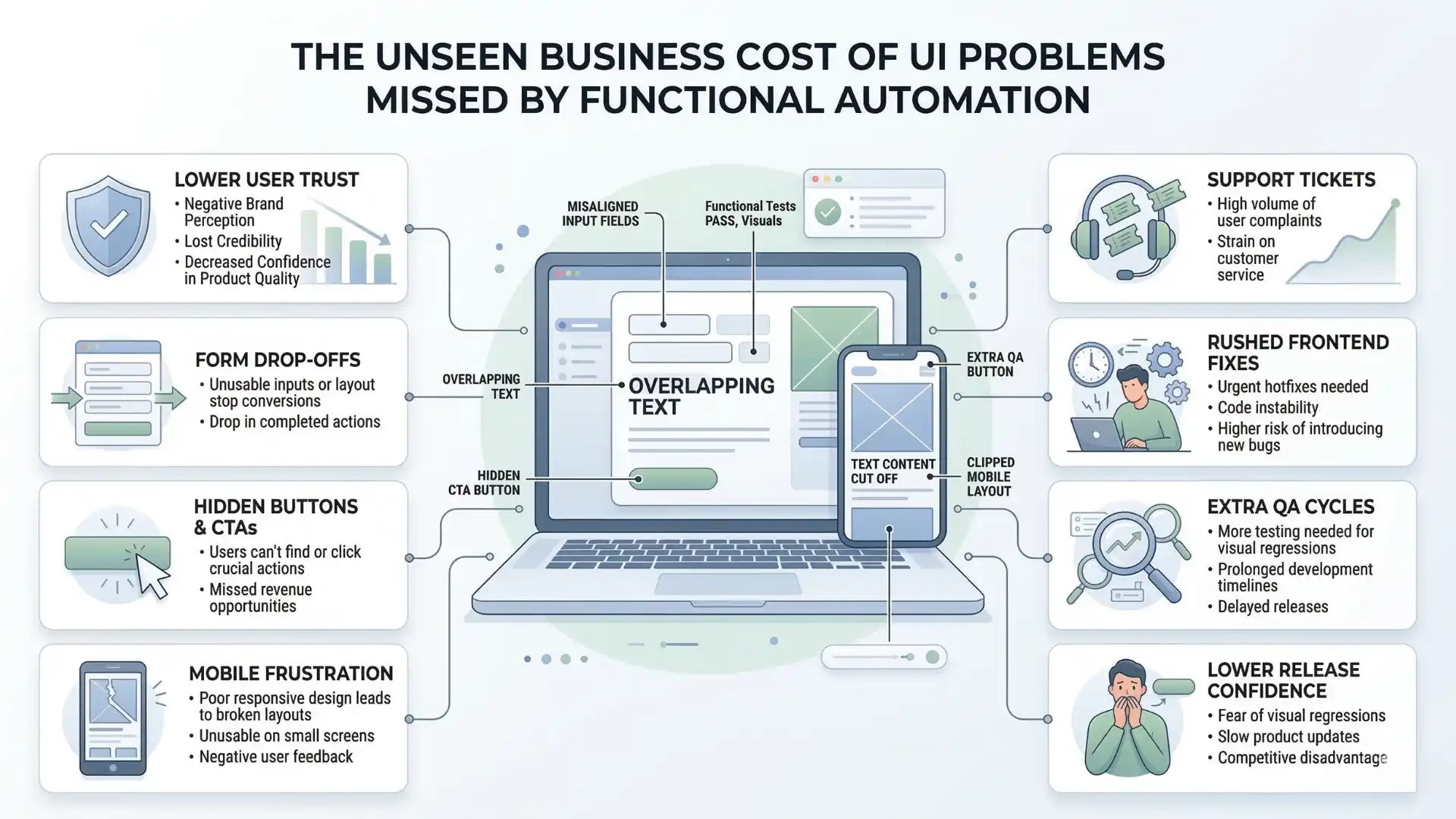
The hidden cost of UI blind spots
When visual issues reach production, the damage is rarely limited to one bug report.
Broken layouts affect user trust. Misaligned forms increase drop-offs. Hidden buttons interrupt conversions. Mobile rendering problems make a product feel unpolished, even when the underlying functionality is technically correct.
The cost often spreads across support, frontend fixes, rushed QA cycles, design reviews, and release confidence. A team may believe it shipped safely because the automation suite passed, but if the interface breaks for users, the green build only created false assurance.
That is why visual regression and responsive checks deserve a more serious place in automation strategy. They are not cosmetic concerns. They are part of product quality.
For teams that want to grow in maturity, this is the deeper lesson: automation is not only about running more checks. It is about covering the kinds of failures that matter most to users.
You Might Also Like: AI and ML salary in india
The shift in how strong teams think
For years, automation conversations focused on one question: did the flow break?
That question still matters. But it is no longer enough on its own.
High-quality teams also care whether the experience broke. They care whether the interface still holds together under real-world conditions. They care whether responsive design remains trustworthy after fast-moving frontend changes. They understand that confidence in software comes not just from backend correctness, but from what the user actually sees and experiences on the screen.
This is where visual regression testing becomes important. Not as a fashionable add-on, but as a more complete way of thinking about release quality.
Selenium remains highly relevant. It still plays a central role in automation strategy. But Selenium alone should not be treated as proof that the user interface is safe. Functional stability and visual stability are not the same thing.
The teams that understand this will build stronger automation and ship with greater confidence.
The teams that ignore it will keep facing the same problem after release: the test passed, but the UI failed.
Conclusion
Visual regression testing and responsive checks represent an important shift in how software quality is measured.
In a world where mobile traffic leads globally and dominates heavily in markets like India, and where quality engineering is moving toward earlier and smarter risk detection, teams can no longer afford to treat DOM presence as proof of user-ready quality.
Selenium remains a powerful foundation for automation. But the strongest automation strategies do not stop at confirming that a feature works. They also confirm that the experience still looks right, feels right, and remains usable wherever it matters most.
That is the difference between a passing test suite and real release confidence.
A Selenium test can pass because the workflow works, while the UI still breaks because functional checks do not guarantee visual stability, readability, spacing, or responsive usability.
For professionals who want to go beyond basic automation and build stronger real-world testing skills, practical learning matters more than ever. A hands-on program like Selenium training in chennai can help testers understand not just how to automate workflows, but also how to validate visual quality, responsive behavior, and release confidence in modern applications. That kind of applied knowledge makes automation more meaningful, reliable, and relevant in today’s QA landscape.
FAQs
Why do Selenium tests pass while the UI still breaks?
Selenium tests can pass while the UI still breaks because functional automation confirms workflow success, not always visual usability. A page may work correctly in logic while still having overlap, hidden buttons, poor spacing, or broken responsive layout.
What does Selenium usually verify in UI testing?
Selenium usually verifies browser actions, navigation, form submission, element presence, and critical user workflows. It confirms whether a feature works, but not always whether the interface still looks correct and remains usable.
What is visual regression testing in Selenium?
Visual regression testing in Selenium is the practice of checking whether the user interface still looks stable after changes. It helps detect layout drift, hidden elements, spacing issues, and other visual problems that functional assertions may miss.
Can Selenium detect broken layouts automatically?
Selenium alone may not reliably detect broken layouts unless visual checks or responsive validations are added. A test can pass even when the page looks misaligned or becomes hard to use on certain screens.
Why are responsive checks important in Selenium automation?
Responsive checks are important because a feature may work on desktop but fail visually on mobile or smaller screens. They help teams confirm that the interface remains readable, clickable, and usable across real user viewports.
What is the difference between functional testing and visual testing?
Functional testing checks whether the workflow behaves correctly. Visual testing checks whether the interface still looks right, stays readable, and remains usable after layout, styling, and screen-size changes.
Does visual regression testing replace Selenium?
No. Visual regression testing does not replace Selenium. It extends Selenium by adding confidence that the interface still looks stable after Selenium has already confirmed the user workflow.
What kinds of UI issues can Selenium miss?
Selenium can miss overlapping elements, hidden buttons, broken mobile layouts, alignment issues, text readability problems, and layout shifts caused by CSS or frontend component changes.
Why is a green Selenium build not always enough?
A green Selenium build is not always enough because it may confirm that the logic works while missing visual issues that affect real users. Release confidence depends on both functional stability and visual quality.
How do strong QA teams improve UI confidence beyond Selenium?
Strong QA teams improve UI confidence by combining Selenium automation with visual regression checks, responsive validation, meaningful viewport coverage, and quality signals that reflect real user experience.
We Also Provide Training In:
- Advanced Selenium Training
- Playwright Training
- Gen AI Training
- AWS Training
- REST API Training
- Full Stack Training
- Appium Training
- DevOps Training
- JMeter Performance Training
Author’s Bio:

Content Writer at Testleaf, specializing in SEO-driven content for test automation, software development, and cybersecurity. I turn complex technical topics into clear, engaging stories that educate, inspire, and drive digital transformation.
Ezhirkadhir Raja
Content Writer – Testleaf