Testleaf

Why Playwright Tests Pass on Desktop but Fail for Mobile Users

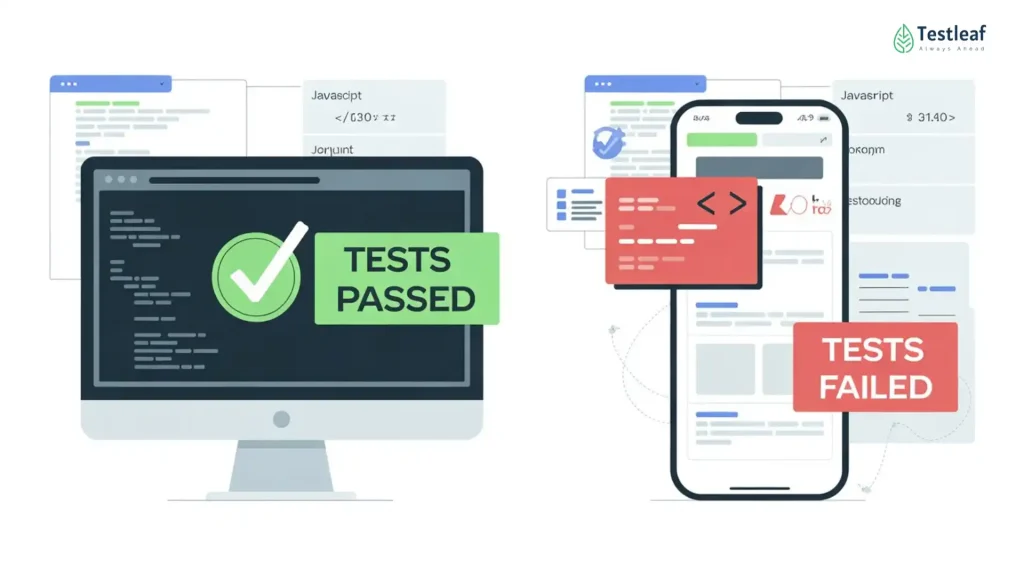
Illustration showing why Playwright tests pass on desktop but fail for mobile users due to touch behavior, smaller viewports, mobile browsers, slower networks, and real device conditions.

Most UI tests do not fail because automation is weak.

They fail because the test environment does not represent the real user.

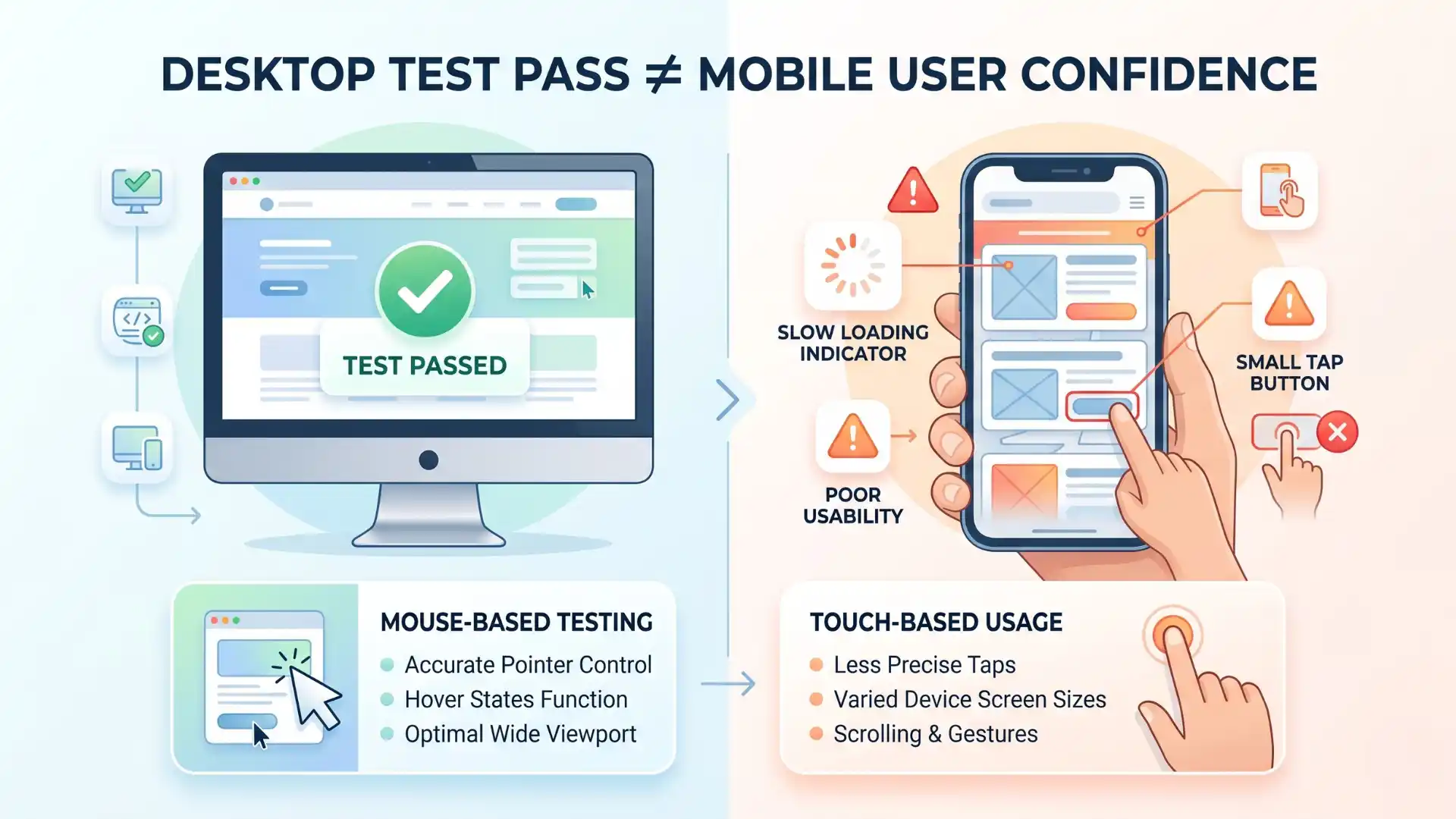
Many QA teams still run their Playwright tests on a clean desktop browser, with a large screen, stable internet, fast response time, and mouse-based interaction. The test passes. The report looks green. The team feels confident.

But the real user may be opening the same application on a mobile browser, with a smaller viewport, touch gestures, slower network, different device pixel ratio, and browser-specific behavior.

That is where the gap begins.

A resized browser window is not the same as a mobile user.

In 2026, this gap has become too important for QA teams to ignore. StatCounter’s April 2026 data shows that mobile accounts for 52.8% of worldwide web usage, while desktop accounts for 45.61%. DataReportal’s 2026 Global Overview Report also highlights major milestones in global internet, social media, and AI adoption, showing how large and diverse today’s digital user base has become.

For modern QA teams, this means one thing clearly:

Testing only on desktop is no longer enough.

Infographic showing why Playwright tests pass on desktop but fail for mobile users due to smaller viewports, touch behavior, slower networks, mobile browser differences, and real user conditions.

This is why Playwright mobile testing has become a serious part of modern test strategy. Teams need automation that reflects real user behavior, not just desktop browser success.

Why do Playwright tests pass on desktop but fail for mobile users?
Playwright tests can pass on desktop but fail for mobile users because desktop testing does not fully represent mobile conditions. Mobile users interact through smaller screens, touch gestures, different viewports, mobile browser behavior, slower networks, orientation changes, user-agent differences, geolocation, locale, timezone, and permission-based scenarios. Playwright device emulation helps QA teams catch these risks earlier by simulating mobile-like conditions in automation.

Continue Reading: playwright interview questions

Mobile Testing Is Not Just Screen-Size Testing

A common mistake in automation strategy is assuming that responsive testing means mobile testing.

It does not.

Responsive testing usually checks whether the layout adjusts when the screen size changes. That is useful, but mobile behavior is much bigger than layout.

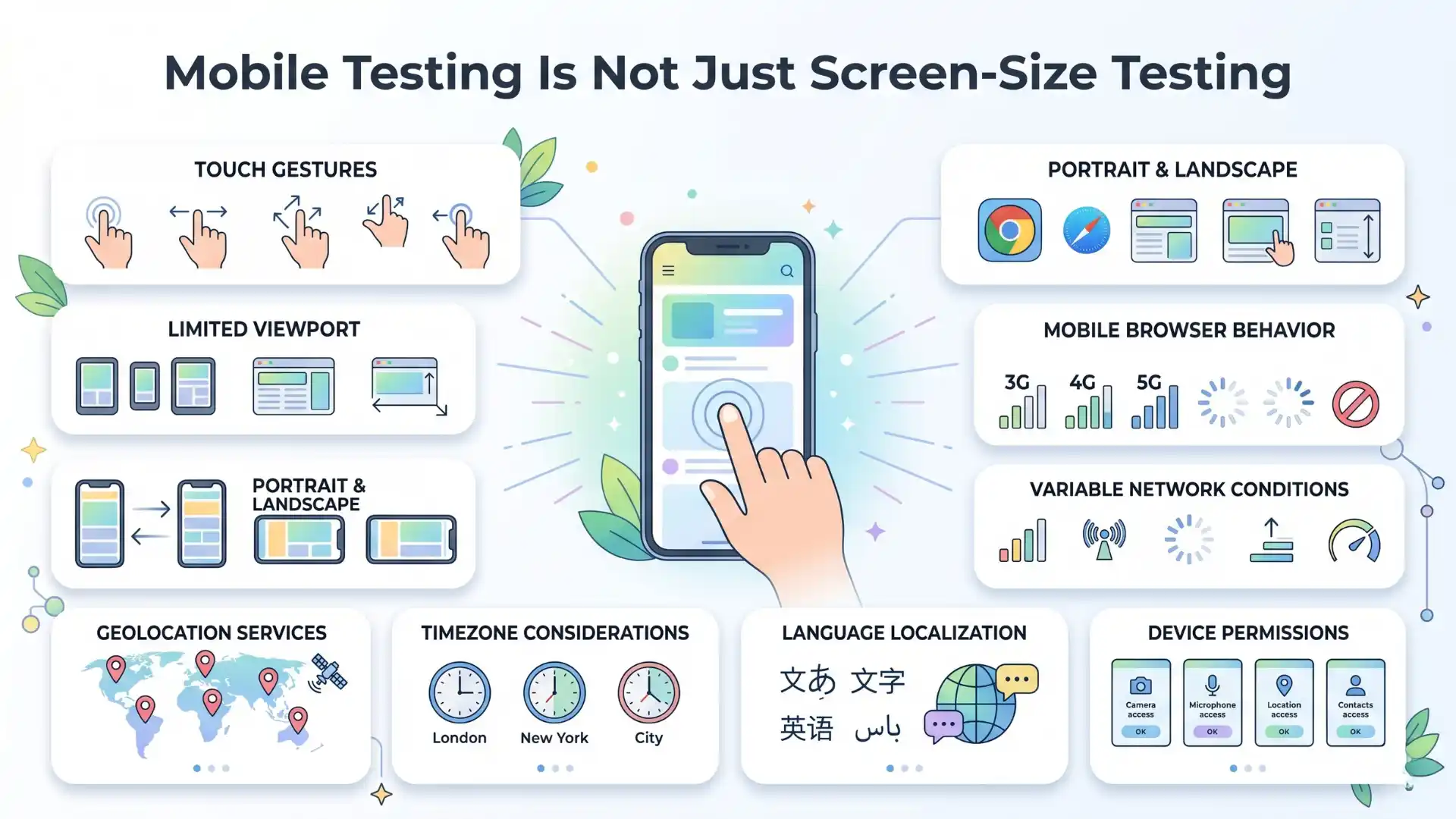
A mobile user brings many real-world conditions into the product experience:

Touch instead of mouse clicks.

Small screens instead of wide monitors.

Portrait and landscape orientation.

Different browser engines.

Different user-agent behavior.

Slow or unstable internet.

Location, timezone, language, and permission-based differences.

Infographic explaining that Playwright mobile testing is more than screen-size testing, covering touch gestures, mobile browsers, orientation changes, slow networks, geolocation, timezone, language, and permissions.

This is why a page can look perfect in a desktop browser and still create a poor experience for a mobile user.

A button may be visible, but too small to tap.

A menu may open on desktop, but overlap content on mobile.

A form may pass validation in one viewport, but break in another.

A sticky CTA may cover the checkout button.

A page may load fast in the test environment, but feel broken on a slower mobile connection.

These are not small UI issues. They directly affect conversion, trust, and user experience.

Google also uses the mobile version of a site’s content, crawled with a smartphone agent, for indexing and ranking through mobile-first indexing. So mobile experience is not only a QA concern. It is also connected to SEO, business visibility, and product credibility.

Where Playwright Device Emulation Changes the Conversation

Playwright device emulation helps QA teams move closer to real-world browser testing without depending only on a physical device lab.

With Playwright, teams can emulate mobile phones and tablets by configuring devices. Playwright simulates browser behavior such as user agent, screen size, viewport, and touch support. It can also emulate conditions like geolocation, locale, timezone, permissions, and color scheme.

This makes mobile test automation more practical because teams can bring mobile-like conditions into daily execution instead of waiting until the final release cycle.

This is powerful because it allows QA teams to ask better questions.

Not just:

“Does this test pass?”

But:

“Does this flow behave correctly for the type of user who will actually use it?”

That is the real shift.

At Testleaf, we often see teams focus heavily on writing automation scripts. But mature QA teams go one level deeper. They do not only ask whether the script passed. They ask whether the script represents a real customer journey.

Playwright device emulation helps bridge that gap between test execution and user confidence.

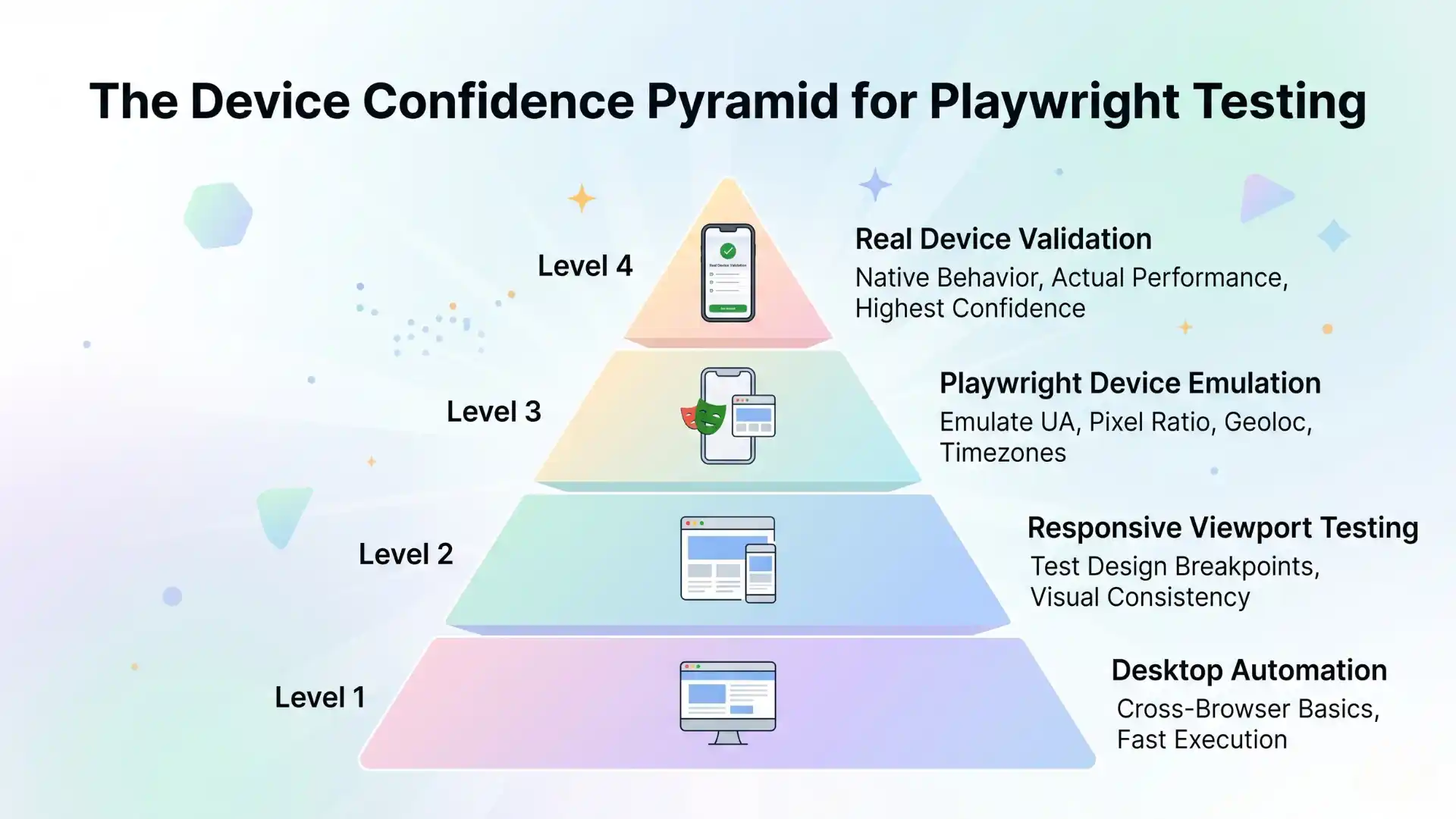
The Device Confidence Pyramid

A strong QA strategy does not treat every device test the same way. Instead, it builds confidence in layers.

Level 1: Desktop Automation

This is the base layer. It validates core functionality on desktop browsers. It is useful, but limited. If this is the only layer, the team may miss mobile-specific issues.

Level 2: Responsive Viewport Testing

This checks how the UI behaves across different screen sizes. It helps catch layout issues, but it still may not capture touch behavior, device-specific user agents, or mobile browser differences.

Level 3: Playwright Device Emulation

This is where the strategy becomes stronger. Playwright device emulation allows teams to test mobile-like conditions, including viewport, screen size, user agent, and touch support.

This layer is very useful in CI/CD because it helps teams catch mobile-related issues earlier, faster, and more consistently.

Level 4: Real Device Validation

Real devices are still important. Device emulation is not a complete replacement for physical device testing. Hardware-level rendering issues, device-specific browser behavior, battery conditions, camera behavior, and certain performance issues may still require real-device validation.

Infographic showing the device confidence pyramid for Playwright testing with desktop automation, responsive viewport testing, Playwright device emulation, and real device validation for better mobile QA confidence.

The mature approach is not “emulation or real devices.”

The mature approach is:

Use Playwright device emulation to catch issues early.

Use real device testing to validate high-risk flows before release.

Further Reading: Java Selenium interview questions

What Playwright Device Emulation Can Catch Early

Playwright device emulation is especially useful for finding problems that desktop testing may miss.

For example, teams can use it to validate whether the mobile layout appears correctly on iPhone, Pixel, or tablet-like viewports.

They can check whether tap-based actions work correctly instead of only relying on mouse clicks.

They can test whether the hamburger menu, filters, dropdowns, sliders, date pickers, and form fields behave properly on touch-enabled devices.

They can also validate user flows across different conditions such as timezone, locale, geolocation, and color scheme.

This becomes important for applications that serve users across countries, devices, and environments.

A checkout page may show the correct price in one locale, but fail formatting in another.

A booking flow may behave differently depending on timezone.

A location-based feature may need permission handling.

A dark-mode layout may hide text because contrast was not tested properly.

These are not theoretical problems. These are the kinds of issues real users face.

Playwright automation gives QA teams a practical way to bring these scenarios into the test strategy earlier.

It also supports mobile browser testing by helping teams validate behavior closer to how users experience the application across mobile-like environments.

Device Emulation in CI/CD: Faster Feedback, Better Decisions

One of the biggest benefits of Playwright device emulation is that it fits well into modern CI/CD pipelines.

Real-device testing can be slower, more expensive, and harder to scale. Device emulation gives teams a faster feedback layer before they move to selected real-device validation.

This is especially useful for regression testing.

Instead of waiting until the end of the release cycle, teams can run mobile-like checks on every important build.

For example:

Run smoke tests on desktop Chrome.

Run critical flows on an emulated iPhone profile.

Run checkout or login flows on an emulated Pixel profile.

Run layout validation on tablet viewports.

Run dark mode or locale-based checks where needed.

This helps teams identify mobile risks before they become production defects.

For teams practicing Playwright CI/CD, device emulation becomes an early warning system that improves release decisions without slowing down every build.

Playwright also provides APIs to monitor and modify browser network traffic, including requests made through XHR and fetch. For offline scenarios, Playwright’s browser context supports offline emulation through setOffline.

This matters because modern applications are not only UI screens. They depend heavily on APIs, third-party services, network behavior, and dynamic data.

A mature QA strategy must test how the application behaves when these dependencies are not perfect.

Don’t Miss Out: manual testing interview questions

What Teams Should Not Misunderstand

Playwright device emulation is powerful, but it should not be oversold.

It is not the same as holding a real device in your hand.

It may not catch every hardware-specific issue.

It may not fully represent real-world performance on low-end devices.

It may not expose every browser-specific rendering difference.

That is why the right mindset is important.

Playwright device emulation is not a replacement for real-device testing.

It is a risk filter.

It helps teams catch obvious and repeatable mobile issues early, so real-device testing can focus on the most critical flows.

This is how mature QA teams reduce waste. They do not test everything everywhere blindly.

They build a layered confidence model.

This layered model also supports better cross-browser testing, because teams can validate desktop, mobile-like, and selected real-device behavior based on real business risk.

Why This Skill Matters for QA Careers

For testers who want to grow in automation, learning Playwright is not only about writing selectors and assertions.

It is about learning how modern web applications behave across real user conditions.

This is where Playwright mobile testing becomes a valuable career skill.

Companies do not need automation engineers who only create scripts that pass in one environment. They need QA professionals who can design tests that reflect real user journeys.

That means understanding:

Browser behavior.

Mobile-first testing.

Cross-browser validation.

API dependency handling.

CI/CD execution.

Device emulation.

Test reliability.

Risk-based coverage.

A strong Playwright automation framework should combine these skills into a practical strategy that supports reliable product releases.

This is why a practical Playwright course online should not only teach syntax. It should teach test design, device strategy, debugging, reporting, and real-world automation thinking.

At Testleaf, this is the kind of mindset we believe QA professionals need for the next stage of automation.

Playwright mobile testing helps QA teams validate whether web applications work beyond desktop environments. Desktop tests may pass because they run on large screens, stable networks, and mouse-based interactions, but mobile users experience smaller viewports, touch behavior, slower internet, orientation changes, and mobile browser differences. Playwright device emulation allows teams to test user agent, viewport, screen size, touch support, geolocation, locale, timezone, permissions, and color scheme. A mature QA strategy combines desktop automation, responsive checks, Playwright device emulation, and selected real-device validation.

Key Takeaways

  • Desktop test pass does not guarantee mobile user experience.
  • Mobile testing is more than just resizing a browser window.
  • Playwright device emulation helps catch mobile issues early.
  • Real devices are still needed for high-risk user journeys.
  • CI/CD mobile checks improve faster release confidence.
  • Mature QA teams test based on real user conditions, not just script execution.

Final Thought

The future of QA is not about writing more tests.

It is about writing tests that represent real usage.

A desktop test may tell you that the feature works.

But mobile-aware testing tells you whether the feature works for the people who actually use it.

That is why Playwright device emulation is more than a convenience feature. It is a step toward better product confidence.

In 2026 and beyond, QA maturity will not be measured by how many scripts a team has automated.

It will be measured by how closely those scripts reflect real user conditions.

And for modern web teams, that is where Playwright device emulation becomes a serious advantage for practical QA automation and mobile-first product quality.

For testers who want to move beyond basic automation, choosing a practical Playwright course online can help build the right mobile testing mindset. A good course should teach not only selectors and assertions, but also Playwright device emulation, mobile browser behavior, responsive validation, CI/CD execution, debugging, network handling, and real-device strategy. These are the skills modern QA teams need to design tests that reflect real user journeys.

Why do Playwright tests pass on desktop but fail for mobile users?

Playwright tests may pass on desktop but fail for mobile users because mobile environments include smaller viewports, touch gestures, slower networks, different user agents, orientation changes, and mobile browser behavior that desktop tests may not cover.
Is resizing a desktop browser enough for mobile testing?

No. Resizing a desktop browser only checks responsive layout. Real mobile testing also needs touch interaction, mobile viewport behavior, device pixel ratio, user-agent differences, permissions, network conditions, and browser-specific behavior.
What is Playwright device emulation?

Playwright device emulation allows QA teams to simulate mobile and tablet conditions such as viewport size, screen size, user agent, touch support, geolocation, locale, timezone, permissions, and color scheme.
Can Playwright device emulation replace real device testing?

No. Playwright device emulation helps catch mobile issues early, but real device testing is still needed for hardware-specific behavior, actual mobile browser differences, performance issues, camera behavior, and high-risk user journeys.
How does Playwright device emulation help CI/CD testing?

Playwright device emulation helps CI/CD testing by allowing teams to run mobile-like checks earlier in the pipeline, validate critical flows faster, and detect mobile-specific issues before production release.
What mobile issues can Playwright testing catch early?

Playwright testing can help catch mobile layout issues, tap problems, broken menus, overlapping content, form field issues, timezone differences, geolocation behavior, permission handling, and dark-mode display problems.
Why is mobile testing important for QA teams in 2026?

Mobile testing is important because many users access websites through mobile devices. QA teams need to validate real user conditions, not just desktop browser behavior, to improve product quality, conversion, trust, and release confidence.
What is the best strategy for Playwright mobile testing?

The best strategy is to use a layered approach: desktop automation for core functionality, responsive viewport testing for layout, Playwright device emulation for mobile-like validation, and real device testing for high-risk flows.

We Also Provide Training In:
Author’s Bio:

Kadhir

Content Writer at Testleaf, specializing in SEO-driven content for test automation, software development, and cybersecurity. I turn complex technical topics into clear, engaging stories that educate, inspire, and drive digital transformation.

Ezhirkadhir Raja

Content Writer – Testleaf

LinkedIn Logo

Accelerate Your Salary with Expert-Level Selenium Training

X