In UI automation, most “random” failures are not really random.
The page is still loading.
The spinner is still spinning.
The modal is fading in.
The network call is not done yet.
Your script is simply too fast.
That’s where explicit waits in Selenium come in. They are the difference between “click-click-fail” and a test that behaves like a patient user.
In this blog we’ll look at three common troublemakers:
- Loading spinners
- Blocking modals
- “Network idle” moments (background calls still running)
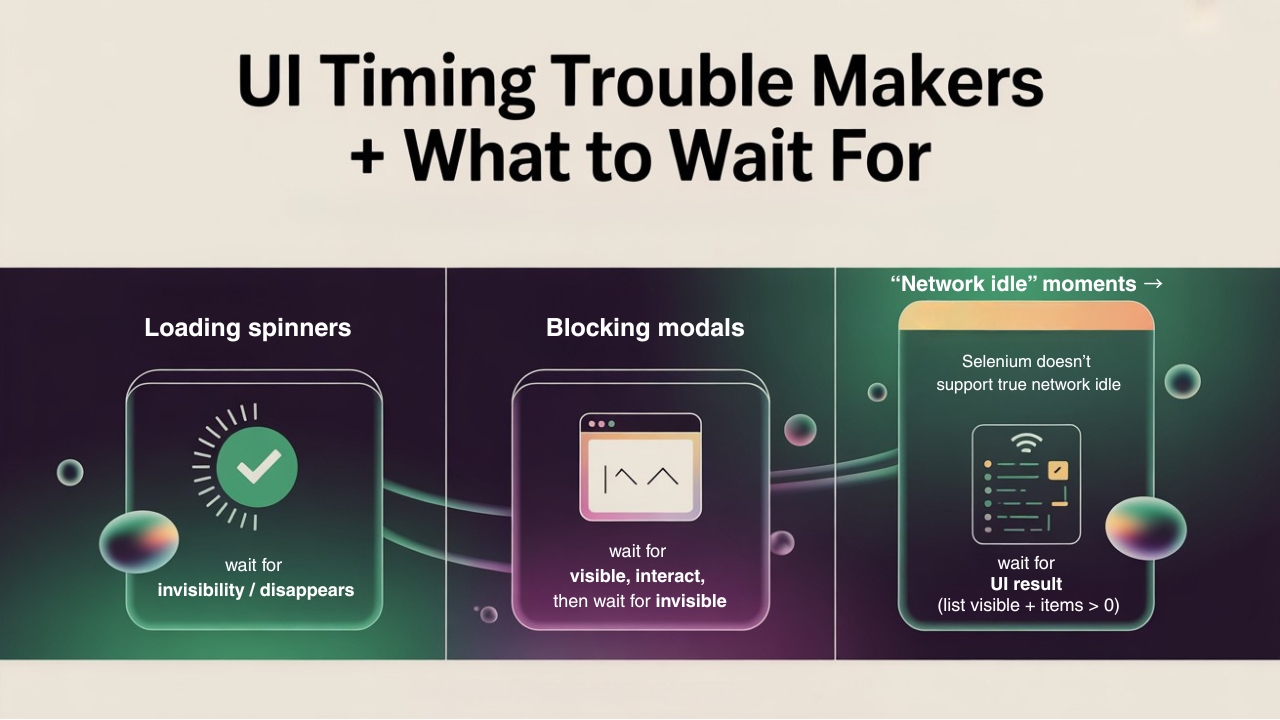
…and how to handle them with Selenium’s explicit waits.
Why implicit waits are not enough
Many teams start with implicit waits:
driver.manage().timeouts().implicitlyWait(Duration.ofSeconds(10));
This tells Selenium, “If you don’t find an element, keep trying for up to 10 seconds.”
Sounds nice, but:
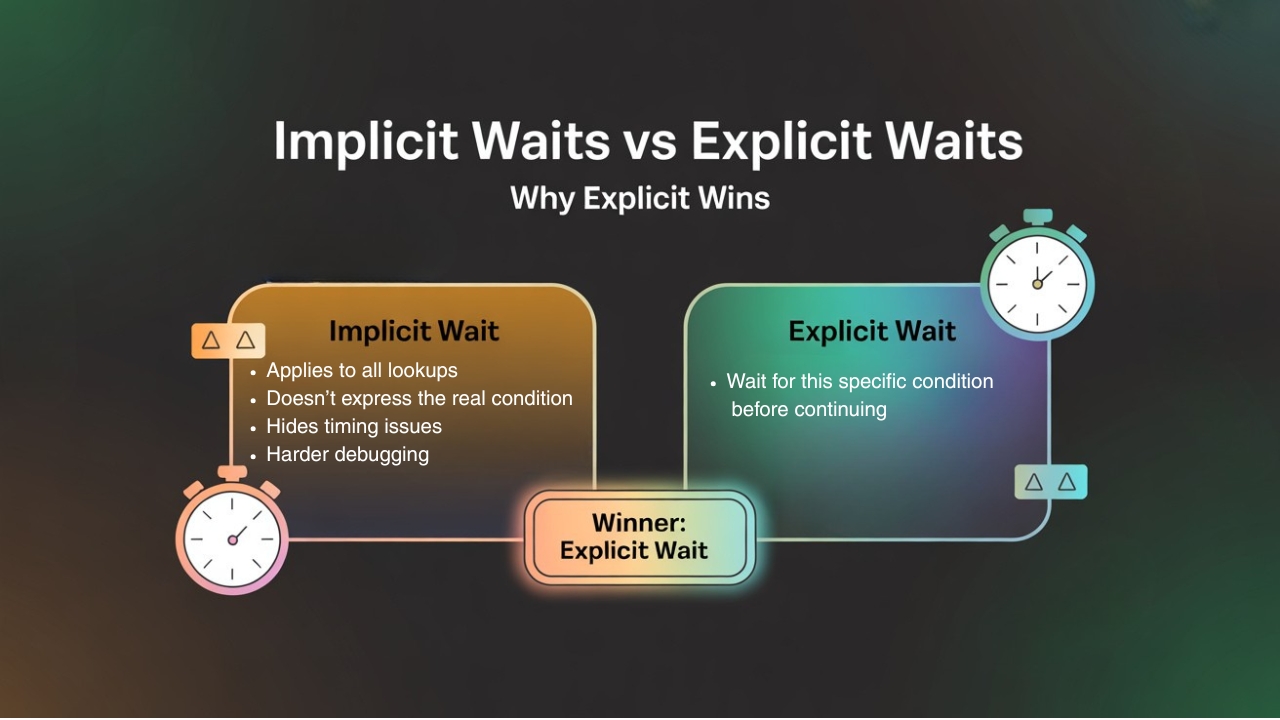
- It applies to all element lookups.
- It doesn’t express what you’re really waiting for (spinner to disappear? modal to close?).
- It can hide real timing issues and make debugging harder.
Explicit waits are better because you say:
“Wait for this specific condition before continuing.”
Other Helpful Articles: playwright interview questions
1. Waiting for spinners to disappear
Common pattern:
- User clicks a button.
- A spinner appears (e.g., “Loading…”).
- When the spinner disappears, new content is ready.
If you try to click or assert elements while the spinner is still visible, your test may fail or click behind it.
HTML idea:
<div class="spinner" id="loadingSpinner"></div>
Selenium (Java) idea:
WebDriverWait wait = new WebDriverWait(driver, Duration.ofSeconds(10));

// Wait for spinner to become invisible

wait.until(ExpectedConditions.invisibilityOfElementLocated(

    By.id("loadingSpinner")

));

// Now it’s safe to interact with the page

driver.findElement(By.id("proceedButton")).click();
Key idea: you’re not just waiting for an element to be present; you’re waiting for it to go away.
2. Waiting for modals to open & close
Modals are those pop-up windows that sit on top of the page:
- Login dialogs
- Confirm delete
- Payment steps
Race condition example:
- Test clicks “Delete”.
- Modal is animating in.
- Test instantly tries to click “Confirm” inside the modal.
- Selenium throws an error: element not clickable / not found.
You need to:
- Wait for the modal to appear.
- Interact with elements inside it.
- Wait for the modal to disappear when done.
Example:
WebDriverWait wait = new WebDriverWait(driver, Duration.ofSeconds(10));

// Step 1: open modal

driver.findElement(By.id("deleteButton")).click();


// Step 2: wait for modal visible

WebElement modal = wait.until(ExpectedConditions.visibilityOfElementLocated(

    By.id("confirmDeleteModal")

));

// Step 3: click confirm inside modal

modal.findElement(By.cssSelector("[data-testid='confirm-delete']")).click();

// Step 4: wait for modal to close (invisible or gone)

wait.until(ExpectedConditions.invisibilityOfElementLocated(

    By.id("confirmDeleteModal")

));
Now your script respects the lifecycle of the modal instead of racing ahead.
3. Approximating “network idle” in Selenium
Selenium itself doesn’t have a direct “wait until no network calls” method like some newer tools. But we can approximate “network idle” by:
- Waiting for a specific element that only appears when data is loaded, or
- Waiting for the number of items in a list to be > 0, or
- Using JavaScript hooks (for advanced users).
A simple, practical pattern:
“Wait until the main content list is visible and has at least one item.”
Example:

WebDriverWait wait = new WebDriverWait(driver, Duration.ofSeconds(15));


// Wait for list container to be visible

WebElement list = wait.until(ExpectedConditions.visibilityOfElementLocated(

    By.id("orderList")

));

// Wait until at least one row appears

wait.until(driver -> list.findElements(By.cssSelector(".order-row")).size() > 0);

You’re not really watching the network, but you are watching the result of the network completing.

4. Avoiding “sleep” unless absolutely necessary
Thread.sleep(5000); is tempting. It seems simple:
“Just wait 5 seconds and then it will be ready.”
But it has problems:
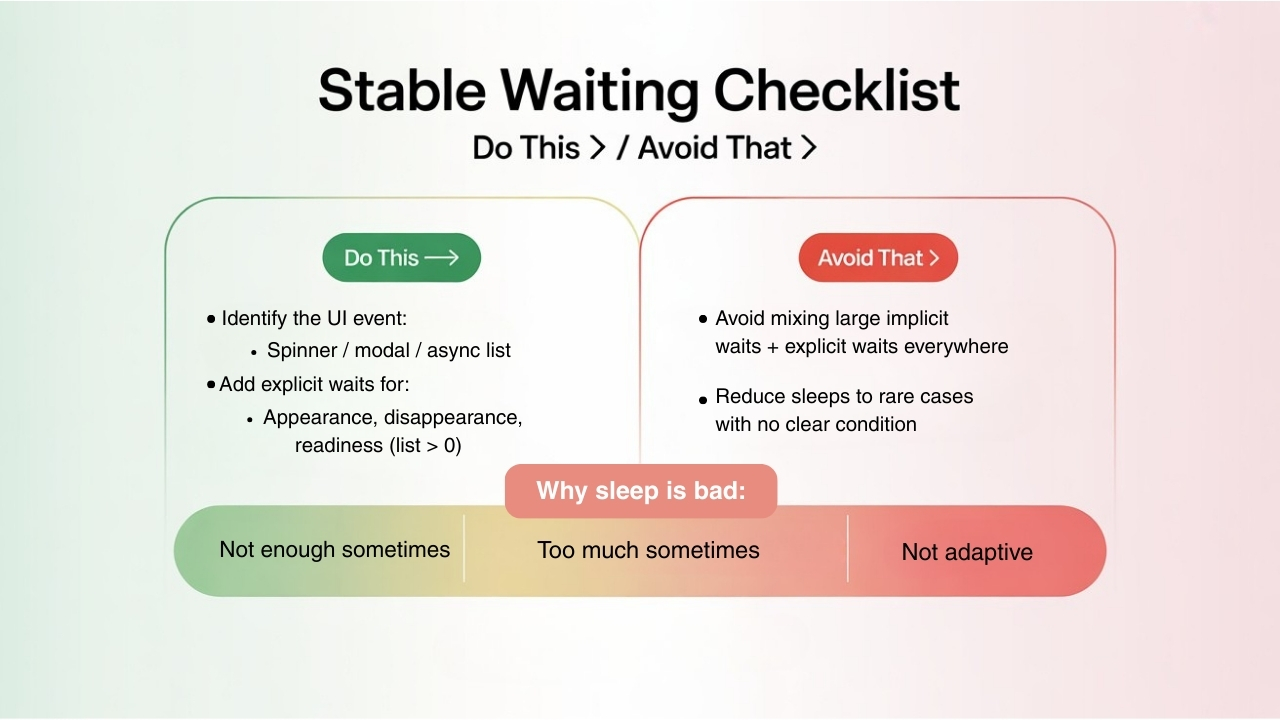
- Sometimes 5 seconds is not enough → flakiness.
- Sometimes 5 seconds is too much → tests are slow.
- It doesn’t adapt to faster or slower environments.
Explicit waits with conditions are:
- Smart (stop as soon as condition is true)
- Adaptive (can handle slow and fast runs)
- Easier to reason about (“wait until spinner gone” instead of “hope 5s is enough”).
Recommended for You: manual testing interview questions
5. A small checklist for stable Selenium waits
When you face flakiness:
- Identify the UI event:
- Spinner?
- Modal?
- Async list?
- Add explicit waits for:
- Appearance when you need it (modal showing).
- Disappearance when it should be gone (spinner or overlay).
- Content readiness (list > 0 items, a specific label is visible).
- Avoid mixing large implicit waits + explicit waits everywhere.
- Reduce sleeps to only rare cases where no clear condition exists.
With a bit of discipline, smart explicit waits turn Selenium from “fragile and flaky” into a reliable part of your release pipeline.
FAQs
1) What is an explicit wait in Selenium?
An explicit wait pauses the test until a specific condition is true (like element visible, clickable, or invisible).
2) Why are implicit waits not enough?
Implicit waits apply to all lookups and don’t express real conditions like “spinner disappears” or “modal closes,” making tests harder to debug.
3) How do I wait for a loading spinner to disappear?
Use ExpectedConditions.invisibilityOfElementLocated(By...) so the test continues only after the spinner is gone.
4) How do I handle modal pop-ups reliably?
Wait for the modal to become visible, interact inside it, then wait for it to become invisible.
5) Does Selenium have a “network idle” wait?
No. A practical workaround is to wait for the loaded UI result (like a list container visible and list size > 0).
6) Should I use Thread.sleep() in Selenium tests?
Avoid it when possible. It can be too short (flaky) or too long (slow). Prefer explicit waits with conditions.
7) Can I use implicit and explicit waits together?
It’s usually better to keep implicit waits minimal, because mixing large implicit waits with explicit waits can create unpredictable delays.
We Also Provide Training In:
- Advanced Selenium Training
- Playwright Training
- Gen AI Training
- AWS Training
- REST API Training
- Full Stack Training
- Appium Training
- DevOps Training
- JMeter Performance Training
Author’s Bio:

Content Writer at Testleaf, specializing in SEO-driven content for test automation, software development, and cybersecurity. I turn complex technical topics into clear, engaging stories that educate, inspire, and drive digital transformation.
Ezhirkadhir Raja
Content Writer – Testleaf