Your tests are passing.
Your CI pipeline is green.
And yet, your product is getting slower — release by release.
That’s the uncomfortable truth most QA teams don’t talk about.
Performance regressions rarely break builds.
They quietly degrade user experience.
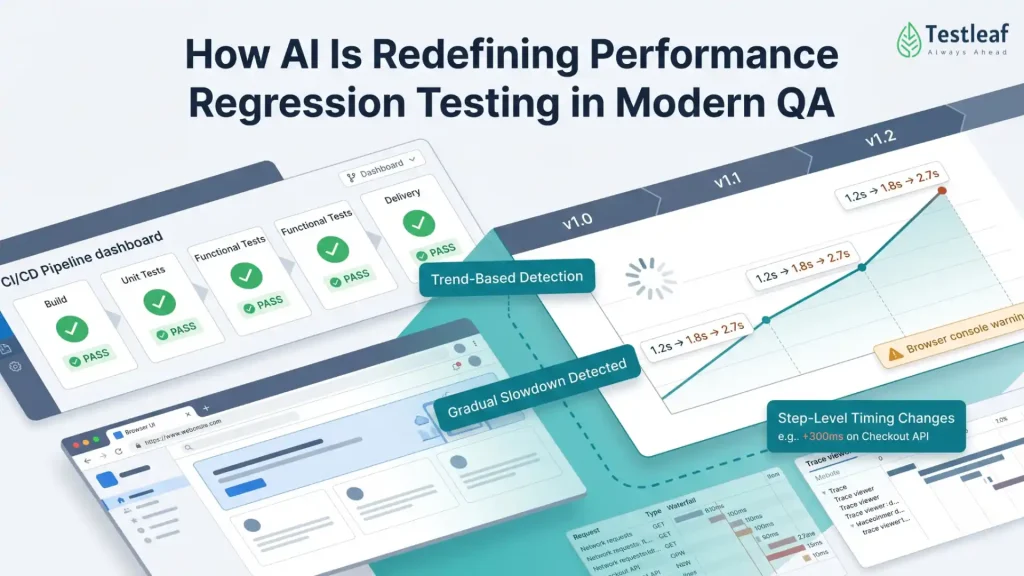
A page that loads in 1.2 seconds today…
becomes 1.8 seconds next sprint…
then 2.7 seconds a few releases later.
No test fails.
No alert triggers.
But users notice.
And eventually — they leave.
What is performance regression in software testing?
Performance regression is the gradual slowdown of an application over time, even when functional tests pass. It impacts user experience without triggering test failures.
This article is for:
- QA engineers working with automation
- SDETs using Playwright or Selenium
- Teams struggling with performance issues
- Engineers exploring AI in testing
Recommended for You: playwright interview questions
The Blind Spot in Modern Testing
Traditional test automation was built around a simple question:
“Does it work?”
But performance introduces a more complex reality:
“Is it getting worse over time?”
Most testing strategies today are still binary:
- Pass or fail
- Success or error
Performance, however, is continuous and trend-driven.
This creates a fundamental gap:
- Functional tests validate correctness
- But they rarely detect gradual degradation
Industry research consistently shows that even a 100–300 ms delay in page load can significantly impact user engagement and conversion rates. Over time, these small regressions compound into measurable business impact.
Why Performance Regressions Are So Hard to Detect
It’s not that teams don’t care.
It’s that performance signals are messy.
They are influenced by:
- CI environment variability
- Network fluctuations
- Browser differences
- Third-party scripts
- Backend latency shifts
- Frontend rendering complexity
Even experienced engineers struggle to manually interpret:
- Trace files
- Network waterfalls
- Step timings
- Console logs
The reality is simple:
Humans are not built to detect patterns across noisy performance data at scale.
Other Helpful Articles: manual testing interview questions
The Shift: From Thresholds to Trends
Most teams rely on thresholds:
- “Fail if page load > 3 seconds”
- “Warn if API > 500 ms”
This approach is useful — but limited.
Consider this:
- A page consistently loading in 1.1 seconds
- Slowly degrading to 2.4 seconds over time
It still passes a 3-second threshold.
But something is clearly wrong.
The industry is shifting from static limits to dynamic, historical trend analysis.
What AI Actually Brings to Performance Testing
AI is not replacing testing.
It is enhancing interpretation.
An AI-driven layer on top of test automation can:
- Compare current runs with historical baselines
- Detect gradual slowdowns across builds
- Identify step-level performance changes
- Correlate network, UI, and rendering delays
- Highlight anomalies that humans would miss
Instead of asking:
“Did the test pass?”
It asks:
“Is this system getting slower — and why?”
Why Playwright Is a Strong Foundation for This Shift
Modern frameworks like Playwright are particularly powerful because they already capture rich performance signals:
- Step-level execution timings
- Full trace viewer data
- Network events and waterfalls
- Screenshots and rendering states
- Console logs and browser warnings
- Support for CPU and network throttling
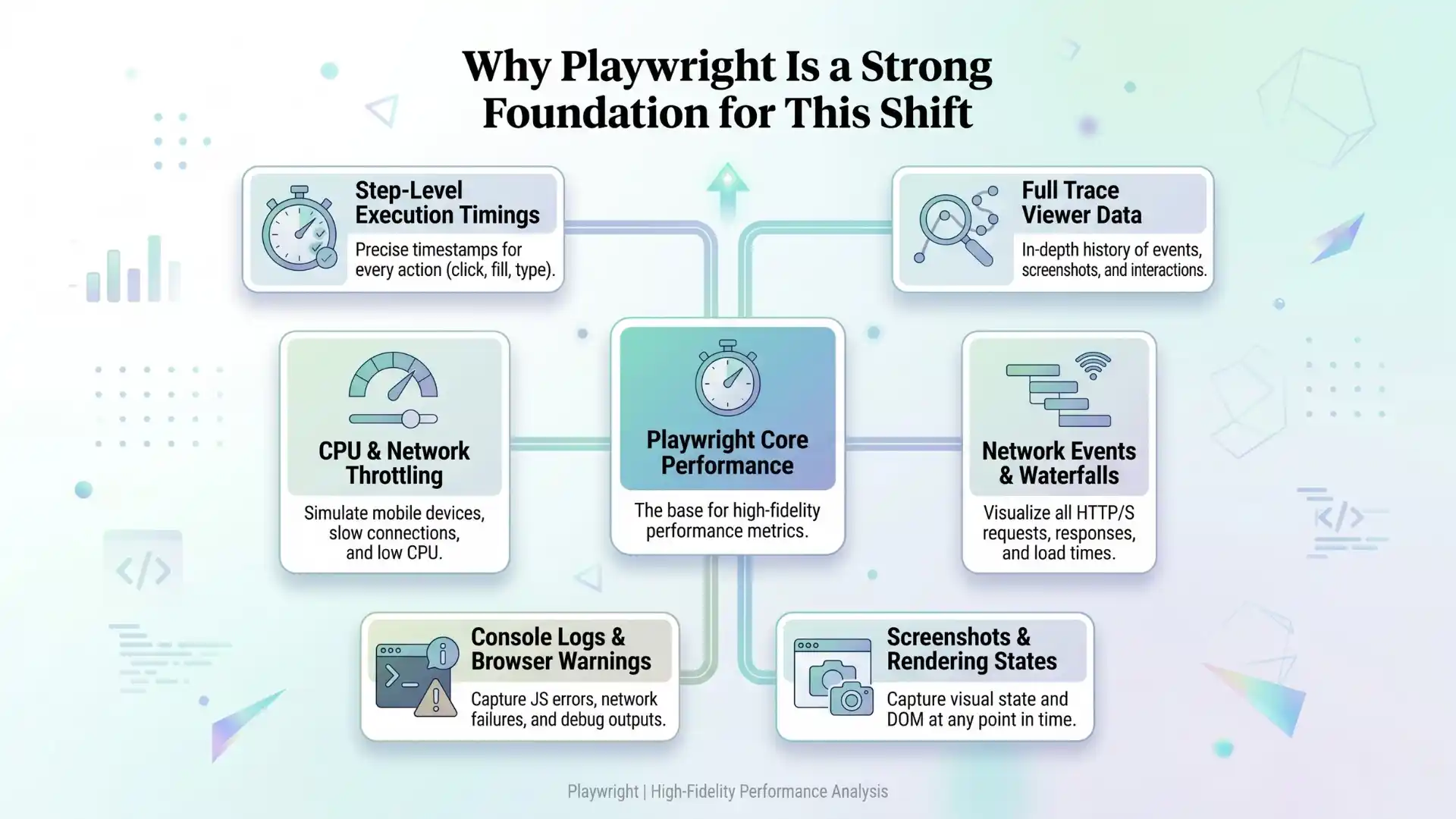

This enables deeper analysis based on real user flows and structured data.
At Testleaf, this represents a shift in thinking:
Automation is no longer just about execution.
It is about extracting meaningful insights from execution data.
What AI Can Detect
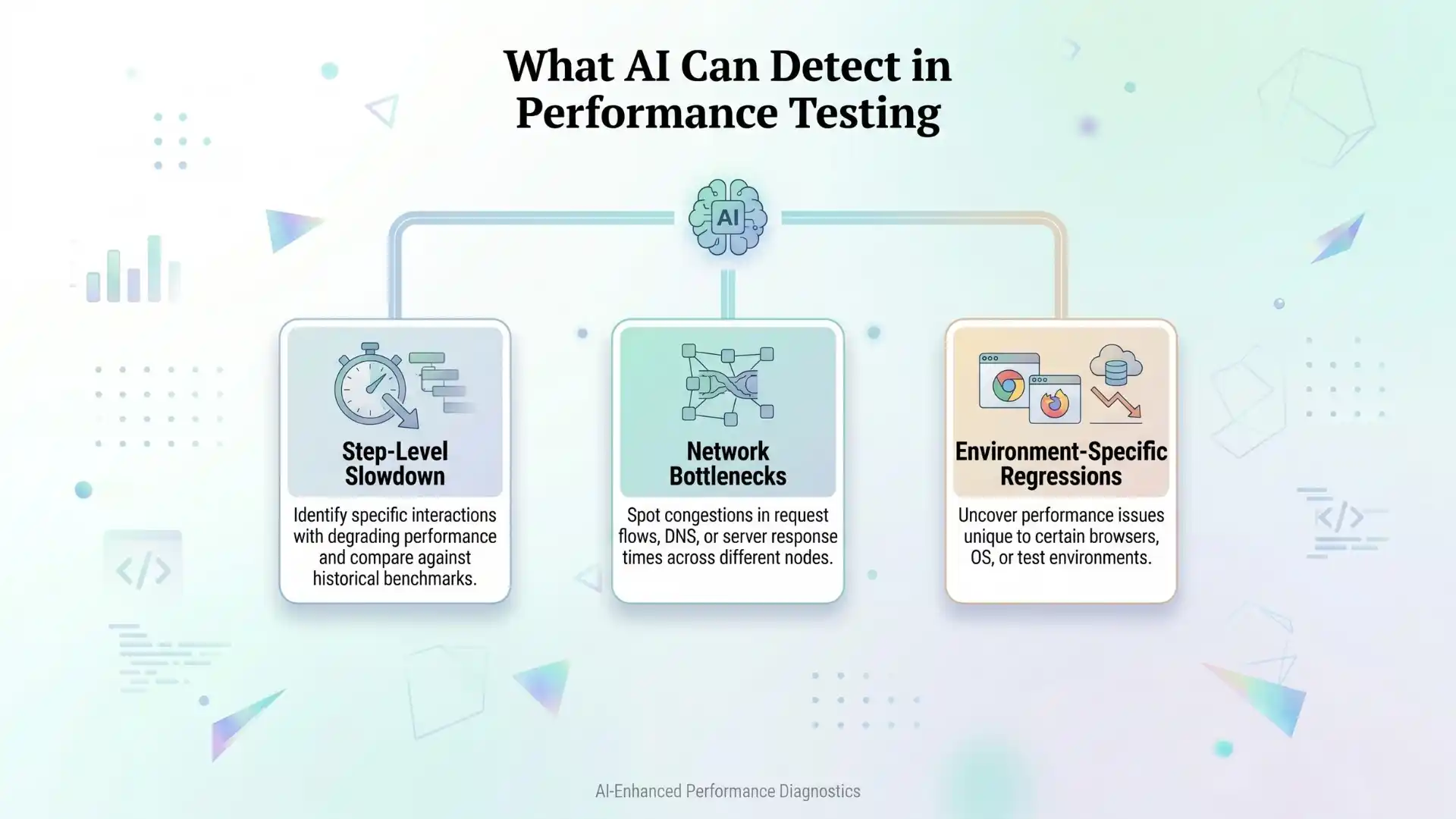
Step-Level Slowdown
A flow like “Click Search → Results visible”:
- Previously: 1.2 seconds
- Now: 2.1 seconds over recent runs
AI insight:
“Search rendering has slowed significantly. Delay occurs after API response, likely during UI rendering.”
Network Bottlenecks
A new third-party script introduces additional requests.
AI detects increased blocking time and delayed interactivity.
Insight:
“External resource is impacting initial load performance.”
Environment-Specific Regressions
Desktop performance remains stable, but mobile performance degrades.
AI insight:
“Degradation is more visible under constrained conditions, suggesting a frontend performance issue.”
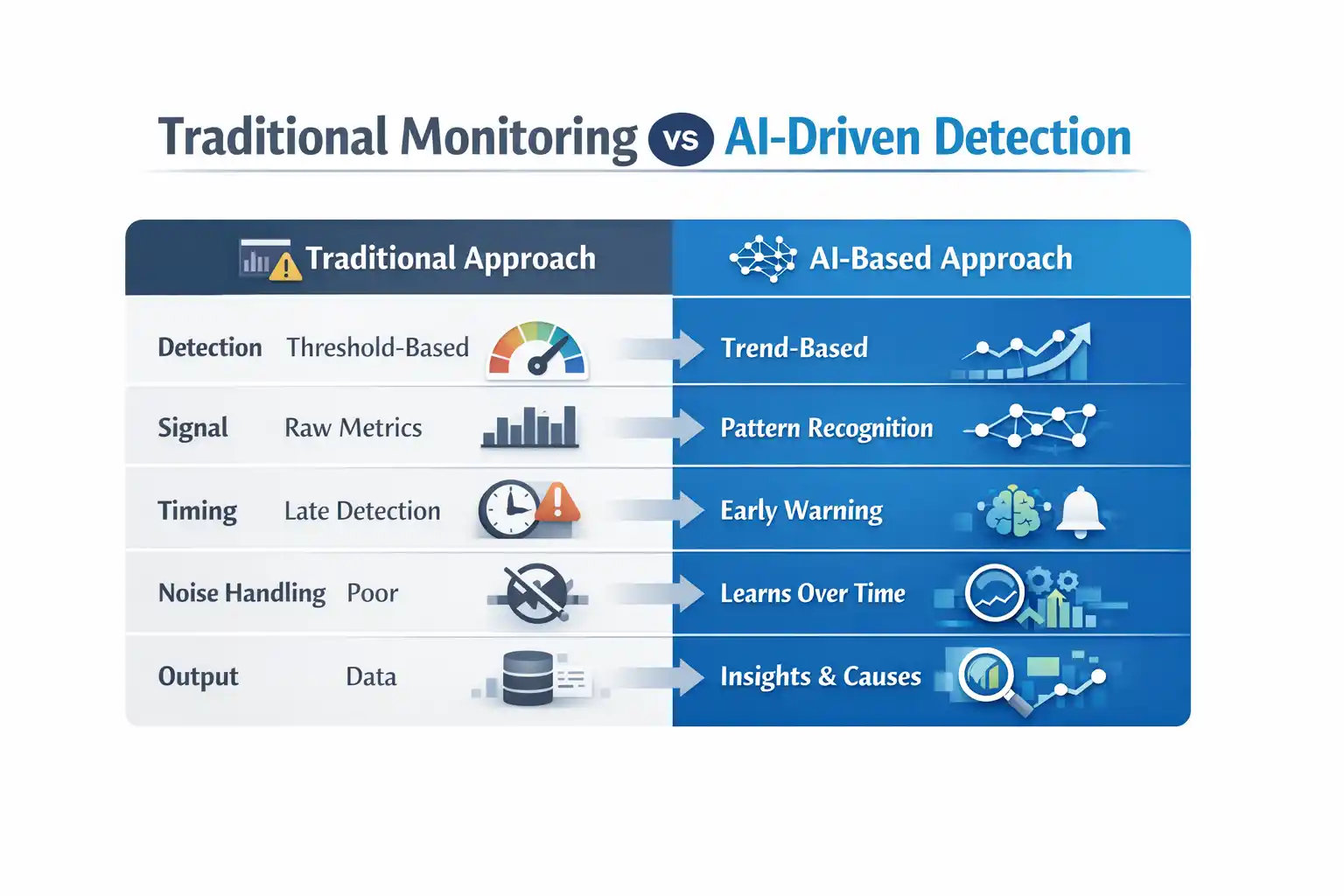
Traditional Monitoring vs AI-Driven Detection
| Aspect | Traditional Approach | AI-Based Approach |
| Detection | Threshold-based | Trend-based |
| Signal | Raw metrics | Pattern recognition |
| Timing | Late detection | Early warning |
| Noise handling | Poor | Learns over time |
| Output | Data | Insights with probable causes |

A Reality Check
AI will not fix poor testing practices.
If your:
- Test data is unstable
- CI pipeline is inconsistent
- Test design is weak
AI will amplify confusion rather than solve it.
Strong engineering fundamentals remain essential:
- Stable environments
- Reliable data
- Meaningful test coverage
- Consistent measurement strategies
Further Reading: Automation testing interview questions
A Practical Way to Start
A structured approach can be simple:
- Identify critical user journeys
- Capture consistent timing data
- Store traces for selected runs
- Build historical baselines
- Introduce AI-driven analysis gradually
- Start with warnings before enforcing failures
The Bigger Shift in QA
Testing is evolving from:
- Script execution → Insight generation
- Pass/fail validation → Experience monitoring
- Reactive debugging → Proactive detection
This shift enables teams to detect issues earlier, reduce production risk, and deliver better user experiences.
Key Takeaways
- Performance regressions are gradual, not binary
- Traditional testing misses trend-based issues
- AI detects slowdowns using historical analysis
- Playwright provides rich performance signals
- QA is shifting from validation to insight generation
Conclusion
Modern QA teams using AI in software testing with tools like Playwright, Selenium, and performance analytics platforms are shifting toward intelligent, trend-driven testing systems.
The future of testing is not just about catching failures.
It is about catching decline before failure happens.
Modern systems rarely break suddenly.
They degrade silently.
And the teams that can detect that early — before users feel it — will always have an advantage.
FAQs
What is performance regression in software testing?
Performance regression is the gradual slowdown of an application over time, even when functional tests pass, impacting user experience without triggering failures.
Why are performance regressions hard to detect?
Performance regressions are hard to detect because they happen gradually and are influenced by factors like network variability, environment differences, and backend latency.
How does AI help in performance testing?
AI in software testing helps detect performance regressions by analyzing trends, comparing historical data, identifying anomalies, and providing insights into root causes.
What is the difference between threshold-based and trend-based performance testing?
Threshold-based testing checks fixed limits like load time, while trend-based testing uses AI to detect gradual slowdowns over time, even within acceptable thresholds.
Can Playwright be used for performance testing?
Playwright can capture performance signals like step timings, network activity, and traces, which can be analyzed using AI to detect performance issues.
What performance signals should testers monitor?
Testers should monitor page load time, step-level timings, network requests, rendering delays, and API response times to detect performance issues.
Does AI replace performance testing tools?
No, AI does not replace performance testing tools. It enhances them by providing deeper analysis, pattern recognition, and smarter decision-making.
How can QA teams start using AI in performance testing?
QA teams can start by tracking performance trends, storing historical data, analyzing key user journeys, and gradually introducing AI-driven insights.
What are the benefits of AI in performance regression testing?
AI helps detect issues earlier, reduces manual analysis, improves accuracy, and enables proactive performance monitoring before users are affected.
Why is trend analysis important in performance testing?
Trend analysis is important because it identifies gradual degradation over time, helping teams catch performance issues before they become critical.
We Also Provide Training In:
- Advanced Selenium Training
- Playwright Training
- Gen AI Training
- AWS Training
- REST API Training
- Full Stack Training
- Appium Training
- DevOps Training
- JMeter Performance Training
Author’s Bio:


Content Writer at Testleaf, specializing in SEO-driven content for test automation, software development, and cybersecurity. I turn complex technical topics into clear, engaging stories that educate, inspire, and drive digital transformation.
Ezhirkadhir Raja
Content Writer – Testleaf