

















Loading...
📞 Need assistance? Call us @ (+91) 91 5092 9623 or Request Call Back

Join Our Playwright Training ​ – Become An Automation Expert


Selenium Training in Chennai Selenium Training in Chennai Selenium Training in Chennai Selenium Training in Chennai Selenium Training in Chennai

Highly Rated


Learn and Land a Job as a Playwright Automation QA Tester


Trusted by 50,000+ Learners

16+ Years of Excellence

92% Success Rate

Schedule A 1-On-1 Consultation With Our "Playwright Expert"
Dot Bg
Dot Bg

Why learn Playwright?

Playwright is the next-generation automation framework trusted by global enterprises for end-to-end testing. With faster execution, cross-browser support, and modern capabilities, Playwright is rapidly becoming the #1 skill for QA Engineers, SDETs, and Software Testers.

By mastering Playwright, you can upgrade your career, crack high-paying QA roles, and work on automation projects across industries.

Who Can Enroll Playwright Course

Manual Testers Icon

Manual Testers

Transition into Web Automation: If you're in manual testing, this course provides an easy path to automation.

Test Automation Engineers Icon

Test Automation Engineers

Build on existing skills and extend your automation expertise with CI/CD pipeline integrations.

Test Leads Icon

Test Leads

Learn how to build scalable automation frameworks and guide your team in creating reliable test solutions.

Test Managers Icon

Test Managers

Take the lead in digital transformation by adopting automation and managing large-scale testing pipelines.

Testleaf's Playwright Course Highlights

Live Instructor-Led
Classes with recordings

90+ Hours of Practical
Training

1:1 Mentorship
& Career Guidance

Real-Time Projects on Salesforce
and Service now testcases.

Exclusive Interview
Preparation & Mock Interviews

Flexible Schedule and
Affordable Fees

Skills You Will Learn

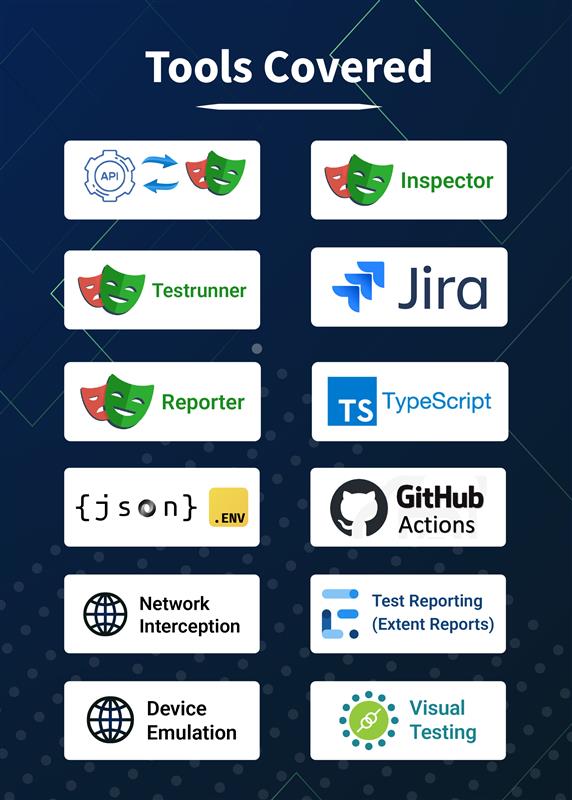
Playwright Tools Covered Playwright Tools Covered

Weekly Training Programs:

  • Variables
  • Data types
  • Operators
  • Conditional statements
  • Loops
  • Functions
  • Arrow functions
  • Arrays
  • Call backs
  • Promises
  • Intro to TS and why TS
  • Installing and configure TS
  • Compiling and run TS
  • Typescript types
  • Type inference
  • Explicit types
  • Functions with type annotations
  • Enums in Type
  • Type assertion
  • Array type annotations
  • Recap
  • Setup new project in Playwright
  • Understand its architecture
  • Cover Key concepts (Context, Page etc)
  • Write a basic first test script
  • Selectors/Locators
  • Learn basic CSS syntax
  • Different ways to locate a DOM element (by title, by label, by role etc)
  • Write more scripts and perform actions like clicking, typing
  • Synchronization/Auto waiting
  • Learning assertion using expect library
  • Understand playwright configuration file
  • Headless/Headed mode
  • Debugging using pause mechanism
  • Deal with list of elements
  • Handle iframes
  • Shadow DOM
  • Alerts
  • Keyboard/mouse actions
  • File upload download
  • Tabs
  • Windows
  • Reading Data from (.env file, JSON file, csv file)
  • Storage state
  • Persistent context
  • Multi page
  • Multi-user context
  • Test suite structure
  • Reporter
  • Trace viewer
  • Video
  • Device emulation
  • Geo location
  • Reading console logs
  • Code gen
  • Playwright Inspector
  • Visual Testing
  • Why APIs?
  • Learn different API methods
  • API Request context
  • Handling API requests using PW
  • Handling API responses using PW
  • Network interception
  • Classes in TS
  • Constructor
  • Access modifiers
  • OOPS principles
  • Practical implementation in Playwright test script (Inheritance, Polymorphism etc)
  • Intro to POM
  • Refactor 1 existing script with POM
  • Implement Page actions
  • Creating Base Page
  • Implement common actions methods
  • Refactoring Test script with best practice
  • Role of test runner
  • Grouping
  • Filtering
  • Skipping
  • Only keyword
  • Test level configuration
  • Test Retry
  • Overriding config at test level
  • Overriding config at project level
  • Test Parameterization
  • Test Suite
  • Test Steps
  • Cross browser testing
  • Different type of reports
  • Global Setup / Tear down
  • Implement custom reporter by extending Playwright reporter
  • Clone repo from GitHub
  • Add GitHub action
  • Execute E2E pipeline
  • Clone repo from GitLab
  • Add gitlab .ci.yml file
  • Execute E2E pipeline
  • Selenium Grid integration with Playwright
  • Accessibility Testing
  • Implementing Test scripts without POM
  • Implement framework for your project (POM &Test runner & Reporter)
  • Add E2E suite to CI pipeline

Short Bio about our Playwright JS Trainer

Vidyabharathi R

Lead SDET

Experienced SDET with solid experience in Playwright, Selenium, and RestAssured, with Java, Python, JavaScript and TypeScript. Known for crafting robust automation solutions for UI and API testing in fast-paced environments, ensuring top-quality software delivery.

  • Playwright EXPERT
  • 10+ Years of Experience

Ravindran Ramdas

Senior SDET

With over 8 years of expertise in test automation, specialised in training professionals on Playwright for end-to-end web testing. Mentored 500+ learners globally, ranging from freshers to experienced Testing professionals, on Playwright best practices and test strategy.

  • Playwright EXPERT
  • 8 Years of Experience

Playwright Training in Chennai

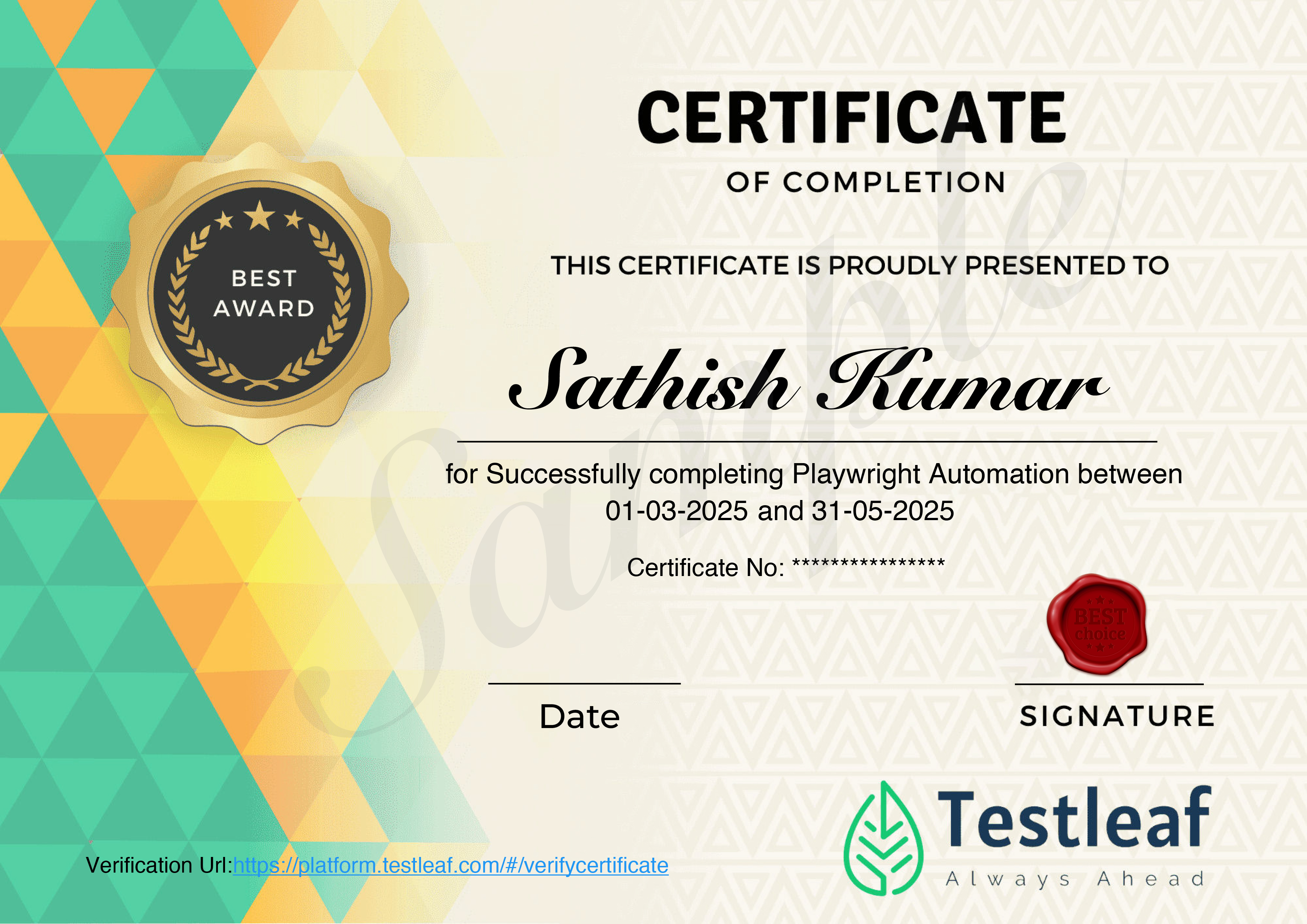
Become a Certified Playwright Pro


Achieve certification in just 60 days

Learn through real-time projects & hands-on tasks

Get expert mentor guidance every step of the way

Suitable for both freshers and working professionals

Don’t wait. Don’t pause.

Our Learners Work At

Alumni Spotlight: Journeys to Success

Gangathran's inspiring journey - Secured a 200% Salary Hike with 5 Job Offers in Hand!

Playwright JS Training Reviews

FAQs

Playwright training is a course or program that teaches developers and testers how to use Playwright, an open-source tool developed by Microsoft for automating web browsers and performing tasks such as end-to-end testing and web scraping.
In the Playwright JS training course, you will learn how to use Playwright to automate web browsers and perform tasks such as filling out forms, clicking buttons, and navigating pages. You will also learn how to write end-to-end tests to validate the functionality of your application and how to use Playwright's debugging tools to troubleshoot and fix issues in your scripts.
Some benefits of Playwright JS training include the ability to save time and resources by automating tasks such as filling out forms, clicking buttons, and navigating pages, improving the efficiency and reliability of your application by writing end-to-end tests, and troubleshooting and fixing issues in your scripts more quickly and effectively with Playwright's debugging tools.
Whether or not Playwright JS training is worth it will depend on your specific needs and goals. If you are a developer or tester looking to automate your workflows and improve the efficiency and reliability of your application, Playwright JS training could be a valuable investment.
If you are interested in learning more about the Playwright JS training offered by Testleaf and how it can benefit you and your organization, simply visit the Testleaf website and look for information on the course or program. If you have any questions or need more information, you can also contact Testleaf directly and a representative will be happy to assist you.
Kickstart your automation career with the #1 Playwright course in Chennai