Visual testing is powerful—but it also introduces a new problem:
“Which differences actually matter?”
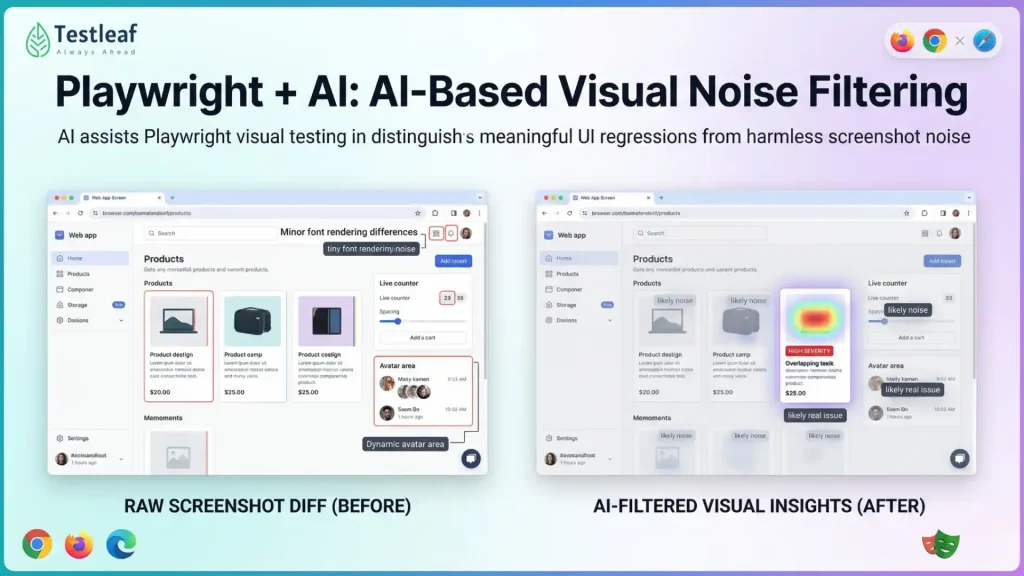
Sometimes a screenshot diff fails because of:
- Slight font rendering differences
- 1-pixel shifts
- Dynamic ads or live counters
- Minor color shifts on different machines
You don’t want your team constantly chasing false alarms. That’s where AI-based visual noise filtering can help.
Let’s imagine how AI, combined with a tool like Playwright, can separate real visual bugs from harmless noise.
What is AI-based visual noise filtering?
AI-based visual noise filtering helps visual tests ignore harmless screenshot differences, such as timestamps, 1-pixel shifts, and dynamic counters, while still flagging real UI problems like overlap, layout breakage, and missing elements.
Key takeaways
- Raw visual diffs often create false alarms.
- AI can distinguish expected change from meaningful UI breakage.
- Playwright provides the screenshot and device-testing layer.
- AI filtering is most useful when used with transparency and human review.
- Mature teams start with advisory mode before AI-based gating.
1. What is “visual noise” in tests?
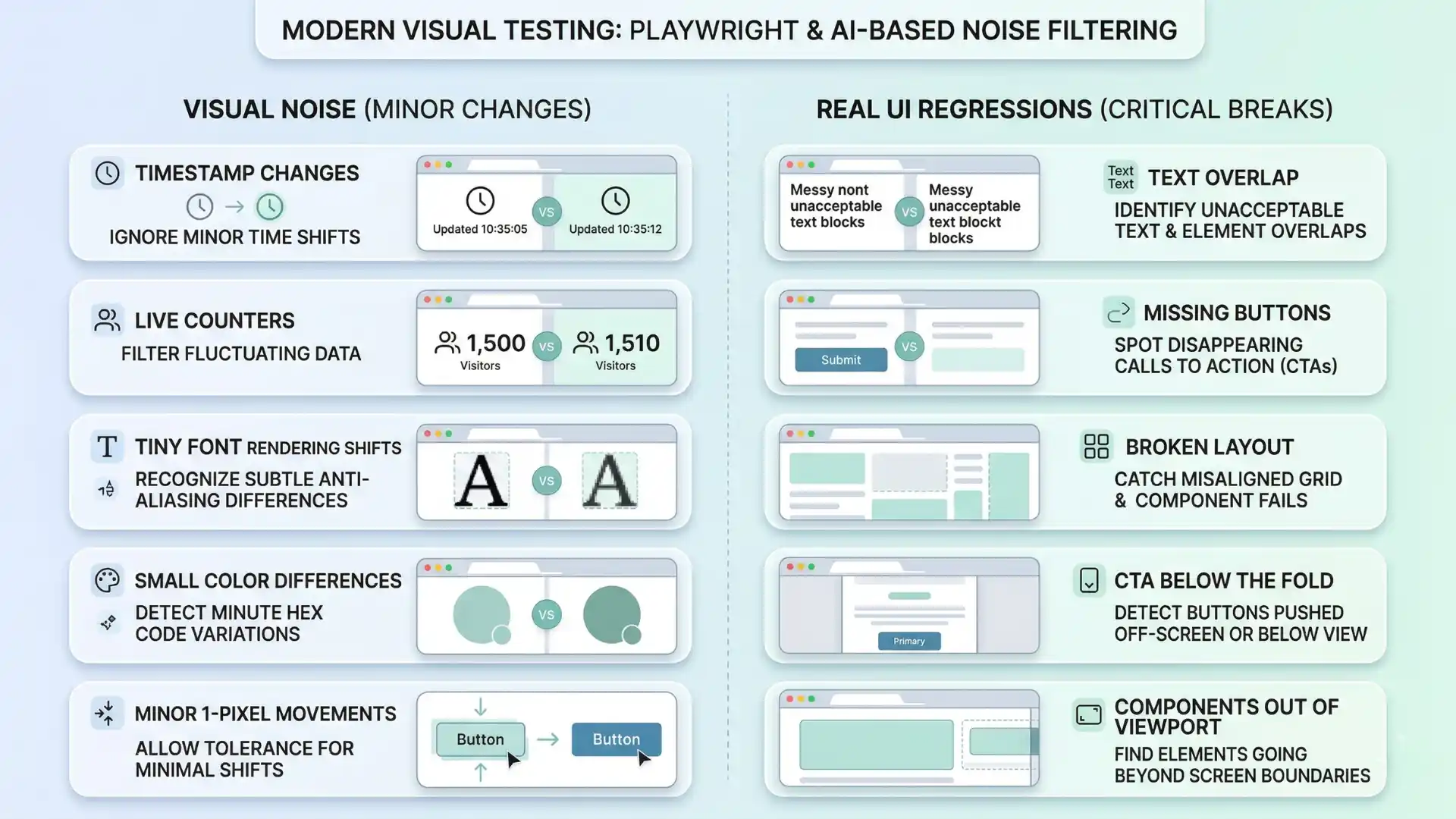
Visual noise is any change that:
- Shows up in a screenshot diff
- But doesn’t actually break the user experience
Examples:
- Timestamp at the top of the page changing every run.
- Random avatar image that changes from one user to another.
- Animated background moving slightly.
- Minor antialiasing differences between CI machines.
Traditional pixel-level diff tools will flag all of these as changes. AI can learn that they are expected variations, not regressions.
2. How AI can “look” at diffs differently
Instead of comparing images pixel by pixel, an AI model can:
- Look at the structure/layout of the page.
- Understand which regions are content vs decoration.
- Recognize common patterns like:
- Toast notifications
- Timestamps
- User-specific panels
For a given baseline and current screenshot, AI could output:
- A heatmap of changes with confidence:
- “This looks like a changed icon in the same place” (low risk).
- “This looks like text overlapping in an unexpected way” (high risk).
- A classification:
- “Likely noise”
- “Likely real issue (layout/visibility/overlap)”
Your test system then uses that classification to decide:
- Fail the test only when AI says “likely real issue.”
- Log or downgrade tests where AI says “mostly noise.”
Recommended for You: api testing interview questions
3. Practical examples of AI noise filtering
Without AI:
- Every run shows different numbers.
- Screenshot diffs highlight that area.
- You either ignore the whole region manually or keep updating baselines.
With AI:
- The system learns that “this small numeric region” changes but doesn’t affect layout.
- It marks those pixels as low-importance changes.
- It only alerts if:
- The counter overlaps other text.
- The counter disappears completely when it shouldn’t.
So you catch broken layout but ignore expected value changes.
Other Useful Guides: AI and ML engineer salary in india
4. AI and responsive visuals
Now combine AI vision with multi-device tests:
- Desktop screenshot changed slightly → AI sees it’s just a font smoothing difference.
- Mobile screenshot changed so that the CTA button is now below the fold or partially off-screen → AI flags it.
AI can be trained to look for:
- Elements going out of viewport
- Overlapping UI components
- Low contrast between text and background
- Missing buttons or key labels
Instead of humans scanning screenshots manually, AI gives a quick “ok / not ok” summary per device.
5. How this fits with Playwright tests
Playwright’s role in an AI-based visual setup:
- Drive the browser, set viewport, emulate devices.
- Capture screenshots with page.screenshot() or toHaveScreenshot.
- Send:
- Baseline image
- Current image
- Optional DOM metadata (element positions, roles, labels)
to an AI service.
- AI returns:
- Noise-filtered diff mask
- A “severity” score
- Optional natural language summary (e.g., “Primary button moved below the fold on mobile”).
- Your CI uses this to:
- Fail builds on high-severity visual regressions.
- Mark low-severity ones as warnings for review.
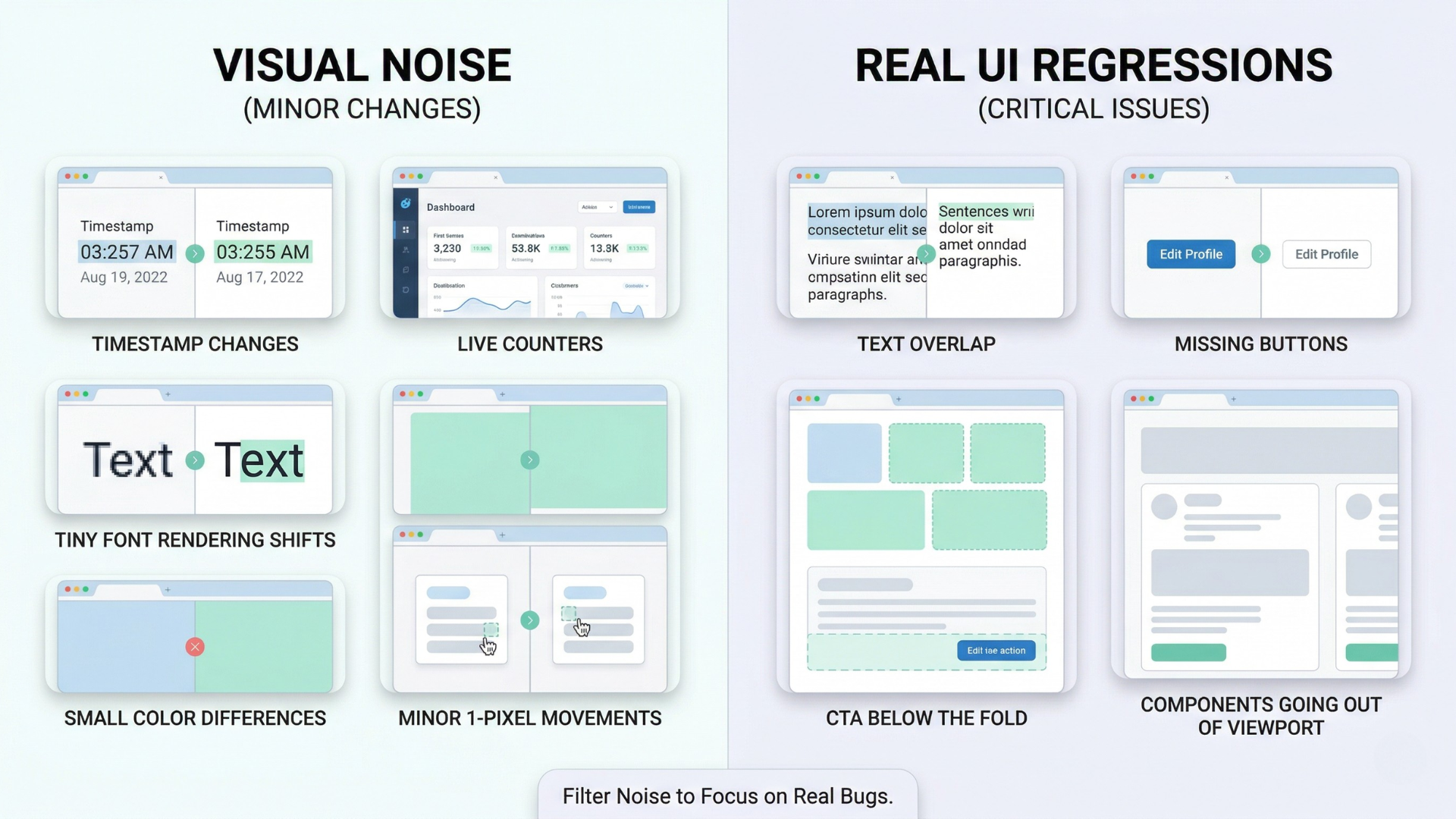
You still keep raw screenshots and diffs for humans, but AI becomes the first pass filter.
6. Benefits for teams
AI-based visual noise filtering can:
- Reduce false positive failures from visual tests.
- Save reviewers time by highlighting truly important changes.
- Help non-visual experts understand what changed (“Card titles now overflow to 3 lines”).
- Lower the barrier to adding more visual coverage (because maintenance is less painful).
This encourages teams to trust and expand visual checks, instead of abandoning them after a noisy experience.
You Might Also Like: playwright interview questions
7. Guardrails & adoption tips
Like all AI in testing:
- Keep it transparent: show why something was flagged as noise vs bug.
- Let humans override and provide feedback:
- “This was noise” → AI learns to ignore similar patterns.
- “This was a real bug you missed” → AI adjusts.
Also:
- Start with advisory mode: AI gives a recommendation, but tests still fail on raw diffs.
- Once you’re confident, move to AI-informed gating: let severity thresholds decide fail vs warn.
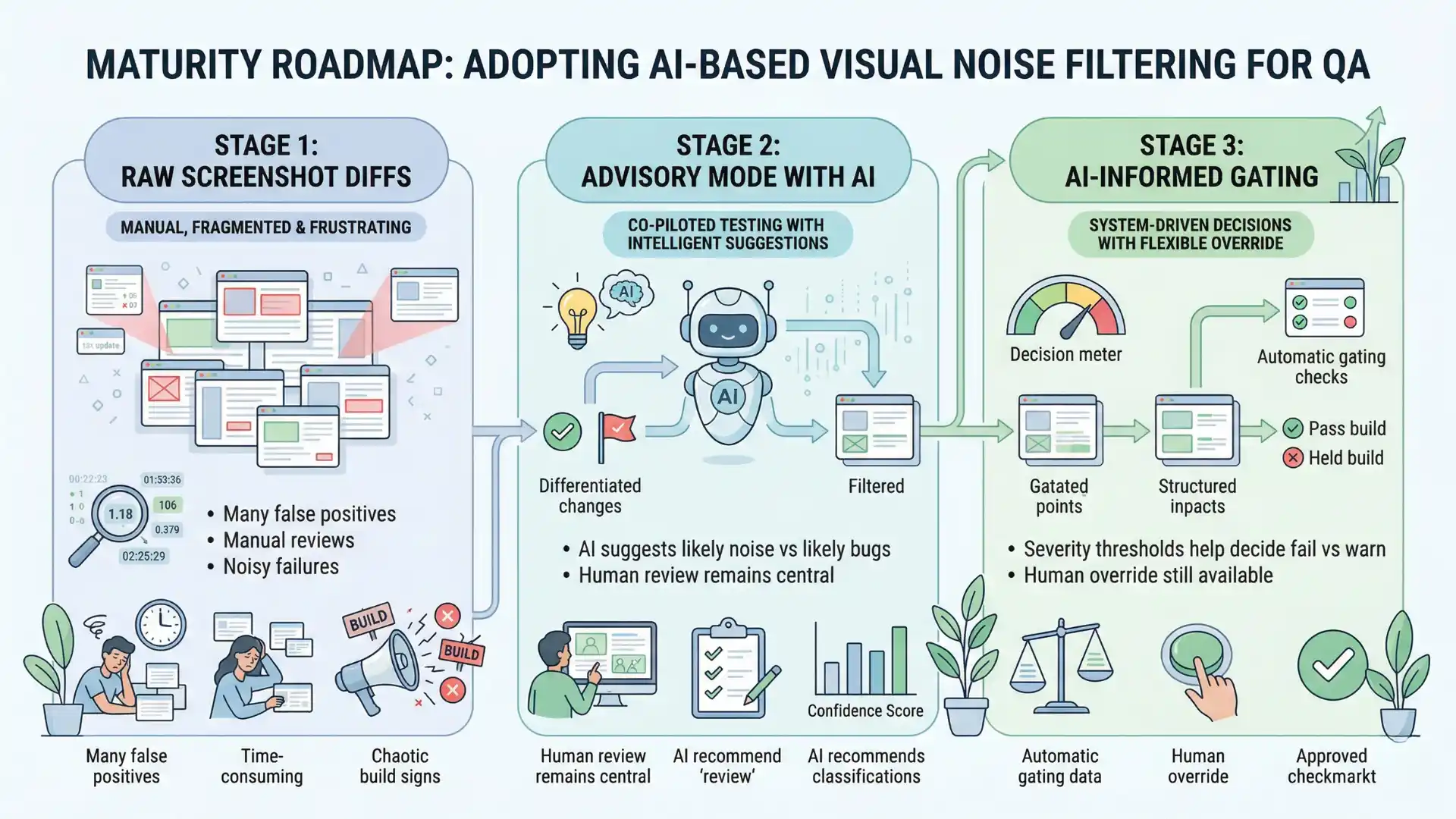
Playwright plus AI-based visual noise filtering helps QA teams reduce false positive visual diffs by ignoring harmless changes and focusing on real layout, visibility, and responsive UI problems.
Conclusion
Visual testing is essential for modern UI, but raw pixel diffs are too noisy for long-term happiness.
AI-based visual noise filtering, combined with tools like Playwright, gives you the best of both worlds:
- Strong visual safety nets that catch real layout and design problems.
- Far fewer false alarms from tiny, expected differences.
You still define what “good” looks like. AI just helps you focus on the visual changes that actually matter to your users.
FAQs
What is visual noise in testing?
Visual noise is a screenshot difference that appears in a visual diff but does not actually harm the user experience, such as timestamps, counters, animations, or tiny rendering shifts.
How does AI reduce false positives in visual testing?
AI reduces false positives by classifying which visual changes are likely harmless noise and which are likely real issues such as overlap, missing elements, or layout breakage.
Why is Playwright useful for AI-based visual testing?
Playwright is useful because it can drive browsers, emulate devices, capture screenshots, and provide the execution layer for AI-assisted visual analysis.
Should teams fail builds on every screenshot diff?
No. Teams should treat every raw diff as a signal, then use AI and review workflows to separate low-risk noise from real regressions.
How should teams adopt AI visual noise filtering?
Teams should start in advisory mode, review AI recommendations, allow human override, and move to AI-informed gating only after confidence improves.
We Also Provide Training In:
- Advanced Selenium Training
- Playwright Training
- Gen AI Training
- AWS Training
- REST API Training
- Full Stack Training
- Appium Training
- DevOps Training
- JMeter Performance Training
Author’s Bio:

Content Writer at Testleaf, specializing in SEO-driven content for test automation, software development, and cybersecurity. I turn complex technical topics into clear, engaging stories that educate, inspire, and drive digital transformation.
Ezhirkadhir Raja
Content Writer – Testleaf