If your Playwright suite is “green locally, red on CI,” here’s the uncomfortable truth:
Your tests aren’t flaky. Your popup strategy is.
Cookie banners, newsletter modals, chat widgets, “rate your experience” overlays, payment windows, login providers—popups are not edge cases anymore. They’re part of the product.
And when we treat them like surprises, we create the real enemy of UI automation: loss of trust.
This isn’t a niche problem. A survey of developers found 59% deal with flaky tests monthly/weekly/daily. And in a separate developer survey, people reported they’re less worried about rerun compute cost and more worried about losing trust in test outcomes.
Where teams struggle most: Pop-ups often appear only under specific conditions—CI runners, geo-based cookie banners, A/B experiments, and first-time user flows (common with India/global traffic). That’s why your approach needs a state checklist (cookies, storage state, experiments, locale) before you trust failures.
So if we want reliable automation in 2026 and beyond, we need a better model than “add waits.”
Key Takeaways
- Popups aren’t “random flake”—they expose missing interrupt contracts (dialogs, overlays, new tabs, permissions, downloads).
- Use Playwright events (popup/dialog/download) + centralized utilities to make handling repeatable and reviewable.
- Make failures diagnosable: enable trace on first retry and use AI only for triage/suggestions—not silent auto-fixes.
The big idea: Popups are interrupt contracts
Popups don’t “break tests.” They expose missing contracts.
A popup is an interrupt: it changes what the user can do right now.
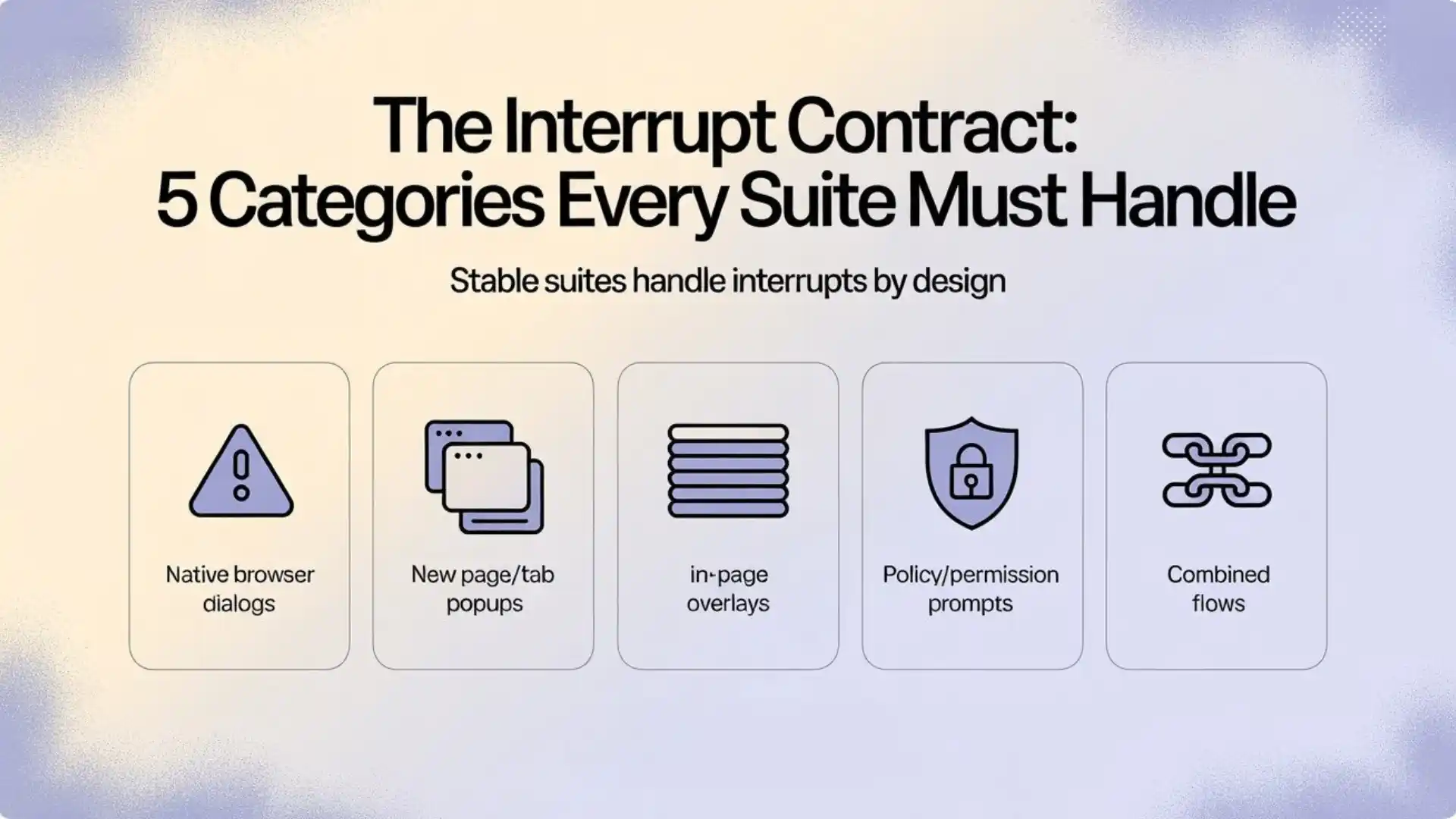
A stable test suite needs an explicit contract for each interrupt category:
- Native browser dialogs: alert/confirm/prompt/beforeunload
- New page/tab popups: links or flows that open a new window
- In-page overlays: cookie banner, newsletter modal, chat widget
- Policy/permission prompts: notifications, geolocation, camera/mic
- Combined flows: modal → confirm → download
Playwright already gives you strong primitives for each one. Your job is to turn those primitives into repeatable “recipes.” Then AI can help—not by auto-fixing tests, but by accelerating discovery and triage.
Additional Resources: Automation testing interview questions
A quick framework you can reuse: ICE
When an interrupt appears, think ICE:
- Identify the interrupt type (overlay? new tab? dialog?)
- Capture it deterministically (events/handlers—not sleeps)
- Eliminate repetition (centralize into one helper/util)
This is how teams stop “fixing popups” and start engineering reliability.
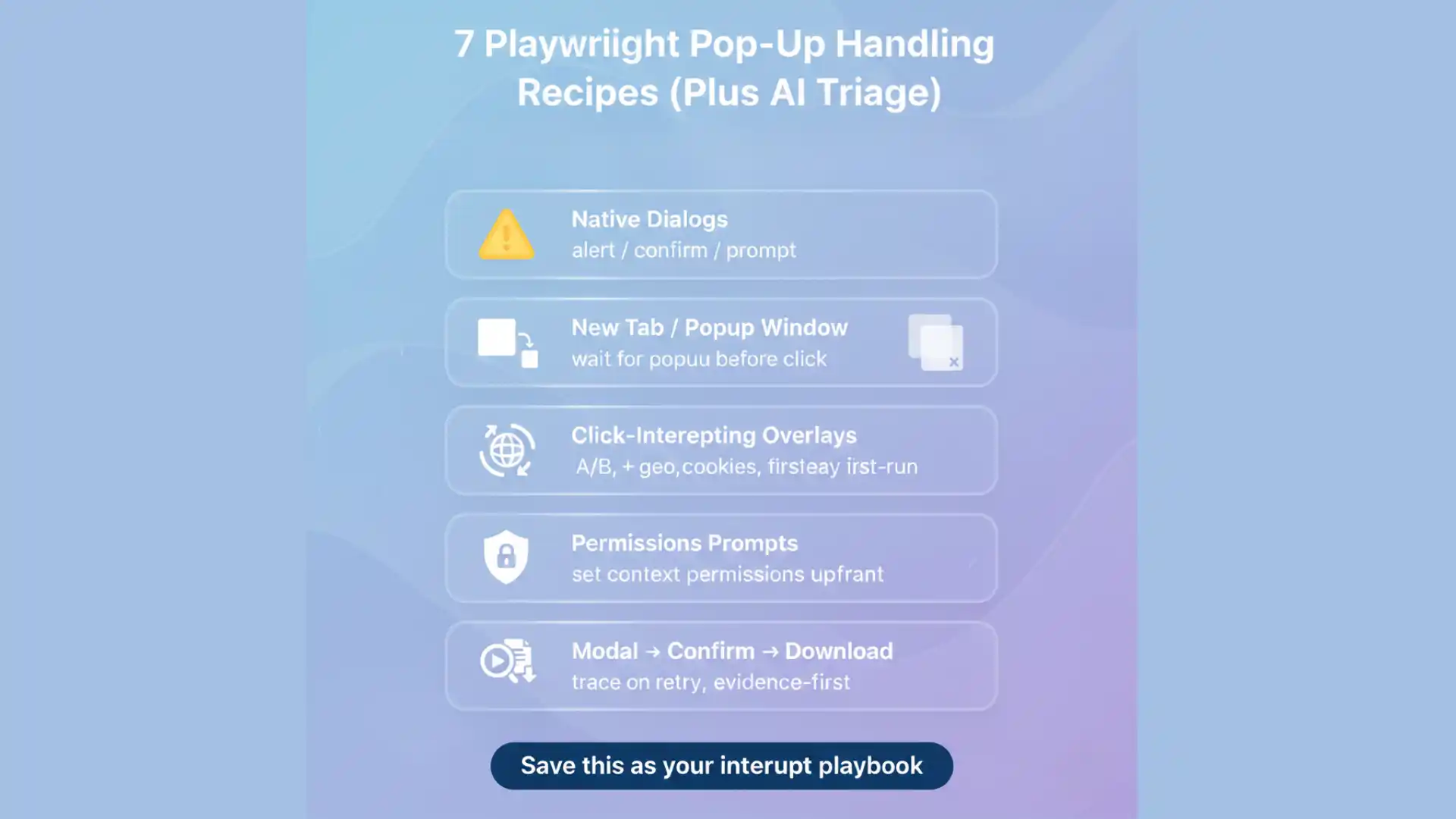
The 7 recipes (Playwright-native + AI-assisted)
Recipe 1: Native dialogs (alert/confirm/prompt)
Symptom: your click hangs or the test freezes after an action.
Root cause: dialogs are modal; if you add a listener, you must handle it.
Playwright warns clearly: if you attach a page.on(‘dialog’) listener, it must accept() or dismiss() or your action can stall.
Playwright-native fix (pattern):
page.once('dialog', async (dialog) => {

// Rule-based decisions only:

const msg = dialog.message();

if (/delete|remove|are you sure/i.test(msg)) await dialog.accept();

else await dialog.dismiss();

});

await page.getByRole('button', { name: /delete/i }).click();
AI assist (safe):
- classify the dialog message and suggest a rule (“accept delete confirmations, dismiss leave-site prompts”)
Guardrail:
- never let AI decide silently; store decisions as deterministic rules.
Recipe 2: New tab / popup window opened by click
Symptom: assertions fail because your test keeps running on the original page.
Root cause: the app opened a new page; you didn’t capture it.
Playwright’s event docs show the key idea: start waiting for the popup before clicking.
Playwright-native fix:
const popupPromise = page.waitForEvent('popup'); // no await

await page.getByRole('button', { name: /pay now/i }).click();

const popup = await popupPromise;

await popup.waitForLoadState();

// Continue inside the popup...
AI assist (safe):
- read the trace and flag: “click triggered a popup; test continued on old page”
- propose the exact wrapper pattern above
Guardrail:
- do not “re-find” selectors blindly on the old page as a workaround.
Recipe 3: Overlays that intercept clicks (the hidden flake factory)
Symptom: locator.click() times out; logs suggest element is visible but not clickable.
Root cause: overlays intercept pointer events.
Playwright’s actionability checks include Receives Events—it verifies nothing (like an overlay) captures the click at the action point.
Playwright-native fix: build a central overlay cleanup helper and call it at predictable points (after navigation, before critical actions).
export async function closeCommonOverlays(page: Page) {

// Cookie banners

const cookie = page.getByRole('dialog', { name: /cookie/i });

if (await cookie.isVisible().catch(() => false)) {

await cookie.getByRole('button', { name: /accept|agree|ok/i }).click();

 }

// Newsletter / promo

const promo = page.getByRole('dialog', { name: /newsletter|offer|promo/i });

 if (await promo.isVisible().catch(() => false)) {

await promo.getByRole('button', { name: /close|no thanks|dismiss/i }).click();  }

// Escape often closes modals (when supported)

await page.keyboard.press('Escape').catch(() => {});}
AI assist (safe):
- suggest candidate selectors based on accessible roles/names
- cluster repeated failures across many runs: “same banner blocked 23 tests”
Guardrail:
- never accept “click at coordinates” as a fix (it’s brittle and unreviewable).
Recipe 4: “Sometimes it appears” (A/B tests, geo, cookies)
Symptom: passes in dev, fails in staging; fails only on CI; fails only on rerun.
Root cause: your user state is inconsistent.
This isn’t a locator problem. It’s an environment contract problem:
- cookies differ
- experiments differ
- first-time user flows differ
- data seeds differ
Playwright-native fix:
- make state explicit: reset storage, seed the account, stabilize feature flags (where possible)
- isolate contexts per test to reduce cross-test leakage
Playwright contexts are designed for isolation.
AI assist (safe):
- generate a “state checklist” from failure patterns (first-time modal, new geo banner, etc.)
Guardrail:
- don’t hide state issues by increasing timeouts.
Recipe 5: Permissions prompts
Symptom: flaky first-run flows around notifications/geolocation.
Root cause: permissions are not UI; they’re configuration.
Playwright-native fix:
- define permissions at the browser context level (deny by default; allow only when test requires it)
This keeps your tests deterministic and auditable.
AI assist (safe):
- highlight tests that depend on real-world state (“this flow assumes real location”)
Guardrail:
- do not let AI “approve” permission prompts inside the UI as a generic step.
Recipe 6: Modal → confirm → download (combined flows)
Your draft has the right instinct here: treat the whole thing as one recipe. (In Playwright, downloads are first-class events.)
Playwright-native fix:
export async function exportReport(page: Page) {

const downloadPromise = page.waitForEvent('download'); // no await

await page.getByRole('button', { name: /export report/i }).click();

const confirm = page.getByRole('dialog', { name: /export/i });

if (await confirm.isVisible().catch(() => false)) {    await confirm.getByRole('button', { name: /continue|ok/i }).click();

}

const download = await downloadPromise;

await download.saveAs(`downloads/${download.suggestedFilename()}`);

}
AI assist (safe):
- detect repeated “export flow” failures and recommend centralizing into a utility
Guardrail:
- keep file naming and storage predictable; don’t let AI improvise file paths in CI.
Recipe 7: Make flakiness visible with traces + retries (not “more retries”)
Retries are useful—but only as a diagnostic signal. Playwright supports retries and also recommends recording traces on CI “on-first-retry” to debug failures without tracing every passing test.
Playwright-native config pattern:
- retries on CI
- trace on first retry
This turns “random failure” into “inspectable evidence.”
AI assist (high value):
- summarize a trace into: What interrupt happened? Which recipe applies? What minimal deterministic fix is suggested?
- cluster failure tags over time (e.g., POPUP_BLOCKED_VIEW across multiple tests)
Guardrail:
- AI summarizes and suggests; humans approve and codify.
Where AI helps—and where it hurts
A mistake teams make in 2026: using AI to generate fixes faster than they can review them.
That’s risky even in normal development. For example, Veracode reported 45% of AI-generated code samples failed security tests and introduced vulnerabilities aligned with OWASP Top 10 categories.
UI automation “auto-fixes” can have a similar shape:
- they make the suite green
- but they reduce correctness, clarity, and auditability
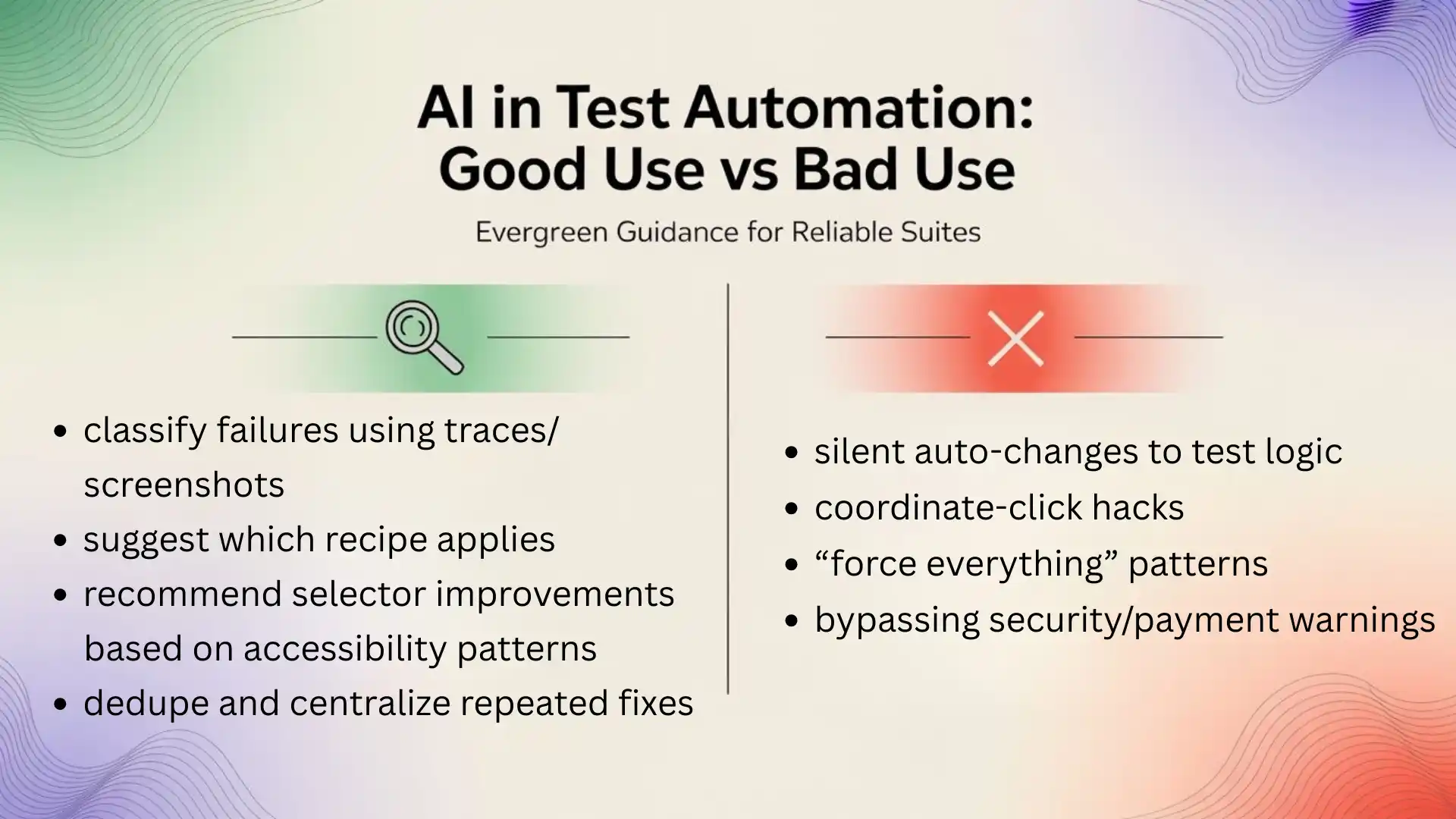
So keep AI in the lane where it’s strongest:
✅ Good AI use (evergreen)
- classify failures using traces/screenshots
- suggest which recipe applies
- recommend selector improvements based on accessibility patterns
- dedupe and centralize repeated fixes
🚫 Bad AI use
- silent auto-changes to test logic
- coordinate-click hacks
- “force everything” patterns
- bypassing security/payment warnings
Related Articles: Playwright testing in 2026
Starter kit: a clean, team-scale approach
If you want one change that improves reliability fast:
Create a shared “interrupt contract layer” and call it consistently.
- closeCommonOverlays(page) at start of flows
- registerDialogPolicy(page) before actions that might trigger dialogs
- capturePopupOnClick(page, locator) wrapper for known popup links
- exportReport(page) utilities for combined flows
When you centralize these, your test files become readable again—and failures become diagnosable.
These patterns work whether your CI runs on GitHub Actions, Azure DevOps, Jenkins, or local runners.
Worried about your testing career in 2026?
Become a Playwright + AI engineer in 90 minutes — join our Playwright + AI webinar.
FAQ’S
1. Why does Playwright click timeout when a modal is present?
Because Playwright checks actionability, including whether the element receives events and isn’t covered by an overlay.
2. How do I handle a popup window/new tab in Playwright?
Use page.waitForEvent(‘popup’) and start waiting before the click.
3. How do I handle JavaScript dialogs?
Use page.on(‘dialog’), and ensure you accept() or dismiss()—otherwise actions can stall.
4. How do I debug CI-only popup failures?
Record and inspect traces; Playwright’s Trace Viewer is built for CI debugging.
At Testleaf, we teach automation like engineering—not magic.
5. A reliable Playwright suite is a set of explicit interrupt contracts.
AI doesn’t replace that. It accelerates how quickly you discover the missing contract, and how consistently you turn it into a reusable recipe.
If you adopt one habit this week:
Every popup failure must end in a centralized recipe—not a one-off patch.
We Also Provide Training In:
- Advanced Selenium Training
- Playwright Training
- Gen AI Training
- AWS Training
- REST API Training
- Full Stack Training
- Appium Training
- DevOps Training
- JMeter Performance Training
Author’s Bio:

Content Writer at Testleaf, specializing in SEO-driven content for test automation, software development, and cybersecurity. I turn complex technical topics into clear, engaging stories that educate, inspire, and drive digital transformation.
Ezhirkadhir Raja
Content Writer – Testleaf