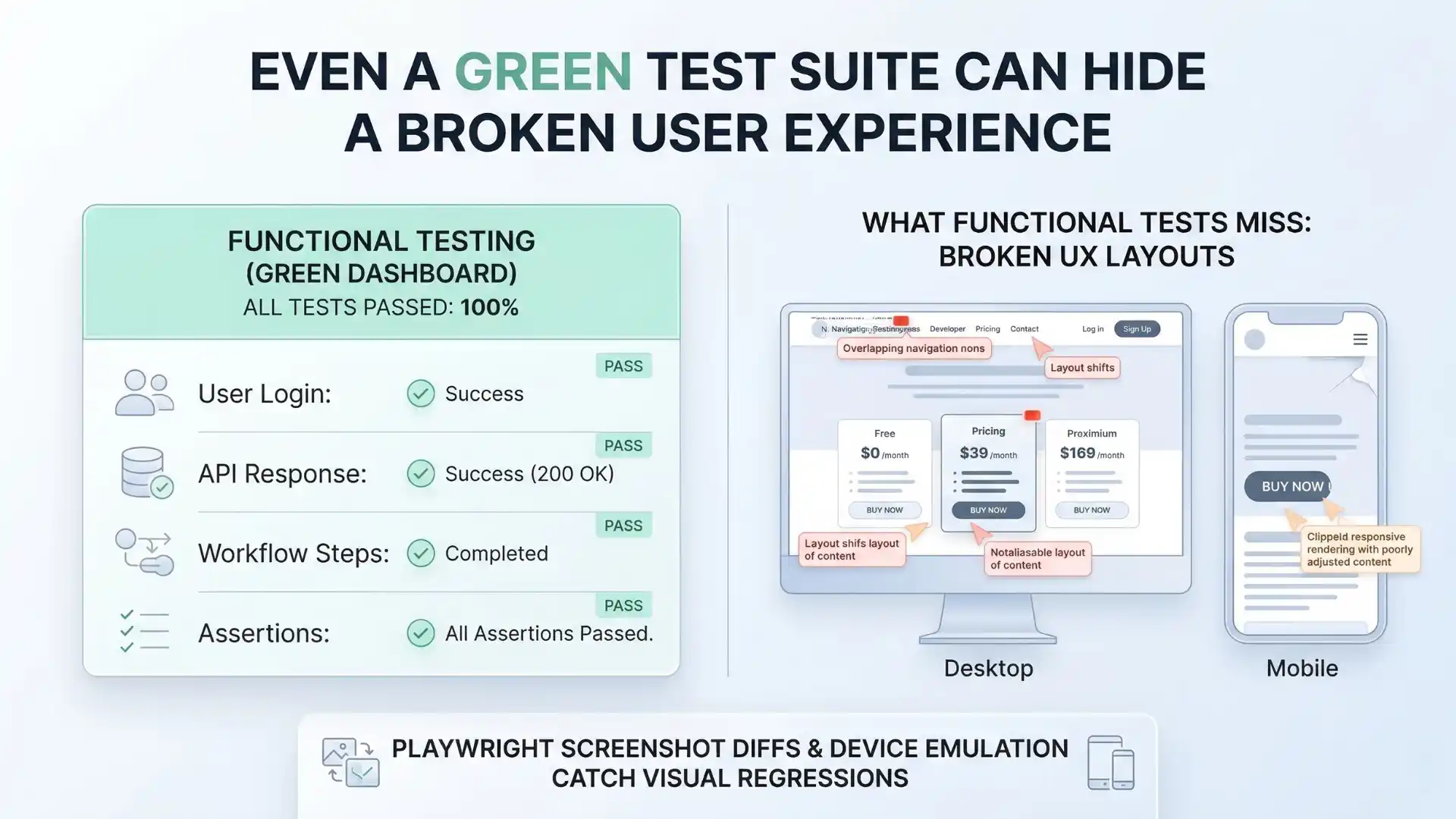
A green test suite can still hide a broken user experience.
That is the uncomfortable truth many teams discover too late. Functional assertions can confirm that a button exists, an API responded, and a workflow completed. But they do not always catch the moment a CTA slips below the fold on mobile, a pricing card wraps awkwardly at tablet width, or a layout shift makes the page feel unstable to the person actually using it.
That gap between functional correctness and visual correctness is exactly where modern quality engineering needs to get sharper.
Playwright matters here not because it makes screenshots easy, but because it brings visual comparison and device emulation close to the test code itself. Screenshot diffs, viewport checks, and device emulation are not just convenient features. They represent a more mature way to think about software quality.
The real shift is this:
visual testing is no longer a nice-to-have layer on top of automation. It is part of release confidence.
Why do Playwright screenshot diffs and device emulation matter?
Playwright screenshot diffs and device emulation matter because they help QA teams catch visual regressions, layout issues, and responsive bugs that functional assertions alone often miss.
Key takeaways
-
Functional automation does not always catch visual breakage.
-
Screenshot diffs help protect high-risk UI surfaces.
-
Device emulation improves responsive quality checks.
-
Visual testing works best when it is focused, not noisy.
-
Mature teams treat screenshot baselines as quality contracts.
The hidden quality gap most teams underestimate
For years, test automation conversations were dominated by behavior: clicking, typing, asserting text, validating API responses, and checking URL transitions. That work still matters. But modern interfaces are more dynamic, more component-driven, and more responsive than ever. A page can be functionally correct and still be visually broken enough to damage trust, confuse users, or reduce conversions.
In practical terms, many UI failures look like this:
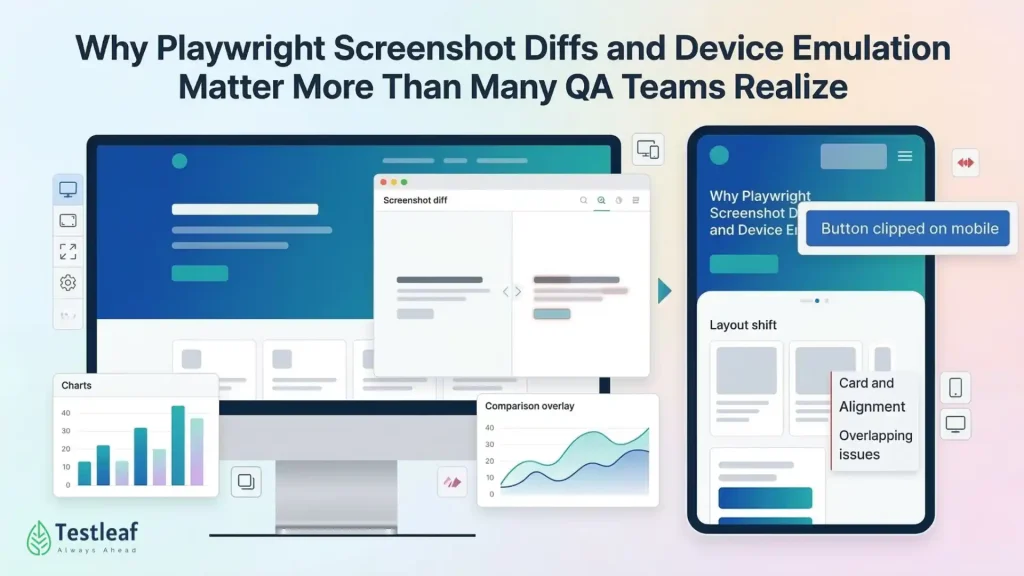
A checkout button is technically present but clipped on smaller screens.
A navigation menu opens, but overlaps content on tablet.
A hero section loads, but layout shifts create a jarring first impression.
A pricing card renders, but its content alignment breaks after a seemingly harmless CSS change.
Traditional assertions rarely catch those problems well. Visual checks often do.
Visual confidence should be intentional, not noisy
This is where many teams get it wrong. They hear “visual regression testing” and imagine hundreds of brittle screenshots, constant false positives, and CI pipelines full of diff noise.
That is not a tooling problem alone. It is usually a strategy problem.
A better approach is to treat visual testing as a high-signal discipline, not a broad screenshot collection exercise. The goal is not to capture every page in every possible state. The goal is to protect the parts of the product where visual regressions create the most business risk.
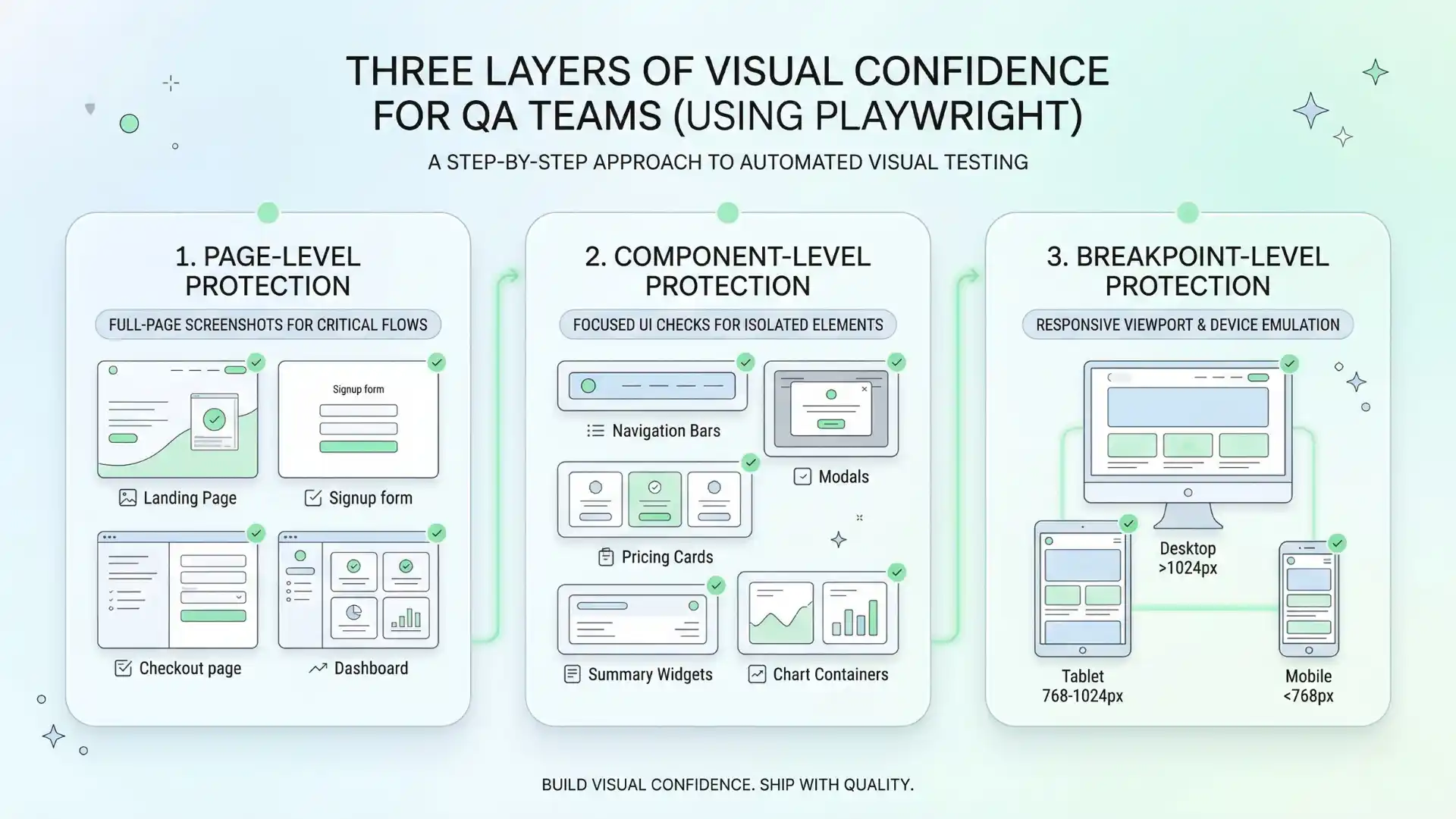
That usually means focusing on three layers of confidence:
1. Page-level protection
Use full-page screenshots for the most critical flows and high-visibility screens: landing pages, signup journeys, checkout steps, dashboards, and other user-facing surfaces where layout integrity matters most.
2. Component-level protection
Use smaller visual checks for business-critical UI units such as nav bars, modals, pricing cards, summary widgets, or chart containers. This often reduces noise and makes failures easier to understand.
3. Breakpoint-level protection
Use viewport and device emulation to check the few screen ranges that actually matter for your product.
This is the difference between visual testing that helps teams move faster and visual testing that becomes an annoyance.
Why Playwright fits this moment
One reason Playwright stands out is that it lowers the activation energy for this kind of work. Teams do not always need a separate platform just to begin building useful visual coverage. Built-in visual comparisons make it practical to add screenshot checks to existing tests, while device emulation allows the same suite to validate desktop and mobile behavior with relatively little configuration.
That matters because quality practices survive when they fit naturally into engineering workflows.
If a team can add a carefully chosen screenshot assertion on a critical page, run it across desktop and mobile projects, and review diffs alongside normal code changes, visual confidence starts becoming operational instead of aspirational. That is a very different mindset from treating visual QA as an occasional manual review step right before release.
Why responsive testing deserves more respect
Responsive bugs rarely announce themselves dramatically. They hide at the edges—specific widths, awkward content lengths, uncommon device ratios, or moments when dynamic elements load out of order.
This is why breakpoint coverage matters so much. If the layout changes meaningfully at certain content thresholds, your automation strategy should reflect that.
Playwright’s device and viewport support helps QA teams validate more than whether a page merely loads. It helps them observe whether it actually holds together in the ways users experience it.
The deeper lesson is bigger than Playwright itself:
responsive quality is product quality.
When layouts break across screens, users do not care whether the root cause was CSS, rendering order, or a minor front-end refactor. They only know the experience feels unreliable.
What mature teams do differently
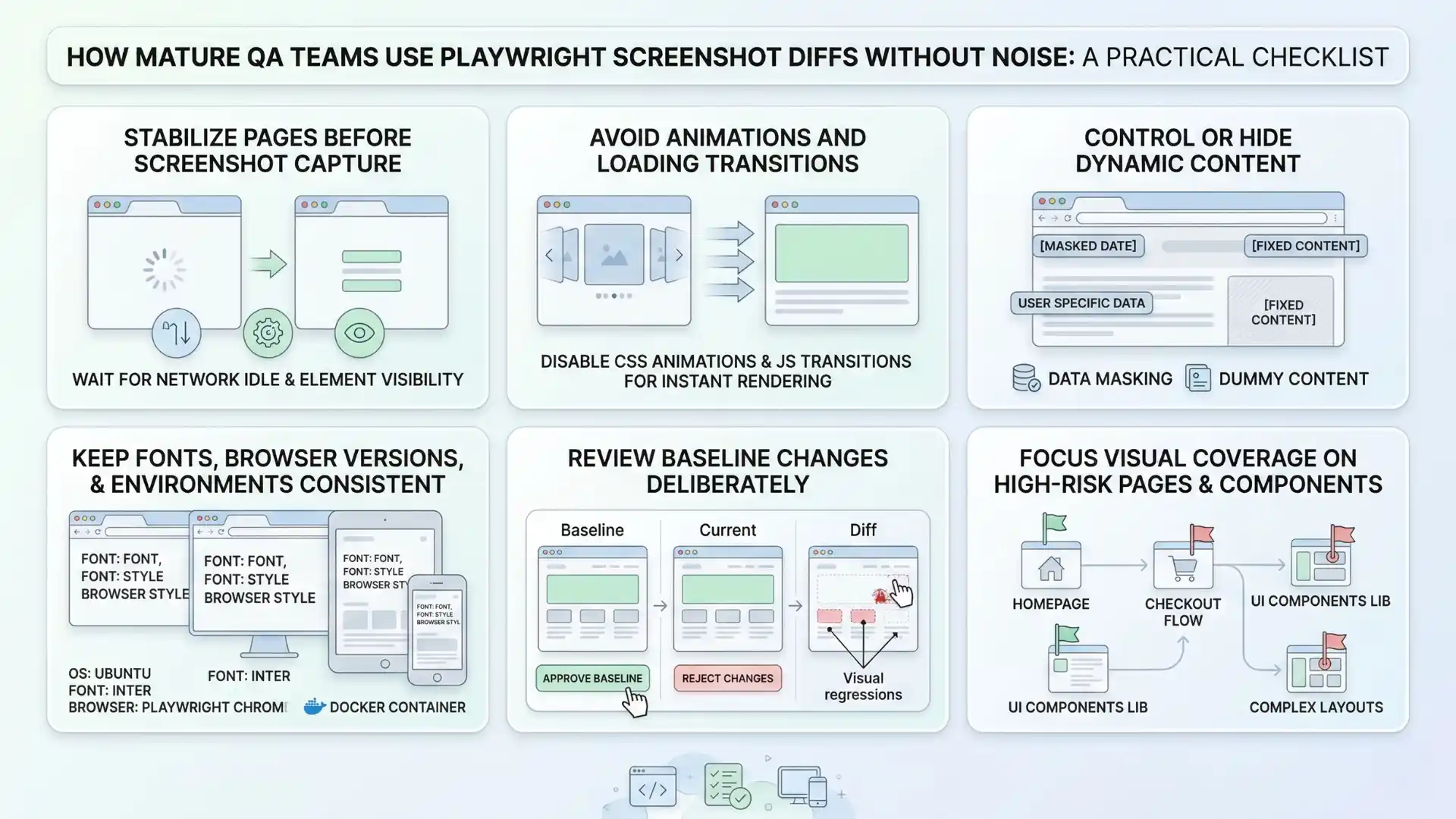
The strongest teams do not use screenshot diffs everywhere. They use them where they can create confidence with the least noise.
They stabilize pages before capture.
They avoid testing during animations or loading transitions.
They hide or control dynamic content when appropriate.
They keep fonts, browser versions, and environments consistent so visual output is predictable.
They review baseline changes deliberately instead of approving every diff just to make CI green.
That last point matters more than many people admit. A screenshot baseline is not just a file artifact. It is a quality contract. Updating it casually weakens the value of the entire test.
The mistake to avoid: confusing coverage with confidence
There is a trap many teams fall into: they assume more screenshots automatically mean more quality.
Usually, they do not.
If you capture everything, you often learn very little. The real leverage comes from intentional coverage of the places where visual regressions are expensive: brand surfaces, critical journeys, high-traffic screens, and layout-sensitive components.
A passing functional test does not guarantee a trustworthy interface.
A passing screenshot suite does not guarantee a good strategy.
But a focused visual-testing approach, combined with smart device coverage, can catch the kinds of regressions users notice immediately.
That is the level modern QA teams should aim for.
Playwright screenshot diffs and device emulation help teams catch visual regressions and responsive bugs that functional tests can miss, making release confidence more complete.
The larger takeaway
Playwright screenshot diffs and device emulation are not important because they are trendy features. They matter because they help teams close a long-standing blind spot in automation.
Modern test automation cannot stop at behavior alone. It also has to protect what users actually see.
That is where screenshot comparisons become meaningful.
That is where responsive checks become essential.
And that is where quality engineering becomes more complete.
Because in modern QA, behavior alone is not the whole story.
What users see still matters.
FAQs
What are Playwright screenshot diffs?
Playwright screenshot diffs compare the current UI against a saved visual baseline to detect layout or appearance changes.
Why is device emulation important in Playwright?
Device emulation is important because it helps teams validate how layouts behave across desktop and mobile experiences, not just whether a page loads.
Can functional tests miss visual bugs?
Yes. Functional tests can pass while users still see clipped buttons, overlapping menus, layout shifts, or broken responsive alignment.
How do QA teams reduce noise in visual regression testing?
They focus on high-risk pages and components, stabilize pages before capture, control dynamic content, and review baseline changes carefully.
Why do screenshot baselines matter?
A screenshot baseline matters because it acts as a quality contract. Updating it casually reduces the value of the visual test.
We Also Provide Training In:
- Advanced Selenium Training
- Playwright Training
- Gen AI Training
- AWS Training
- REST API Training
- Full Stack Training
- Appium Training
- DevOps Training
- JMeter Performance Training
Author’s Bio:

Content Writer at Testleaf, specializing in SEO-driven content for test automation, software development, and cybersecurity. I turn complex technical topics into clear, engaging stories that educate, inspire, and drive digital transformation.
Ezhirkadhir Raja
Content Writer – Testleaf