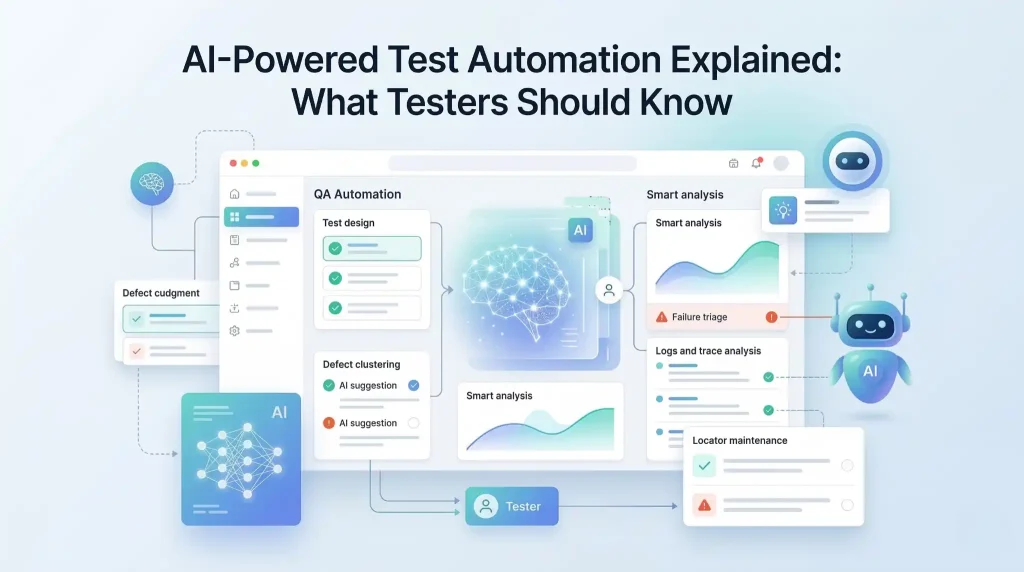
AI is changing test automation, but not in the simplistic way many headlines suggest.
The real shift is not that AI can write a few test steps faster. The real shift is that AI can now assist across the testing lifecycle: generating ideas, spotting patterns, reducing maintenance effort, clustering failures, prioritizing risk, and helping teams make faster quality decisions. At the same time, the strongest research on AI adoption shows a familiar reality: organizations are using AI more widely, but many are still early in turning that usage into scaled, reliable value.
That is why testers need a clearer view of AI-powered test automation. Not the hype. Not the fear. The practical truth.
What is AI-powered test automation?
AI-powered test automation is the use of artificial intelligence to assist test design, maintenance, execution analysis, prioritization, and quality decision-making. It helps teams reduce testing waste and improve focus, but it does not replace human judgment.
Key takeaways
Place this before the first main section:
-
AI-powered test automation supports more than script generation.
-
It helps with draft test ideas, triage, maintenance, and regression prioritization.
-
AI-generated tests are drafts, not proof of coverage.
-
Self-healing is useful, but not the same as true test intelligence.
-
Strong testing fundamentals and governance still matter.
What AI-powered test automation actually means
AI-powered test automation is the use of artificial intelligence to assist test design, maintenance, prioritization, execution analysis, and quality decision-making.
That definition matters because AI in testing is often reduced to one narrow idea: “AI writes tests for you.” That is too shallow to be useful.
In practice, AI-powered test automation can support teams in several places:
- turning requirements into draft test ideas
- suggesting missing edge cases
- identifying unstable locators
- summarizing failures from logs and traces
- grouping similar defects
- prioritizing regression coverage based on change risk
- generating variations of test data
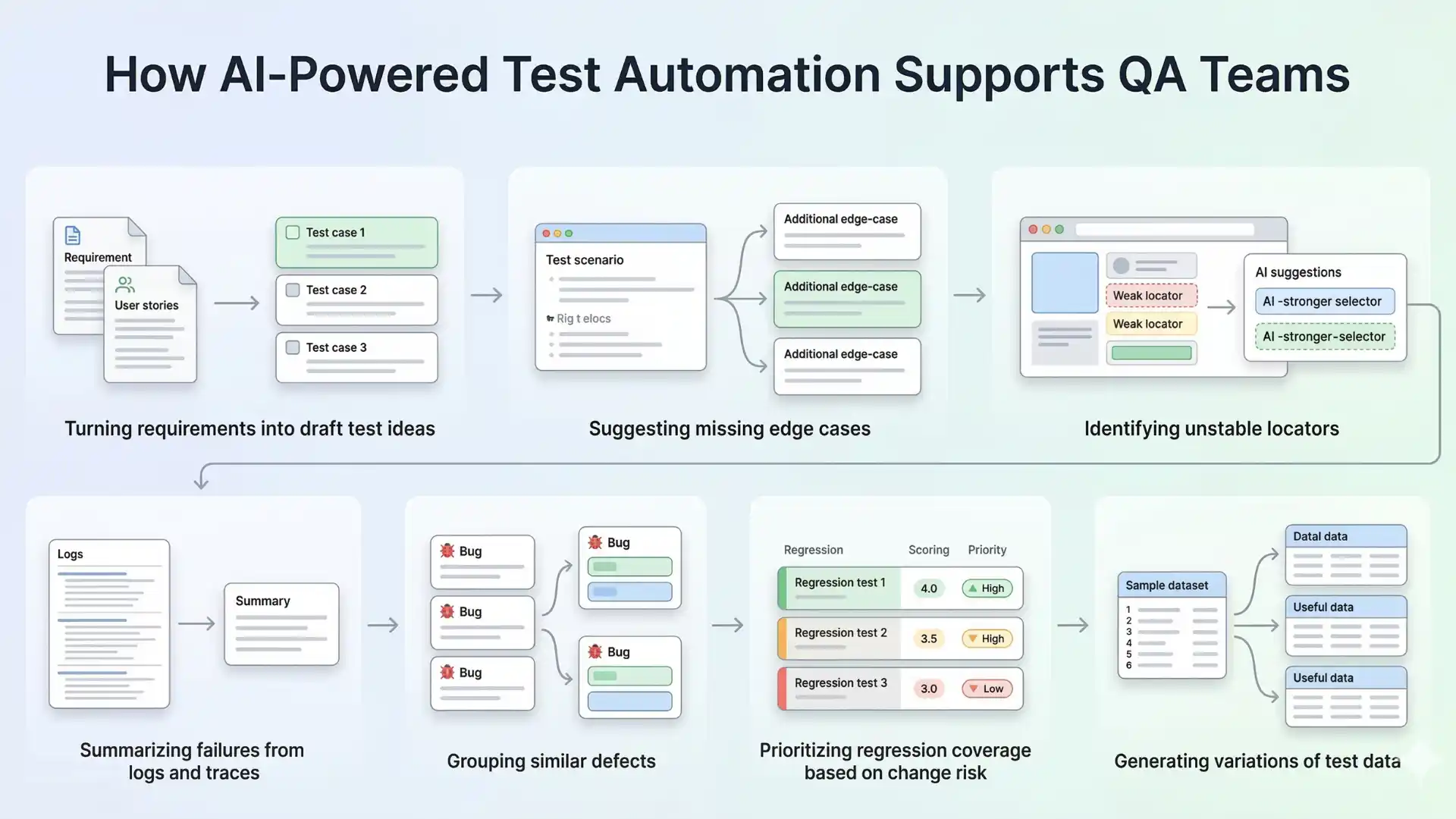
So the value is not only in execution. The value is in reducing waste around testing.
Recommended for You: api testing interview questions
Why this matters now
Modern QA teams are under pressure from every direction. Releases move faster. User flows are more dynamic. Front-end behavior changes often. Pipelines are expected to be fast, stable, and trustworthy. Traditional automation still matters, but maintenance overhead, flaky feedback, and triage effort keep slowing teams down.
That is one reason AI is becoming harder to ignore. McKinsey reported in March 2025 that 78 percent of respondents said their organizations use AI in at least one business function, up from 72 percent in early 2024 and 55 percent a year earlier. Capgemini’s 2025–26 World Quality Report also found that generative AI emerged as the top-ranked skill for quality engineers at 63 percent, ahead of core QE skills at 60 percent.
The message is clear: AI is no longer a side conversation. It is becoming part of the environment testers work in.
Where AI adds real value in test automation
The strongest use cases are not always the flashiest ones.
One of the most useful applications is faster test design. AI can help convert requirements, user stories, bug reports, and production issues into first-draft scenarios. That does not remove the need for a tester. It reduces blank-page effort.
Another valuable area is maintenance. Many teams spend more time fixing brittle automation than building meaningful coverage. AI can assist by suggesting locator updates, surfacing likely causes of failures, and highlighting patterns behind recurring breaks.
AI also helps in triage. When hundreds of test results arrive from CI, the real problem is not just failure. It is signal quality. Grouping similar failures, summarizing logs, and pointing to probable root-cause areas can save teams significant time.
Risk-based prioritization is another practical win. Instead of running everything with equal weight, AI can help identify where recent changes, user-critical flows, or historically unstable areas deserve more attention.
Used well, AI does not make testing lazy. It makes testing more focused.

Where AI still struggles
This is the part that matters most, because weak articles usually skip it.
AI does not truly understand your product the way an experienced tester does. It can predict patterns. It can infer likely steps. It can produce plausible outputs. But plausible is not the same as correct.
AI often struggles with business intent. It may generate test cases that look complete but miss the rule that matters most. It can write assertions that sound reasonable but do not verify real product risk. It can “heal” a broken locator while completely missing that the user flow itself has changed in a meaningful way.
This is where many teams get misled. They see smooth demos and assume maturity. But test automation is not a demo problem. It is a reliability problem.
That is why trust matters. NIST’s AI Risk Management Framework describes trustworthy AI as valid and reliable, safe, secure and resilient, accountable and transparent, explainable and interpretable, privacy-enhanced, and fair with harmful bias managed. Those principles are useful in testing too, because a fast answer from AI is not enough if the answer cannot be trusted.
Other Helpful Articles: Java selenium interview questions
What testers should know before trusting AI
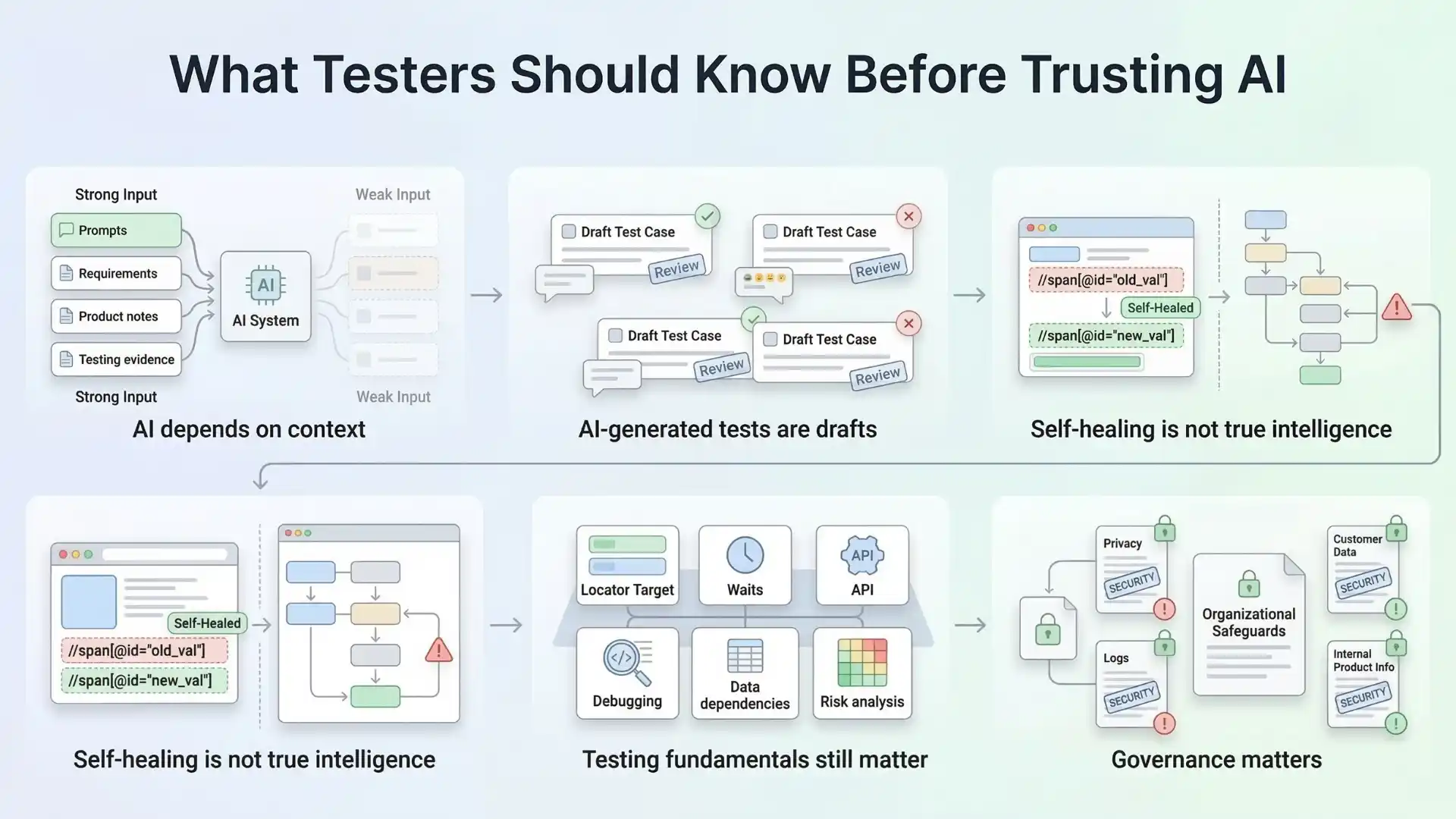
First, AI is only as good as the context it receives. Poor prompts, weak requirements, incomplete product knowledge, and missing test evidence will produce shallow outputs.
Second, AI-generated tests are drafts, not decisions. A generated scenario may be a helpful starting point. It is not proof of coverage.
Third, self-healing is not the same as test intelligence. Fixing a locator is useful. Understanding why a workflow became unstable is much harder.
Fourth, fundamentals still matter. Strong testers still need to understand application behavior, locators, waits, APIs, data dependencies, debugging, and risk. AI does not remove those needs. In many cases, it raises the bar for them.
Fifth, governance matters. If teams use AI carelessly with logs, customer data, or internal product information, the risk is not only technical. It is organizational.
The shift from script execution to quality intelligence
This is the bigger idea many articles miss.
The future of AI-powered test automation is not just “write more scripts with less effort.” That framing is too small.
The bigger opportunity is moving from script execution to quality intelligence.
Quality intelligence means using AI to help teams answer better questions:
- What changed that actually matters?
- Which failures are noise and which are real?
- Which flows deserve deeper coverage?
- What patterns are repeating across releases?
- Where is the real risk building up?
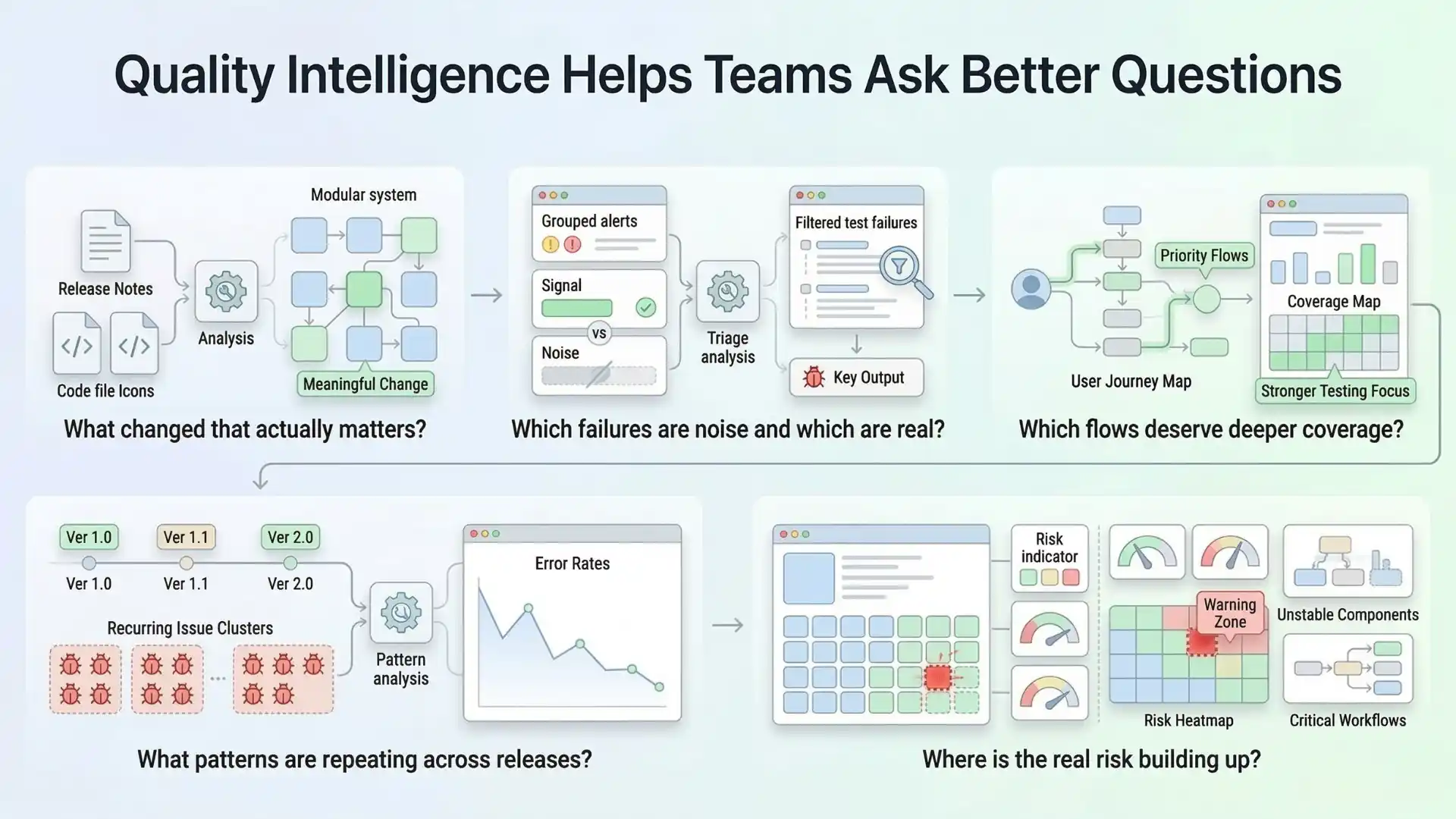
That is where AI becomes strategically useful. Not as a replacement for testers, but as an amplifier for thoughtful testing.
What smart QA teams will do next
The teams that benefit most from AI in testing will not be the ones that chase every shiny feature. They will be the ones that adopt AI with discipline.
They will use AI to reduce low-value effort, not remove critical thinking.
They will validate outputs before trusting them.
They will combine AI assistance with strong automation foundations.
They will treat AI as part of a quality system, not a magic layer on top of broken practices.
That approach is also consistent with broader enterprise findings. McKinsey’s 2025 survey shows AI use is growing, but scaled value still depends on rewiring workflows and governance, not simply adding tools. Capgemini’s quality engineering research points in a similar direction: interest is high, but enterprise-scale deployment remains limited, which suggests that adoption quality matters as much as adoption speed.
Final thought
AI-powered test automation is real. It is useful. And it is absolutely worth learning.
But the winning mindset is not “AI will replace testers.”
The winning mindset is this: AI will reward testers who know how to think, validate, adapt, and use automation with better judgment.
That is the real future of testing.
And that is what testers should know.
As the industry evolves, learning how to apply AI in software testing is becoming a practical advantage for modern QA professionals. The real opportunity is not just using AI to generate outputs faster, but understanding how to guide, validate, and govern those outputs so they improve quality decisions, reduce waste, and strengthen automation strategy in real-world delivery environments.
FAQs
What is AI-powered test automation?
AI-powered test automation uses artificial intelligence to support test design, maintenance, execution analysis, triage, and regression prioritization. It helps teams reduce waste and focus on higher-value quality work.
Can AI write test cases automatically?
AI can generate draft test cases and test ideas, but those outputs still need human review and validation before teams can trust them as real coverage.
Does AI replace software testers?
No. AI does not replace skilled testers. It supports them by reducing repetitive effort and helping them focus on risk, judgment, and product quality.
What are the risks of using AI in test automation?
The main risks include poor context, shallow outputs, false confidence in generated coverage, misuse of self-healing, and governance issues involving logs, customer data, or internal product information.
What is quality intelligence in software testing?
Quality intelligence means using AI to help teams answer better questions about meaningful changes, noisy failures, deeper coverage needs, repeated release patterns, and real product risk.
We Also Provide Training In:
- Advanced Selenium Training
- Playwright Training
- Gen AI Training
- AWS Training
- REST API Training
- Full Stack Training
- Appium Training
- DevOps Training
- JMeter Performance Training
Author’s Bio:

Content Writer at Testleaf, specializing in SEO-driven content for test automation, software development, and cybersecurity. I turn complex technical topics into clear, engaging stories that educate, inspire, and drive digital transformation.
Ezhirkadhir Raja
Content Writer – Testleaf